A short product video may need realistic motion, while a social post calls for something more playful. MakeShot AI offers access to several generation models without requiring separate accounts for each service. Its dashboard includes Veo, Kling, Seedance, and Wan for videos, alongside Nano Banana and GPT Image.
Each model brings different capabilities, but the shared credit system also raises questions about overall costs. The real value depends on how often you generate content and what your projects require. This MakeShot AI review covers its features, pricing, workflow, and alternatives worth considering in 2026.
Part 1. What is MakeShot AI?
MakeShot AI is a web-based platform that brings multiple AI video and image generators together. Users can access different creative tools through a single dashboard without installing additional software. The platform supports text-based generation, allowing users to turn written descriptions into visual content.
Existing images can also serve as starting points for videos, depending on the selected generator. Each generation uses credits, with the required amount varying according to the chosen settings. MakeShot AI mainly suits creators who want to experiment with different generation tools in one place.
Key Features of MakeShot AI
- AI Video Models: Access Veo 3.1 Premium, Kling 2.5, Seedance 2.5, and Wan 2.5 for video generation.
- Native Audio Generation: Veo 3 generates video with synchronized dialogue, sound effects, and background audio.
- Frame Control: Veo 3.1 Premium supports frame control and multiple reference images for guided video generation.
- AI Image Generation: Create images using Nano Banana, GPT Image 2, and Seedream 5.0 Lite models.
- Character References: Nano Banana supports 4 reference images, while Nano Banana Pro accepts up to 8.
- Script Support: MakeShot AI supports scripts up to 10,000 characters for longer video projects.
Pros and Cons of MakeShot AI
MakeShot AI offers access to different models, giving creators more flexibility across projects. However, credit costs vary between models, making overall expenses harder to predict accurately. The following pros and cons explain where the platform delivers value or falls short:
Pros
- Use Veo, Kling, Seedance, and Wan through 1 shared dashboard.
- Compare results across supported models without switching between websites.
- Paid subscriptions offer private generations, commercial rights, and watermark-free downloads.
- Unused subscription credits carry forward under the platform's rollover policy.
Cons
- Premium video models can consume credits faster than expected.
- Unlimited subscriptions still charge credits for certain premium models.
- MakeShot lacks a dedicated timeline for arranging multiple video clips.
- Short video outputs require external editing for longer narratives.
A first clip comes together on a single model page, where the prompt, the references, and the output settings share one form.
Part 2. How to Use MakeShot AI: Step-by-Step Guide
MakeShot AI provides a web-based interface where users can create videos using different models. The process involves selecting a generator, entering prompts, and adjusting settings before generating content. Follow the steps below to create your video using MakeShot AI's available generation tools:
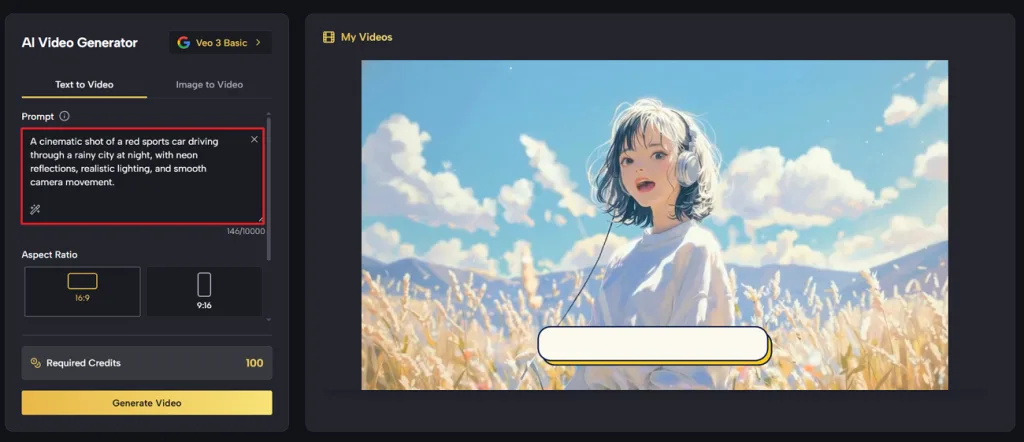
Step 1. Once you enter the main interface, choose the Text to Video tab. Enter your video script in the prompt box. You can also upload a reference image if you have one by selecting the Image to Video tab.
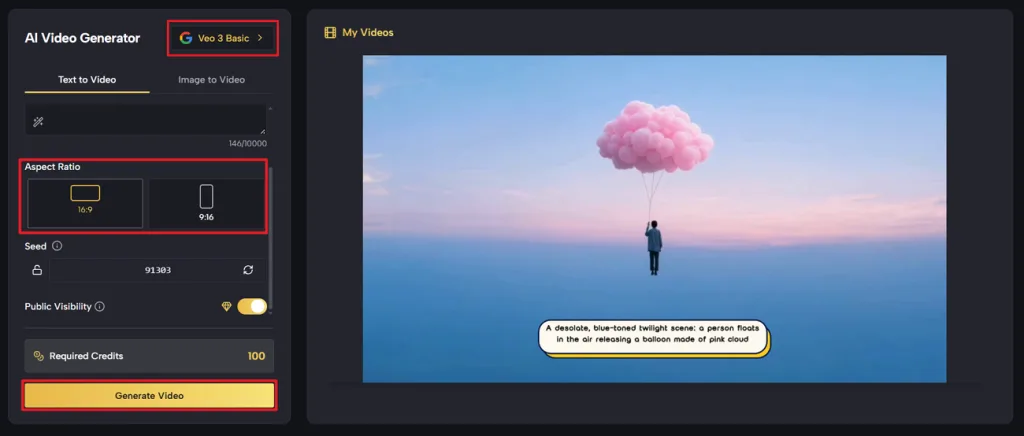
Step 2. After that, pick a Video Model and select an Aspect Ratio. Once done, press the Generate Video button to start the video generation process.
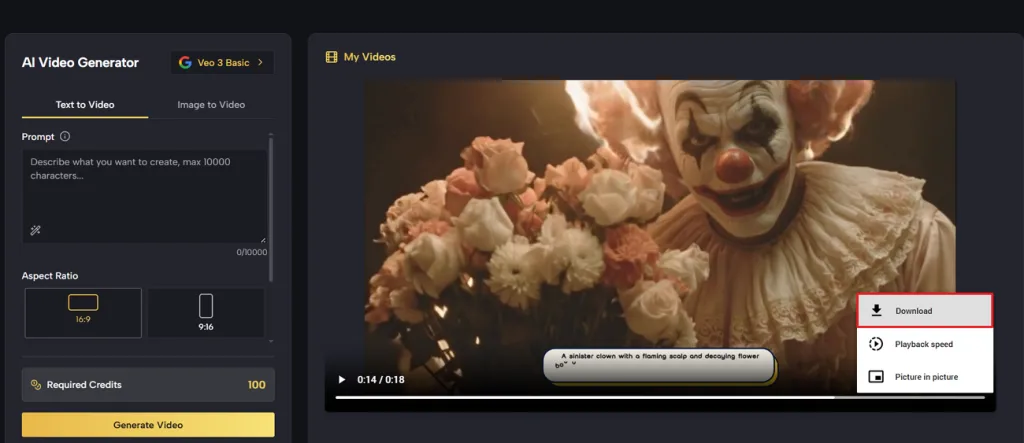
Step 3. After the video is generated, play the video. If the generated video seems good, press the Download option to save the video.
Part 3. Best MakeShot AI Alternatives in 2026
For creators who need complete videos rather than individual clips, MagicLight AI offers an alternative to MakeShot AI. Its Story to Video feature combines scene generation, character visuals, narration, and background music. Users can enter scripts up to 12,000 characters, allowing detailed stories to develop naturally.
The platform supports videos up to 50 minutes, making it suitable for longer storytelling projects. Character consistency helps maintain recognizable appearances as familiar characters move through different scenes and settings. Creators can select visual styles, customize character voices, and adjust scenes before exporting videos. Free sign-up credits also let new users explore MagicLight AI without providing payment details.
Key Features of MagicLight AI
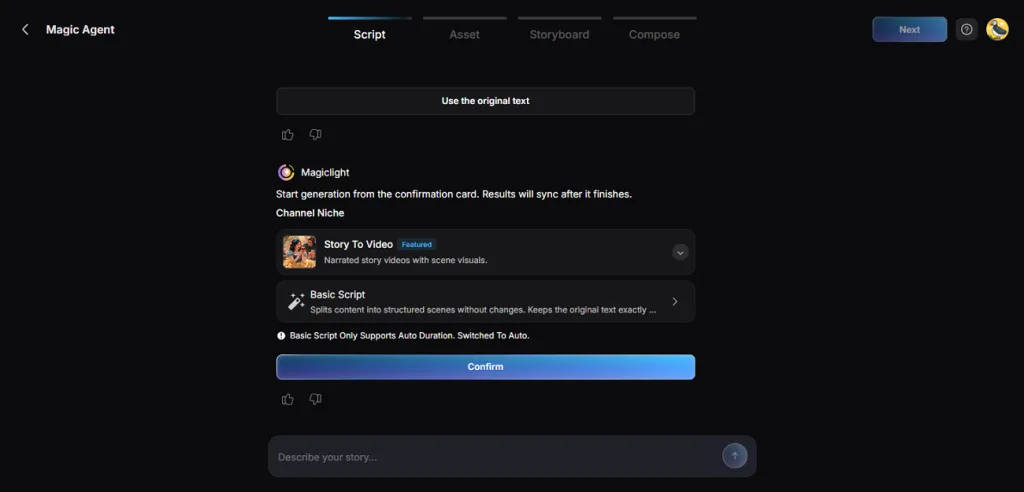
- MagicLight Agent: Describe your video idea through chat, and the Agent prepares character profiles and a production plan. You can check the estimated cost before proceeding.
- AI Video Models: Explore 20 animation models, including Veo, Kling, Hailuo, Seedance, and Wan. Each offers different motion capabilities for bringing storyboard scenes to life.
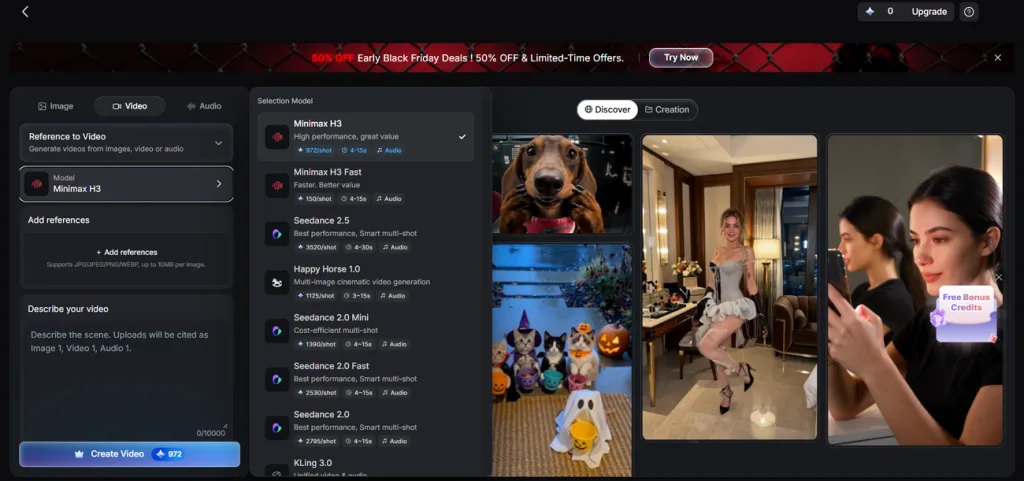
- Visual Styles: Choose from over 50 visual styles to give your videos a distinct appearance. Your selected style can remain consistent across the entire project.
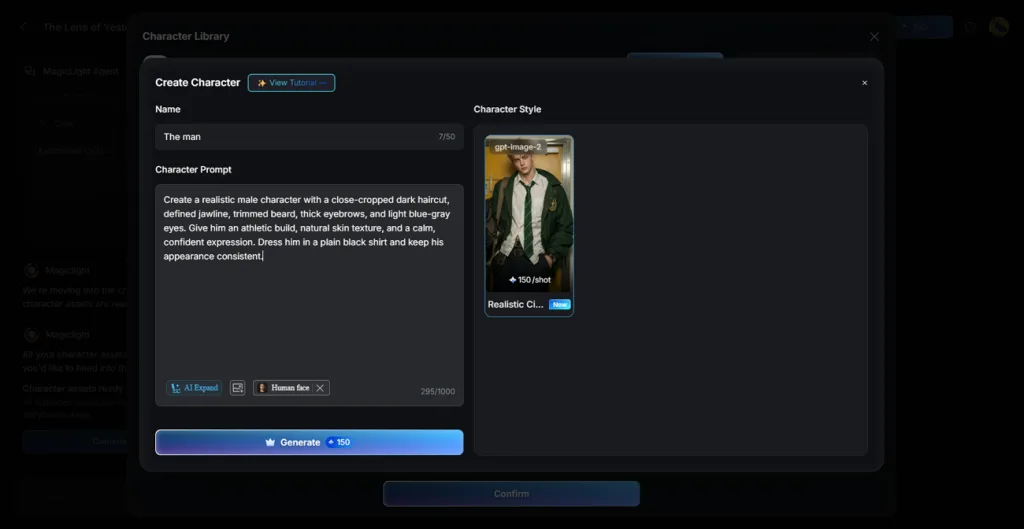
- Consistent Characters: Create new characters using descriptions up to 1,000 characters during the Asset stage. Their saved designs help preserve recognizable appearances across scenes.
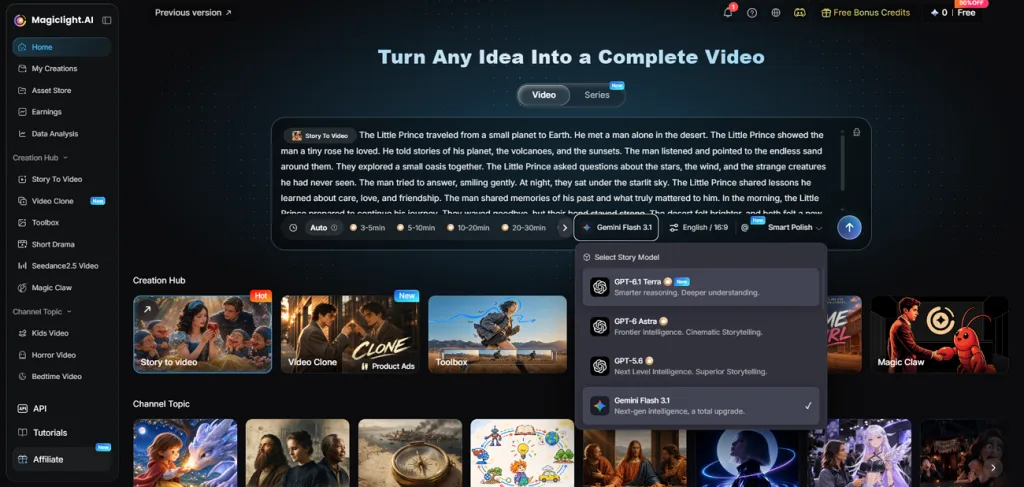
- Story Models: MagicLight AI provides 16 story models, including Gemini Flash 3.1 and DeepSeek V4. You can switch between models to explore different approaches to script development.
Comparison Table Between MakeShot AI and MagicLight AI
MakeShot AI and MagicLight AI approach video creation differently, especially regarding project length and storytelling. MakeShot focuses on generating individual clips through various AI models, while MagicLight supports complete video projects with connected scenes. The table below compares their features, creative capabilities, and pricing to highlight these differences:
| Feature | MakeShot AI | MagicLight AI |
| Primary Output | Individual AI video clips and images | Complete narrated stories, video clips, and images |
| AI Video Models | Veo, Kling, Seedance, Wan, Runway | 20 animation models, including Veo, Kling, Hailuo, Seedance, Wan |
| Video Length | Model-dependent clips, including 30-second Kling generations | Up to 50 minutes per Story to Video project |
| Script Support | Prompt-based generation; script length varies by workflow | Up to 12,000 characters |
| Story Planning | Individual prompts for each generation | AI Agent prepares scripts, storyboards, and production plans |
| Character Consistency | Reference images supported by selected models | Reusable character designs across story scenes |
| Audio Features | Native audio through supported video models | Narration, background music, and subtitles |
| Editing Options | Model-specific generation and image editing | Storyboard adjustments before video rendering |
| Platform Access | Web-based platform | Web, iOS, and Android |
| Free Access | Free-tier access exists, but available generation credits are unspecified | Free signup credits |
| Best Suited For | Testing multiple models and producing short clips | Longer stories with narration and recurring characters |
Conclusion
To summarize, this MakeShot AI review shows how the platform simplifies access to different generation models. Its shared credit system suits creators experimenting with short videos and images regularly. However, varying credit costs and limited storytelling features may disappoint users planning longer projects. For complete narrated videos with consistent characters and connected scenes, MagicLight AI is worth considering.
Frequently Asked Questions
- Is MakeShot AI free to use?
MakeShot offers limited free access, although availability may vary between accounts and models. Its Starter plan costs $29.99/month, with annual billing available at discounted rates. The pricing page also lists Pro and Unlimited subscriptions for heavier generation needs.
- What AI models does MakeShot support?
The platform supports video generation through Veo, Kling, Seedance, Wan, and Runway models. Image options include Nano Banana, GPT Image, Seedream, and several other creative engines. Each model has different capabilities, generation settings, and credit requirements depending on usage.
- What is the best MakeShot AI alternative in 2026?
MagicLight AI suits creators who want complete stories rather than separate generated clips. Its workflow brings script development, character design, scene planning, and narration together naturally. Krea AI offers another option for users interested in exploring multiple generation models.
- Is MagicLight AI better than MakeShot AI?
The better choice depends on whether your project needs individual clips or storytelling. MakeShot provides access to various generation engines for short videos and still images. MagicLight AI handles longer narratives with recurring characters, connected scenes, and integrated voiceovers throughout.