A fantasy writer needs an attractive book cover, character images, and promotional videos for readers. Both Midjourney and Krea help create these visuals, but their creative tools work quite differently. Midjourney focuses on artistic image generation, while Krea offers multiple AI models and editing tools.
The Midjourney vs. Krea comparison explores their image quality, creative features, video capabilities, and pricing plans. Understanding these differences helps artists and designers choose suitable tools for their specific creative projects. For creators exploring AI images and storytelling videos, MagicLight AI provides another useful creative option.
Part 1. Midjourney vs Krea: Features, Image Quality, and Pricing
Midjourney uses its own image models, while Krea offers access to several alternatives. Both platforms generate videos, but their editing controls and usage limits work differently. The following Midjourney vs. Krea comparison examines these differences alongside their subscription costs.
Image Generation Capabilities
Krea gives creators access to different AI models, while Midjourney focuses on its own image generation system. Their differences become clearer when working with rough sketches, editing existing artwork, or maintaining a consistent style:
- Model Selection: Krea combines its own image model with options such as Flux, Seedream, and Nano Banana. Midjourney uses its proprietary models, offering a more unified image generation experience.
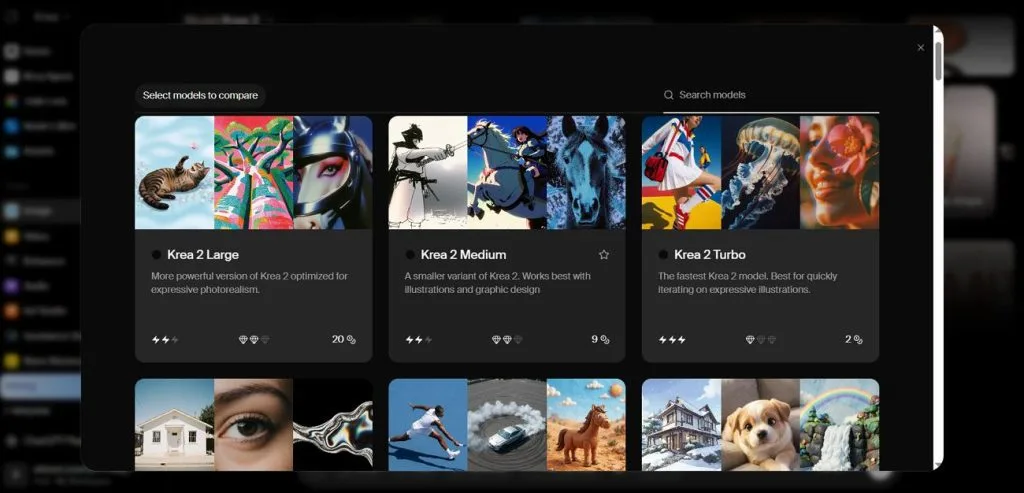
- Live Image Creation: Krea Realtime updates images as users adjust sketches, prompts, or other visual inputs. Midjourney's Draft Mode produces quick image previews that creators can refine before generating higher-quality results.
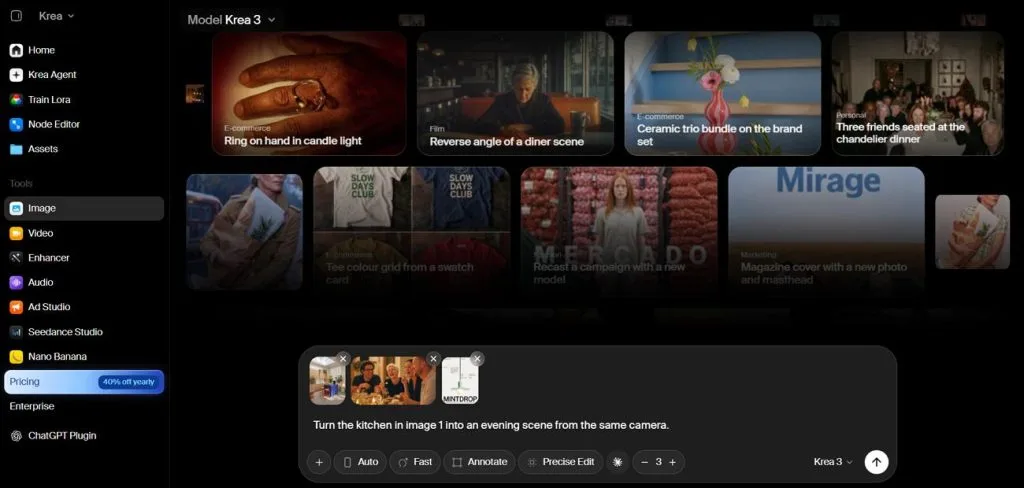
- Image Editing: Krea lets users modify existing images through prompts and targeted editing tools. Midjourney also supports image editing, allowing creators to change selected areas or work with reference images.
- Style Consistency: Midjourney offers personalization profiles and moodboards to help creators maintain their preferred artistic style. Krea Nodes connects different AI tools into reusable workflows for repeated creative tasks.
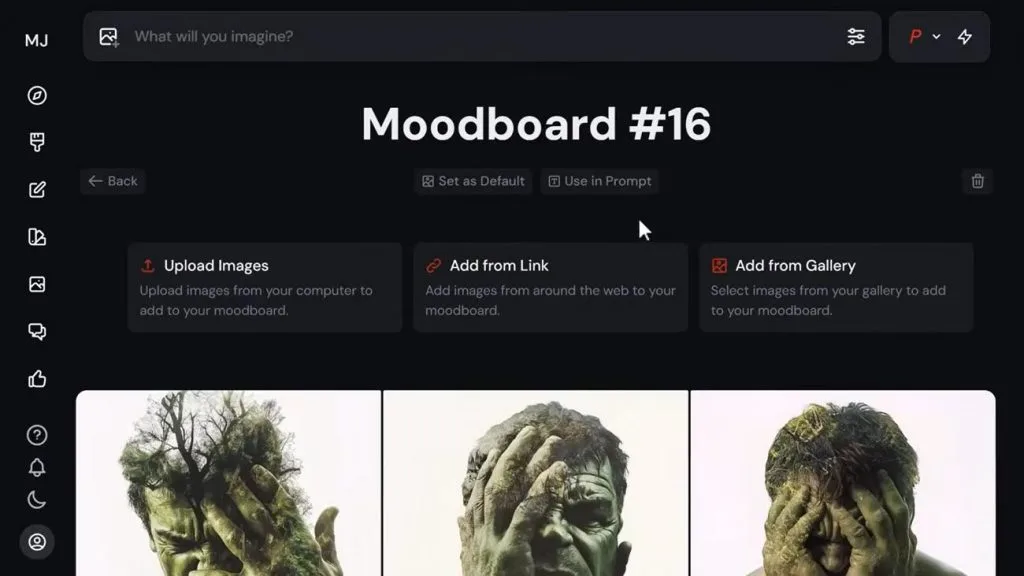
Image Quality and Artistic Styles
Midjourney favors cinematic artwork, while Krea offers different visual styles through its available AI models. Choosing between them depends on whether creators prioritize artistic consistency or flexibility across different projects. To understand their strengths, compare how each platform handles common image styles and creative requirements:
| Style or Need | Midjourney | Krea | Workflow Edge |
| Painterly Fantasy Art | Stylization and moodboards guide artistic results | Model selection and custom styles | Midjourney |
| Photorealistic Product Shots | Raw Mode and 2048px HD images | Photorealistic models and AI enhancement | Depends |
| Readable Text in Images | Supports text prompts, with accuracy varying | Models such as Nano Banana for typography | Krea |
| Anime and Manga | Dedicated Niji 7 model | Multiple models and custom styles | Midjourney |
| Consistent Characters | Edit Model supports four reference images | Character training through supported workflows | Depends |
AI Video Generation
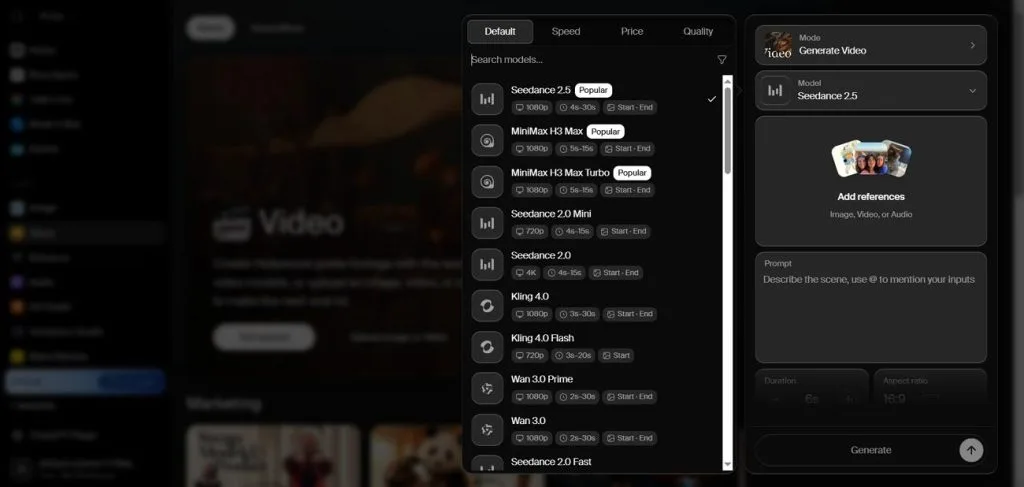
Both platforms can create short videos, but they approach the process differently. Midjourney animates existing images, while Krea supports video generation through several AI models. When comparing Midjourney vs Krea for video creation, 3 important differences stand out:
- Starting Point: An existing image is required to generate videos in Midjourney, with optional motion prompts and end frames. Krea accepts both text prompts and images, offering additional controls through supported models.
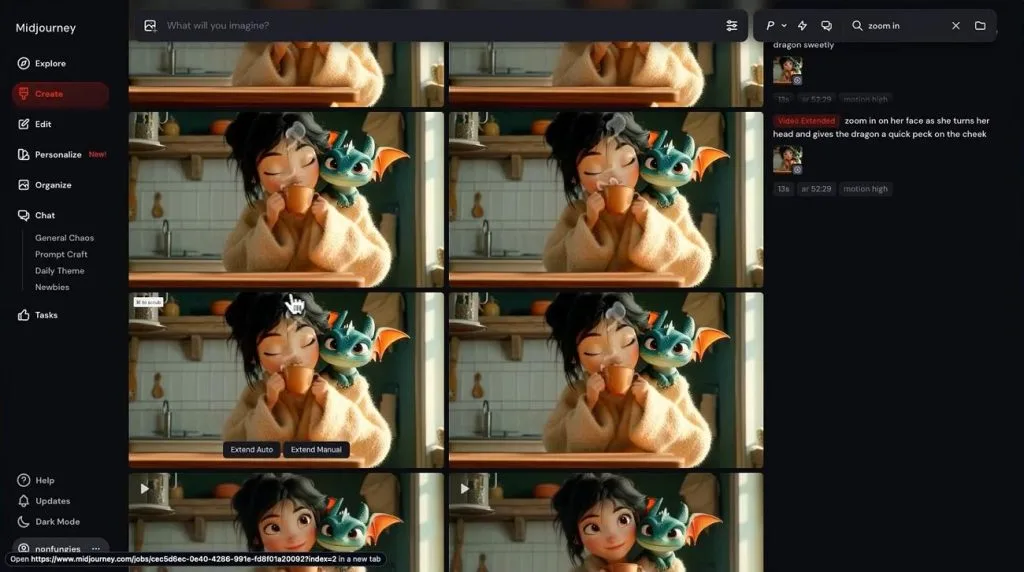
- Length and Resolution: Video clips begin at 5 seconds in Midjourney, with extensions increasing their length to 21 seconds. Standard output is 480p, while eligible paid plans support 720p HD generation. Krea's duration and resolution options vary depending on the selected model.
- Models and Sound: Krea offers video models such as Veo, Kling, and Seedance, with audio generation available through supported options. In contrast, Midjourney uses its own video model without native audio generation.
Pricing and Free Plans
Midjourney measures usage through Fast GPU hours, while Krea charges compute units based on selected models. Both platforms offer annual billing discounts, although their free access and generation limits differ. The table below compares subscription prices and included features to help creators choose suitable plans:
| Plan | Price | Included Features | Ideal User |
| Midjourney Basic | $10/month | 3.3 Fast GPU hours, SD video | Casual creators |
| Midjourney Standard | $30/month | 15 Fast hours, unlimited Relax images, HD video | Regular illustrators |
| Midjourney Pro | $60/month | 30 Fast hours, Stealth mode, Relax video | Professional artists |
| Midjourney Mega | $120/month | 60 Fast hours, Stealth mode, higher concurrency | Creative studios |
| Krea Free | $0/month | 100 daily units, Realtime, limited LoRA training | New users |
| Krea Basic | $9/month | 5,000 units, image models, commercial license | Hobbyists |
| Krea Pro | $35/month | 20,000 units, all video models, App Builder | Freelancers |
| Krea Max | $105/month | 60,000 units, expanded concurrency, LoRA training | Professional studios |
Part 2. Midjourney vs. Krea: Which AI Tool Should You Choose?
Choosing between Midjourney vs. Krea depends on whether you prefer artistic results or greater creative control. Let's explore which platform better suits different creative projects, including AI artwork and video production.
Best for AI Artists and Designers
Midjourney suits artists who want expressive artwork without adjusting too many settings. Krea offers more flexibility for designers working with specific client requirements. Their strengths become clearer when considering 2 common creative workflows:
- For Illustrators and Concept Artists: Midjourney creates stylized illustrations from simple prompts, making it useful for fantasy covers and concept artwork. Its Style Reference feature helps artists maintain a similar visual appearance across multiple images.
- For Designers Working to a Brief: Krea allows designers to choose different image models and edit results according to project requirements. Custom LoRA training can also help reproduce a client's established visual style across new designs.
Best for AI Video Creation
Krea is the stronger option for creators who want flexibility when generating AI videos. It supports text-to-video generation and offers different models for specific scenes and visual effects. Midjourney works differently, turning existing images into animated clips while preserving their original artistic appearance.
For a fantasy novel teaser, Krea offers more freedom to experiment with different shots. However, neither platform provides a complete narrated storytelling workflow through its basic video generator. Creators may still need additional editing and narration tools to assemble a finished promotional video.
MagicLight AI: An Alternative for Image Creation
Creating AI images becomes easier when different generation tools are available in one place. MagicLight AI offers creative tools for producing visuals for various projects. Its AI Image Generator includes a Text to Image tool that transforms written prompts into original artwork. Meanwhile, the Reference Image to Image tool lets users upload existing pictures to guide new creations.
Creators can generate character portraits, illustrations, and promotional visuals using different AI models and settings. Beyond image creation, MagicLight AI also provides video and audio tools for developing creative projects.
Key Features
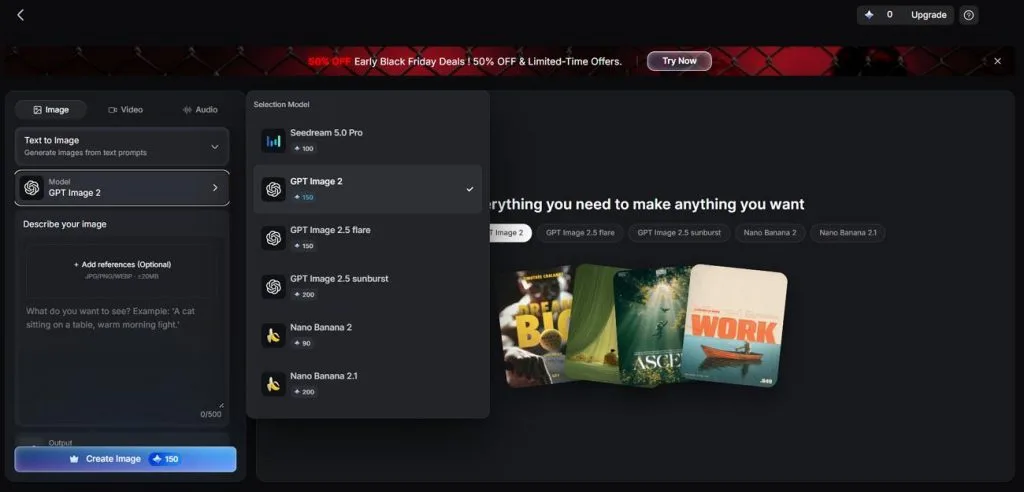
- 6 AI Image Models: MagicLight AI offers 6 image models, including GPT Image 2, Seedream 5.0 Pro, and options from the Nano Banana family. Credit costs vary depending on the selected model.
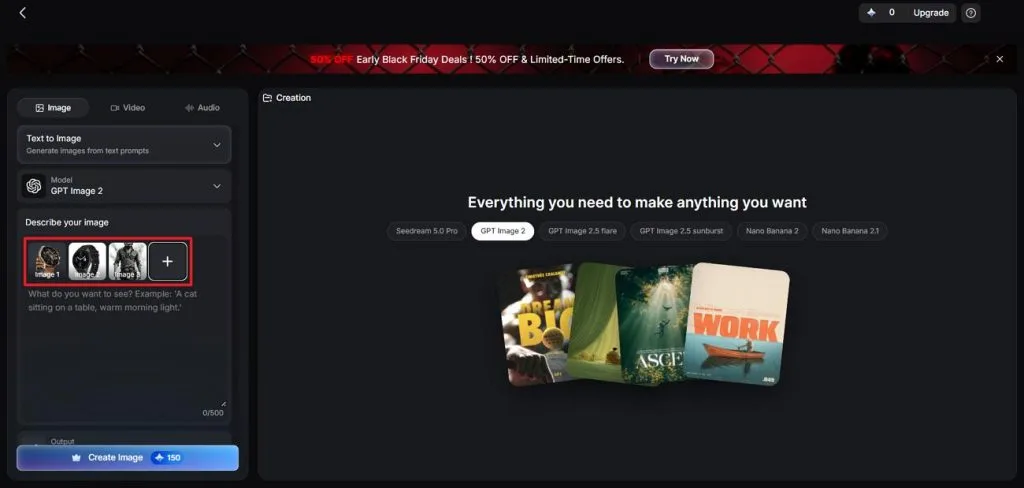
- Reference Image Uploads: Upload up to 10 reference images to guide the generated results. Supported formats include JPEG, JPG, PNG, and WEBP, with a maximum file size of 20MB each.
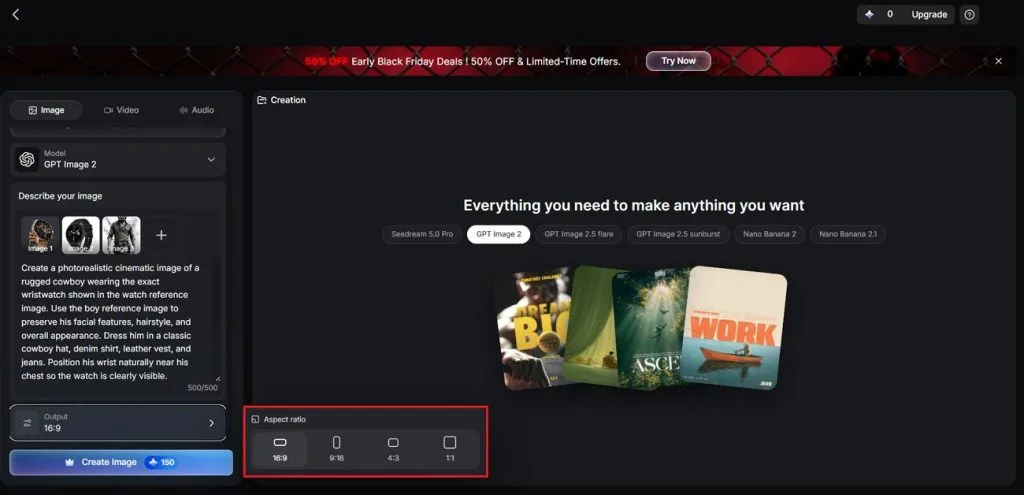
- Prompt and Output Settings: Enter prompts of up to 500 characters and choose how many images to generate. Available aspect ratios include 1:1, 4:3, 9:16, and 16:9.
- Image to Video Generation: Animate static images using 20 AI video models, with options to create videos up to 30 seconds long. This helps turn character portraits and illustrations into moving scenes.
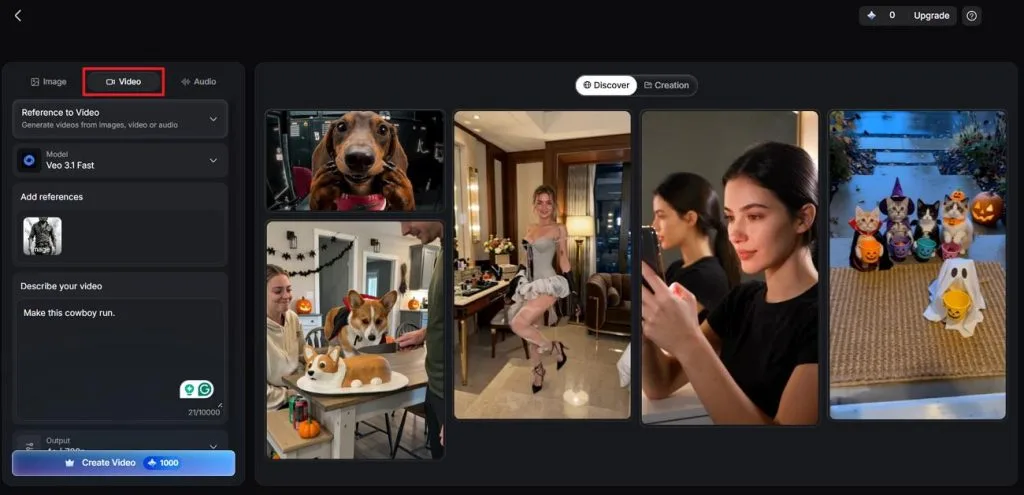
- Integrated Creative Toolbox: Access Image, Video, and Audio tools within the same platform. The Frame to Video feature also lets creators use an existing image as a starting or ending frame for video generation.
Conclusion
To summarize, Midjourney vs Krea comes down to artistic preferences and the creative process you follow. Choose Midjourney for distinctive artwork that captures attention without requiring extensive adjustments to every generated image. Krea makes more sense when projects demand precise edits, flexible models, and varied video outputs. For creators combining character images with storytelling videos, MagicLight AI offers a practical alternative worth exploring.
Frequently Asked Questions
- Is Midjourney better than Krea for AI image generation?
Midjourney excels at producing distinctive illustrations, particularly for fantasy artwork, cinematic scenes, and anime styles. Krea provides greater editing flexibility through multiple image models, real-time generation, and custom training. Choose Midjourney for artistic consistency or Krea when projects require more control over results.
- Which is cheaper, Midjourney or Krea?
Krea offers a free plan, making it cheaper for beginners testing AI image generation. Its Basic plan costs $9/month, while Midjourney's cheapest subscription starts at $10/month before discounts. However, Midjourney Standard includes unlimited Relax image generations, potentially benefiting creators producing large volumes regularly.
- What is a good alternative to Midjourney and Krea for AI video creation?
MagicLight AI offers an alternative for creators producing narrated stories rather than isolated clips. Its Story to Video workflow transforms written scripts into connected scenes with narration automatically. Creators can also generate character images and animate them using its integrated video tools.