


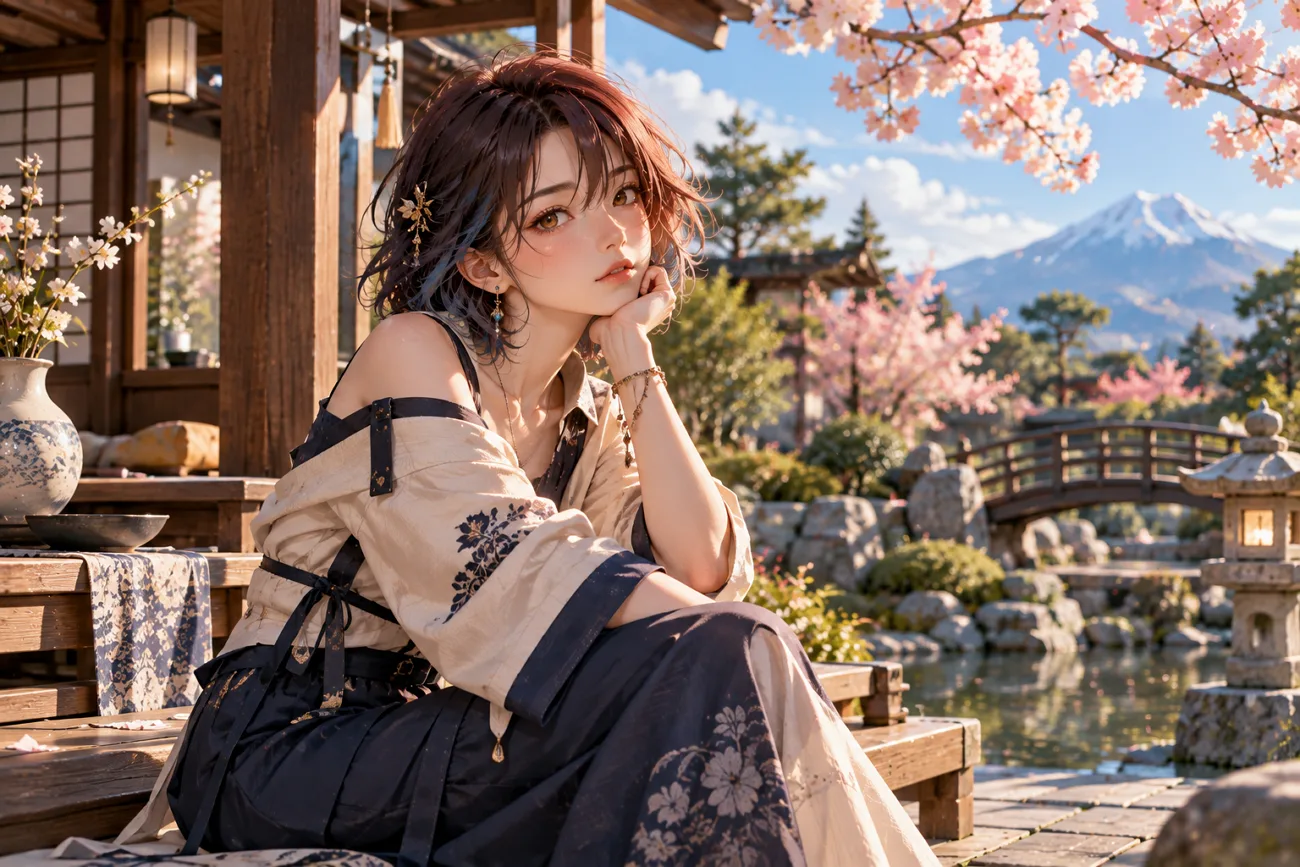
Anime art requires clean lines, expressive faces, and consistent characters across different creative scenes. The best anime AI art generator should understand prompts while supporting your preferred style. Good tools can create detailed characters, backgrounds, poses, and different anime styles with ease.
Many generators also include character references, image editing, and useful animation features for creators. Free plans vary, so users should check credits, limits, and available features before choosing. This guide compares 6 popular options to help you find the right anime generator.
Part 1. How to Choose the Best Anime AI Art Generator
The best AI anime art generator requires checking quality, control, consistency, features, and cost. Below are the 5 main areas to consider before choosing a tool for creation:
- Anime Image Quality and Style: Check for clean lines, balanced shading, detailed characters, and varied anime styles.
- Prompt Accuracy and Customization: Choose tools that follow detailed prompts and provide style references or custom models.
- Character Consistency: Look for character references, saved designs, or LoRA support to maintain consistent appearances.
- Image Editing and Generation Features: Inpainting, editing, and animation make creating finished anime artwork easier.
- Free Credits and Usage Limitations: Free plans may limit credits, daily generations, downloads, or commercial use.
Part 2. 6 Best Anime AI Art Generators
Anime generators offer dedicated models and broader platforms for different creative anime projects. The best AI anime art generators 2026 provide varied styles, controls, and features. Your ideal choice depends on the anime style and creation features you need.
Best For: Storytellers creating animated anime characters and episodes.
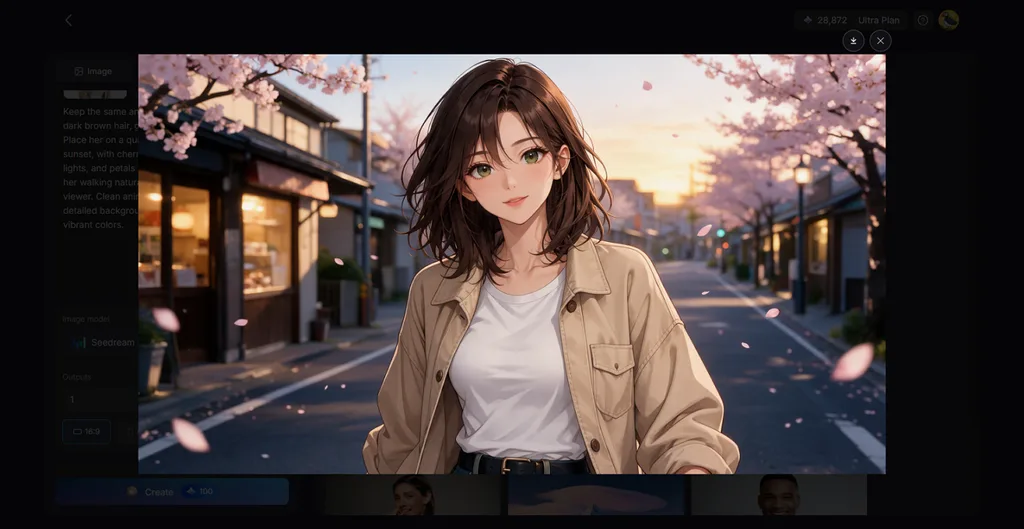
Anime artists can use MagicLight AI to create detailed artwork from simple written prompts easily. Its image generator supports different anime styles for characters, scenes, backgrounds, and creative ideas. Users can also add character references to guide appearance and maintain familiar visual details.
Several image models provide more choices for matching different anime styles and creative project needs. Each prompt can produce multiple image versions, giving creators more results to compare and choose. MagicLight AI combines flexible controls with simple tools for creating polished anime artwork from ideas.
Key Features
- Reference and Prompt Guidance: Upload up to 10 reference images to guide the subject and style. Use 500 prompt characters to control linework, shading, colors, and other anime details.
- Multiple Image Engines: Choose from 5 image engines for different anime styles and creative results. Options include GPT Image and Nano Banana 2 for interpreting anime prompts.
- Image to Video: Add up to 5 anime reference images to create animated character scenes. Use 1,500 prompt characters to describe character movements, actions, and scene motion.
- Anime Story Videos: Turn scripts up to 12,000 characters into animated episodes using Story to Video. Choose anime from over 52 visual styles available for creating engaging story videos.
- AI Character Creation: Written descriptions up to 1,000 characters help you create anime characters with specific details. Reference images can also guide designs and save characters for future anime projects.
Pros
- Animates completed anime artwork within the same platform.
- Works through web, iOS, and Android platforms easily.
- New users receive free credits without card details.
Con
- Free credits limit how much users can generate.
Best For: Artists seeking polished anime illustrations with custom aesthetics.
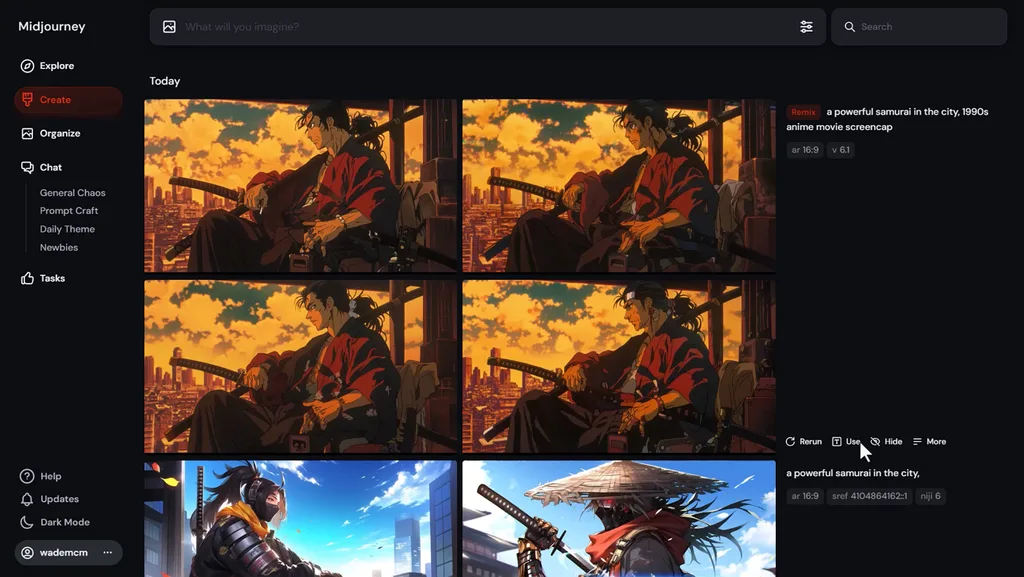
A best AI anime art generator option, Midjourney brings detailed visuals and flexible creative control. Midjourney V8.2 creates polished illustrations, while Niji models focus specifically on anime aesthetics. Creators can develop distinctive artwork ranging from clean characters to richly textured anime scenes.
Key Features
- Style References transfer colors, textures, lighting, and medium into newly generated anime artwork.
- Edit Model combines up to 4 references while changing characters through written instructions.
- Style Creator builds reusable custom style codes from your selected visual preferences online.
Pros
- Niji models specifically target anime and Eastern illustration aesthetics.
- Style weight adjusts reference influence from 0 through 1000.
Cons
- Style Creator preview images consume available GPU processing time.
- Older style codes can change appearance between model versions.
- Niji Journey
Best For: Anime illustrators building personalized Eastern-inspired character artwork.
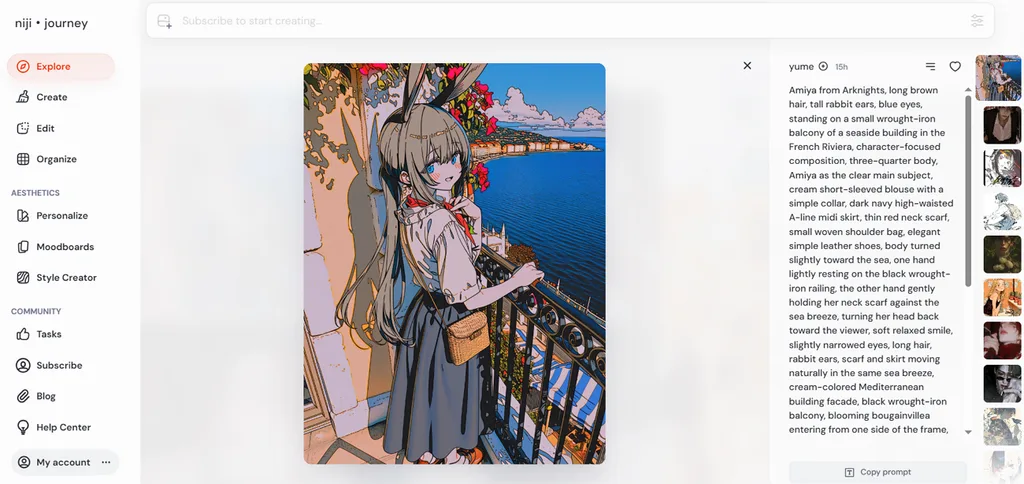
For creators exploring an AI art anime generator, Niji Journey provides dedicated anime-focused creation tools. Its Niji 7 model produces cleaner linework and clearer small details within illustrations. More literal prompt interpretation helps creators describe specific character designs with greater control.
Key Features
- Moodboards combine broader visual references to shape a preferred anime aesthetic direction.
- Personalization profiles adapt generated anime artwork toward individual visual preferences over time.
- Image Weight controls reference influence from 0 through 2 within Niji 7.
Pros
- Niji 7 renders eyes, reflections, and background details more coherently.
- Moodboards work alongside image prompts for stronger aesthetic guidance.
Cons
- Character Reference is not supported directly within Niji 7.
- Literal prompting makes broad atmospheric prompts behave less predictably.
- PixAI
Best For: Anime creators needing reference control and daily generations.
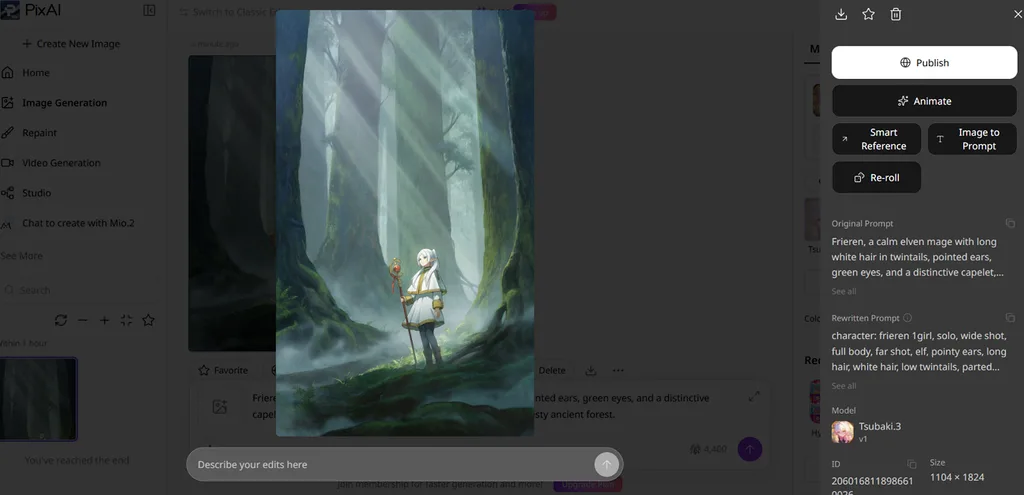
PixAI gives anime creators specialized models, editing tools, and an active artwork community together. Its best AI anime art generator free appeal includes 10,000 claimable daily credits. The Tsubaki.3 model handles anime illustrations, manga, webtoons, and reference-based generation tasks.
Key Features
- Tsubaki.3 uses references for character identity, poses, expressions, sketches, styles, and layouts.
- Reference Pro combines multiple images for character, clothing, pose, and composition changes.
- Reference editing preserves source details while transferring selected attributes from other images.
Pros
- Non-members can claim 10,000 credits every day for generations.
- Tsubaki.3 supports illustration, manga, webtoon, and reference-based anime creation.
Cons
- Tsubaki.3 and Reference Pro remains restricted to PixAI members only.
- Image editing and video generation both consume credits.
- SeaArt AI
Best For: Advanced creators building customized anime workflows and characters.
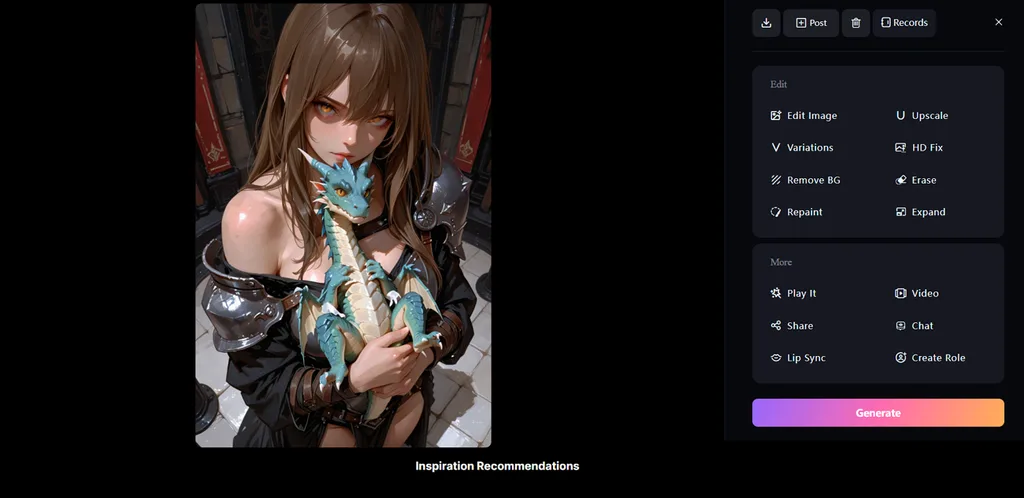
Creators seeking the best anime AI art generator can explore SeaArt's flexible workflow system. Its visual workflows support anime characters through text, images, styles, and custom models. Advanced controls provide more freedom when building detailed characters, poses, scenes, and animations.
Key Features
- LoRA training supports character and style models using SDXL, Pony, and FLUX.
- ComfyUI workflows combine ControlNet, custom nodes, models, and adjustable generation parameters.
- Motion Control transfers movements from reference videos directly onto static anime characters.
Pros
- Cloud ComfyUI enables complex workflows without requiring local installation.
- Trained LoRAs can target both anime characters and styles.
Cons
- ComfyUI's extensive workflow controls can require additional learning.
- Video and lip-sync nodes inside ComfyUI require payment.
Best For: Game artists creating anime alongside broader concept artwork.
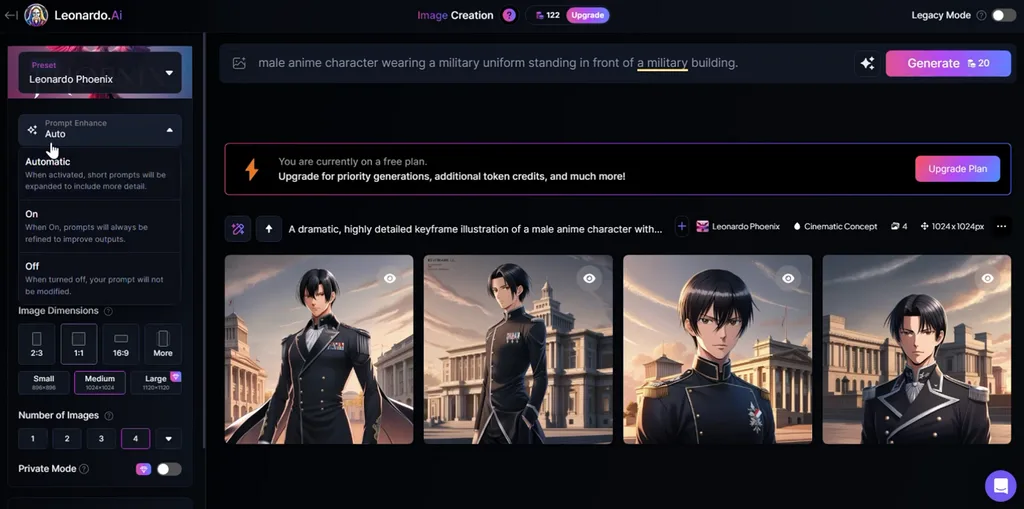
Leonardo AI combines anime generation with broader tools for illustration, gaming, and concept artwork. Among the best AI anime art generators in 2026, it offers dedicated models for stylized creation. Creators can shape anime compositions with references while keeping control over important visual details.
Key Features
- Anime XL generates stylized characters and scenes with a dedicated anime-focused model.
- Pose and Lineart guidance control character positioning and structural details from reference images.
- Content Reference carries shapes and visual elements from source images into new artwork.
Pros
- Image Guidance provides multiple controls for poses, lines, and composition.
- Web, Android, and iOS support allows flexible anime creation.
Cons
- Character Reference access requires a paid Leonardo subscription.
- Free creations remain public and consume limited daily tokens.
Compare the 6 Best Anime AI Art Generators
Each AI art anime generator offers different options for style, control, and consistency. Some tools focus on anime artwork, while others provide broader creative generation features. The table below compares 6 tools based on their main features and uses:
| Tool | Anime Strength | Character Consistency | Free Access |
| MagicLight AI | Anime images, characters, and story videos | Saved characters and reference images | Free credits available without a card |
| Midjourney | Niji models with polished anime styling | Image references and editing controls | No web or Discord free trial |
| Niji Journey | Dedicated Niji 7 anime generation | Character and style references | 20 free mobile generations |
| PixAI | Anime-focused Tsubaki.3 model | References and character LoRAs | 10,000 daily credits |
| SeaArt AI | Anime models, LoRAs, and custom workflows | LoRA training and reference controls | Free daily credits |
| Leonardo AI | Anime models with broader creative tools | Image Guidance and character references | 150 daily tokens |
Part 3. Why MagicLight AI Is a Strong Choice for Anime AI Art Creation
MagicLight AI works as an AI anime character generator for creating detailed characters and scenes. Reference images help maintain recognizable character details throughout different anime artwork and creative projects. Flexible ratios include square, landscape, portrait, and 4:3 layouts for different content formats. Creators can prepare anime artwork for posters, wallpapers, social posts, and other visual projects.
How to Create Anime Art With MagicLight AI
MagicLight AI stands among the best anime AI art generators for creating customized artwork. Go through the steps below to create anime art from your written ideas:
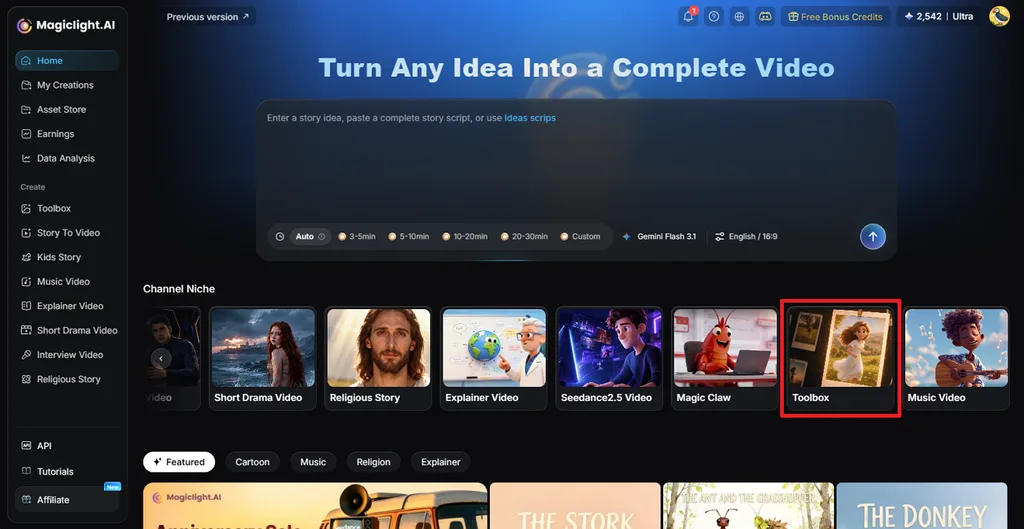
Step 1. Access the AI Image Generator
Open MagicLight AI and click Toolbox to enter the main creative workspace.
Step 2. Generate Your Anime Artwork
Select Image, then add a reference image if needed for your anime character. Write a prompt describing the character, scene, or style you want. Choose an Image Model, set the number of Outputs, select an Aspect Ratio, and click Create.
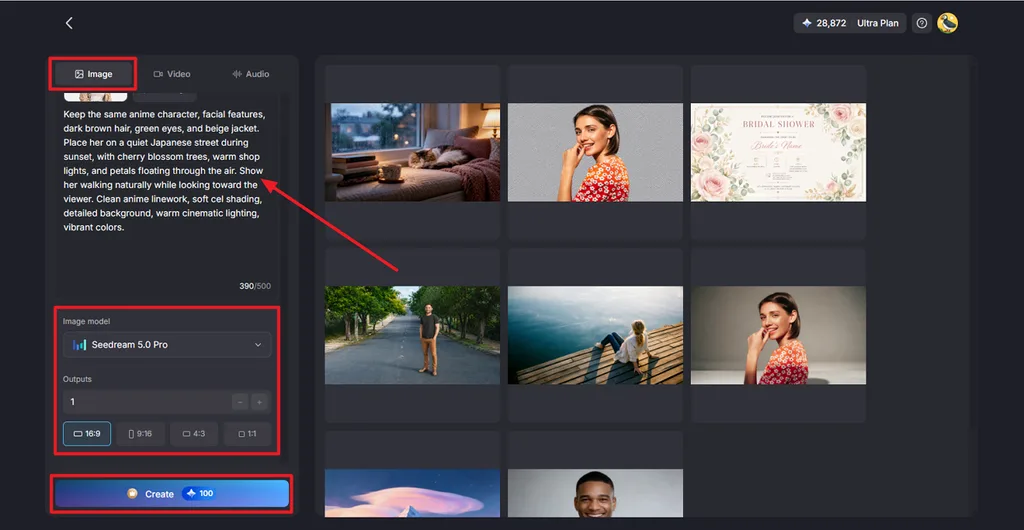
Step 3. Save Your Anime Image
Review the generated anime artwork and create another version if the result needs changes. Once satisfied, click the Download icon to save your finished image. Afterward, you can use Image to Video to add motion to your finished anime artwork.
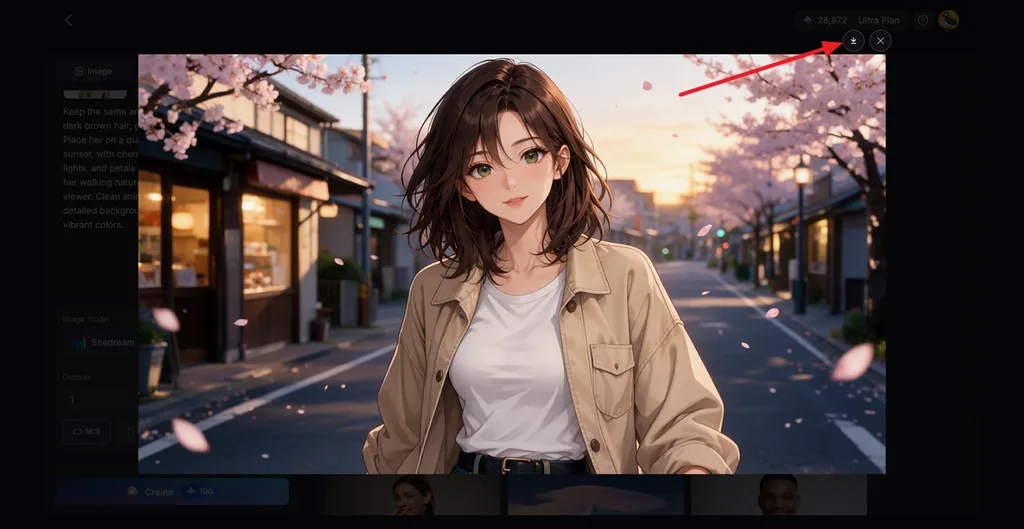
Conclusion
In summary, the best anime AI art generator depends on your preferred creative workflow needs. Some tools focus on polished illustrations, while others support deeper customization and creative experimentation options. MagicLight AI combines anime image creation with character references, animation, and flexible generation features smoothly. Compare each platform’s strengths, free access, and controls before selecting one for your projects.
FAQs About the Best Anime AI Art Generators
- How can I create anime art with AI?
Start by writing a prompt describing your anime character, clothing, pose, and setting. Add reference images when you want characters to maintain similar details across generations. Editing features can improve faces, hands, backgrounds, and other details after image generation.
- What is the best free AI anime art generator?
MagicLight AI is the best free AI anime art generator option for beginners. Its free credits let users create anime artwork without providing payment card details. Reference images and different models provide more control over generated anime artwork results.
- Can AI turn an anime prompt into an image?
AI generators can turn written anime prompts into complete character artwork within seconds. Detailed prompts help define the character, clothing, environment, colors, and visual style. MagicLight AI generates prompt-based images and supports animation afterward using Image to Video.
![How to Turn Audio File Into Video in 2026 [Full Guide]](https://magiclight.ai/wp-2/wp-content/uploads/audio-to-video-conversion-guide.jpg-300x169.webp)
![How to Make an AI Movie in 2026 [Step-by-Step Guide]](https://magiclight.ai/wp-2/wp-content/uploads/ai-movie-creation-journey-posters.jpg-3-300x169.webp)

