Midjourney creates detailed artwork with rich colors that bring creative ideas to life beautifully. Ideogram takes a different approach by making images with clear text for everyday designs. The Midjourney vs Ideogram debate comes down to what each creator needs most.
Choosing between these tools depends on the kind of images you want to create. Their pricing and editing features also matter when working on different types of projects. This article compares their strengths through real projects and explores video creation with MagicLight AI.
Part 1. Midjourney vs Ideogram: Features, Image Quality, and Pricing
Comparing Ideogram vs. Midjourney helps creators understand what makes each image generator different. Image quality and text accuracy play important roles when choosing between these tools. Pricing also matters since both platforms charge differently for the images you create.
AI Image Generation Capabilities
Creating images starts with a simple prompt, but each platform handles the process differently. Midjourney provides creative controls that help users shape the final look of their artwork. Ideogram makes it easier to develop prompts and edit specific details within images. Below are the main features that explain how these image generators work:
- Prompt Handling: Short descriptions can produce detailed artwork through Midjourney's settings for style and image shape. Ideogram's Magic Prompt expands simple ideas into longer descriptions for more detailed image results.
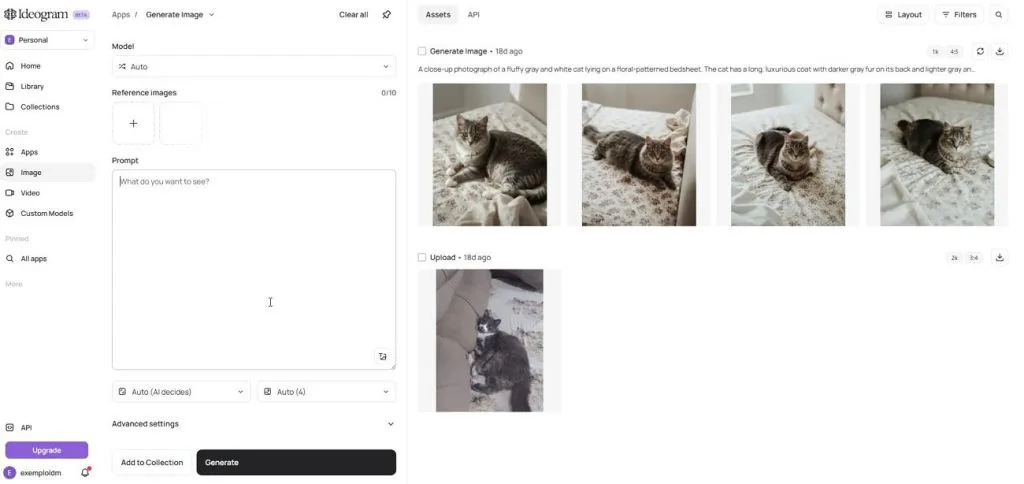
- Reference Images: Midjourney accepts uploaded pictures to guide the appearance and style of generated artwork. Ideogram also supports reference images to help maintain a character's appearance across different scenes.
- Image Editing: Selected areas can be changed through Midjourney's editor without rebuilding the entire image. Ideogram offers Precise Edit for adjusting individual details without changing the surrounding design.
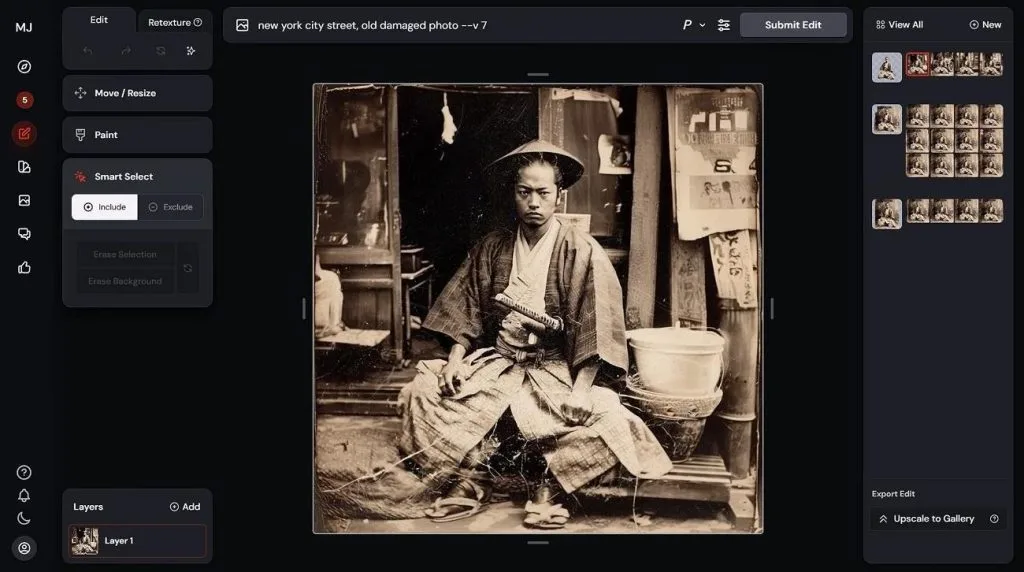
- Video Creation: Finished Midjourney images can become short videos with options to extend their length. Ideogram also offers video generation, giving creators another way to animate their artwork.
Image Quality and Visual Styles
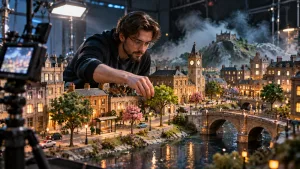
Midjourney produces rich artwork with dramatic lighting that gives many scenes a cinematic feel. Ideogram brings stronger control to designs where clear text and accurate layouts matter most. The table below compares their image quality and visual styles across key areas:
| Quality Factor | Midjourney | Ideogram |
| Visual Style | Rich textures and cinematic artwork | Clean graphics and realistic images |
| Prompt Accuracy | Creative interpretation of descriptions | Strong focus on prompt details |
| Text Quality | Improving text generation | Strong text clarity and spelling |
| Style Consistency | Style codes and moodboards | Style references and character consistency |
| Image Resolution | Native 2K with supported HD models | Model-dependent resolution options |
For anyone asking “Ideogram AI art generator vs Midjourney which one reigns supreme,” the answer depends on the project. Midjourney suits expressive artwork, but Ideogram deserves attention when readable lettering matters most to creators.
Text Rendering and Typography
Readable text matters when creating posters that need to share a clear message with viewers. Ideogram handles lettering more accurately, but Midjourney may struggle with longer text inside images. Let's compare how both tools handle lettering across 4 common design tasks below:
- Short Headlines: Both generators can create short headlines, especially when the requested words appear inside quotation marks.
- Multi-Line Text: Ideogram handles longer messages more reliably, making it useful for posters with several text elements.
- Logo Wordmarks: Ideogram supports transparent backgrounds, making it easier to prepare simple wordmarks for further design work.
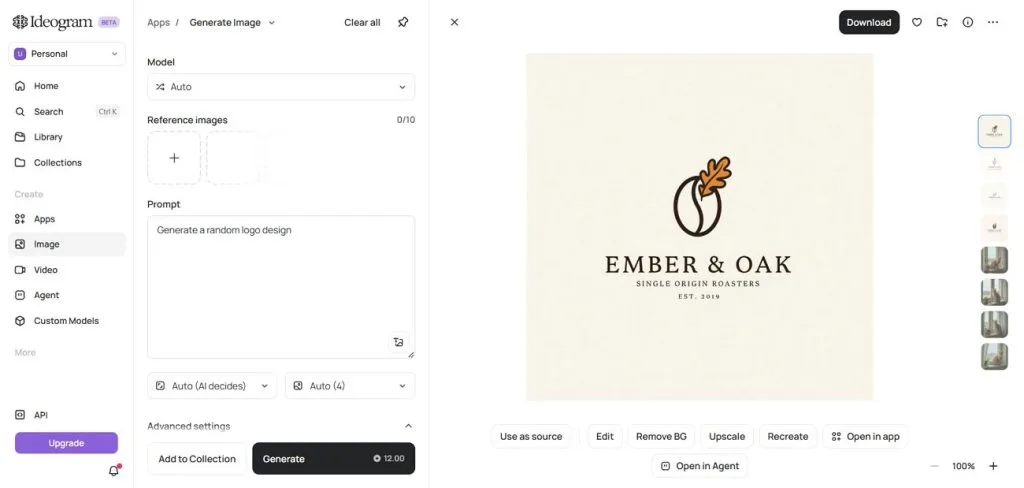
- Spelling Corrections: Ideogram's editing tools can replace selected lettering, though the corrected words still need careful checking.
Pricing and Subscription Plans
Midjourney offers paid subscriptions, but Ideogram also gives beginners a free option for creating images. Both platforms offer lower monthly rates when users choose annual billing instead of monthly payments. Look at the table below to compare their subscription prices and available plans:
| Plan | Midjourney | Ideogram |
| Free | Not available | Limited free credits |
| Entry | Basic: $10/month | Plus: $20/month |
| Mid-Tier | Standard: $30/month | Pro: $60/month |
| Higher | Pro: $60/month | Team: $30/user/month |
| Highest | Mega: $120/month | Enterprise: Custom pricing |
Midjourney provides unlimited slower generation from its Standard plan through the Relax Mode feature. Ideogram also offers slower generation options, with private image creation available through paid subscriptions.
Part 2. Midjourney vs Ideogram in Real Creative Projects
Creative projects reveal differences that feature comparisons alone cannot always show clearly to users. Ideogram AI vs Midjourney choice becomes clearer when working on actual design projects.
Creating Artistic Images and Visual Concepts
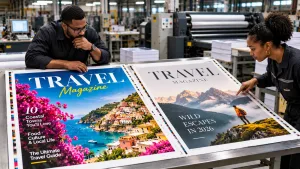
Midjourney works well for artwork that needs a strong atmosphere and a distinct visual style. Ideogram becomes useful when creative concepts need readable titles placed directly inside generated images. See how these tools support different types of artwork through their creative features:
- Moodboards and Key Art: Midjourney combines visual references into reusable moodboards that help maintain a consistent artistic style.
- Anime and Manga Art: Its Niji model creates anime-inspired artwork from photos with distinctive character designs and expressive visual details.
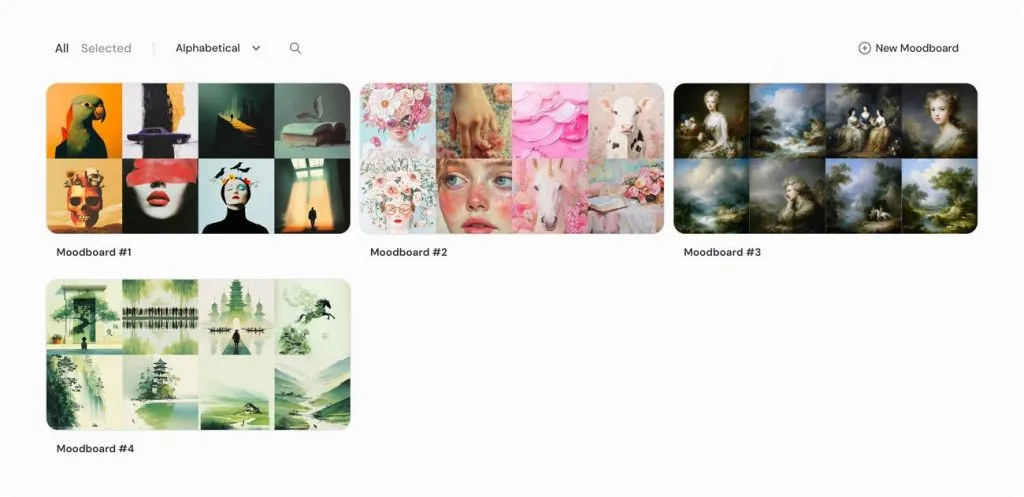
- Concepts With Titles: Ideogram creates artwork with readable titles that help communicate ideas directly through the image.
- Scene Extensions: Ideogram's Canvas lets creators expand existing artwork beyond its edges using the Extend feature.
Producing Social Media and Brand Content
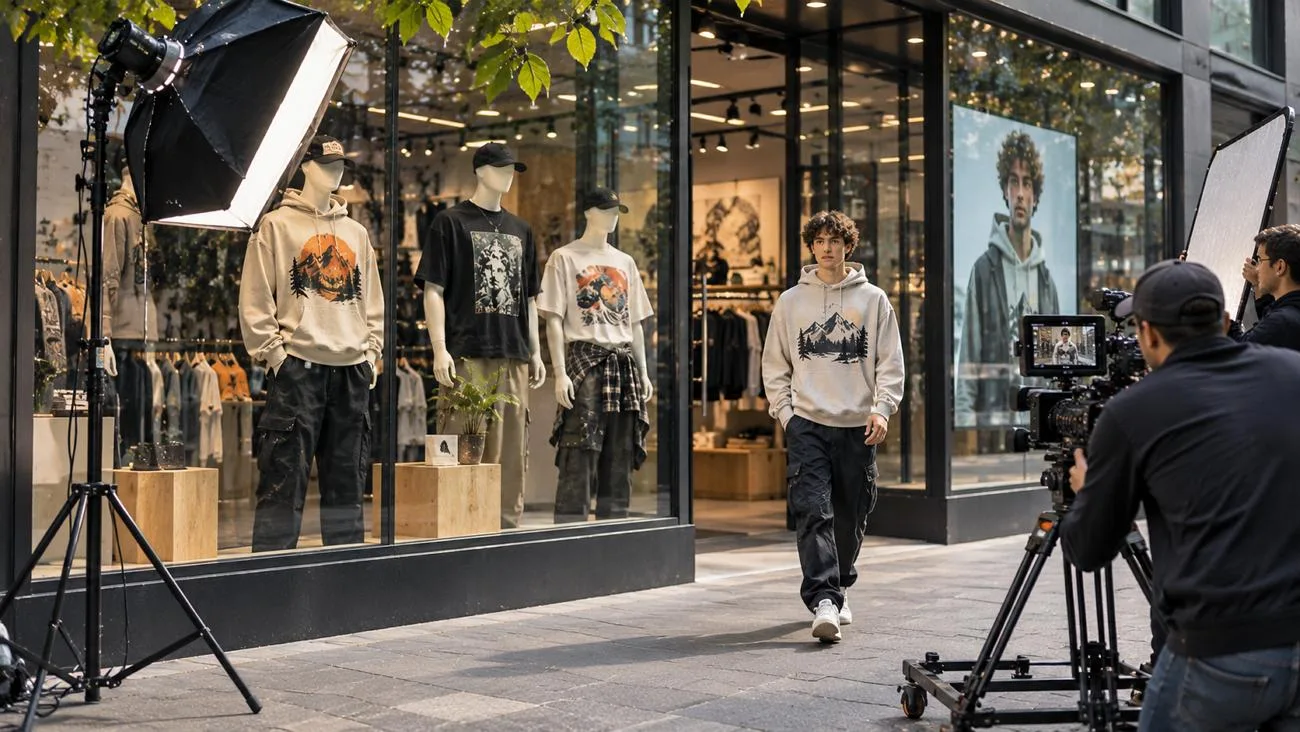
Ideogram works well for social posts that need clear headlines directly inside the image. Midjourney suits brand visuals where lighting and artistic style matter more than written messages. The table below shows which tool fits different types of social media content:
| Content Type | Closer Fit | Reason |
| Quote Cards | Ideogram | Clear quotes and headlines |
| Event Posters | Ideogram | Readable event details |
| Lifestyle Images | Midjourney | Rich lighting and atmosphere |
| Campaign Series | Midjourney | Reusable visual styles |
| Logo Drafts | Ideogram | Clear wordmarks |
| Packaging Mockups | Ideogram | Better text rendering |
Turning AI-Generated Images Into Videos With MagicLight AI
MagicLight AI brings AI image generation and video creation together within a single platform. Its AI image generator includes 6 image models, including Seedream 5.0 Pro, for creative projects. Users can create fresh artwork without switching between different tools during their creative process.
Once images are ready, MagicLight AI lets creators animate generated still images into videos. Existing artwork from Midjourney and Ideogram can also become moving scenes through image animation. Use the steps below to turn your favorite AI-generated images into engaging videos:
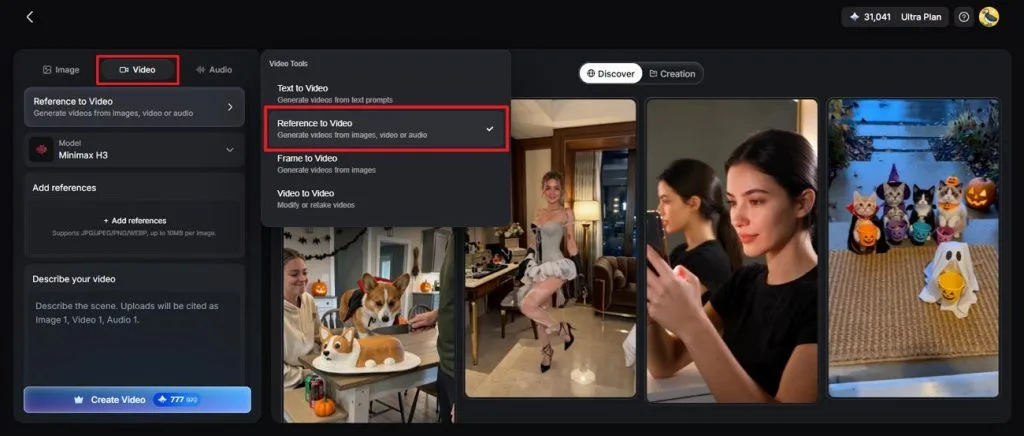
Step 1. Enter the Video Creation Space
First, save your finished Midjourney or Ideogram image to your device for video creation. Open MagicLight AI and select Toolbox from the main menu to begin your project. Under the Video tab, choose Reference to Video mode.
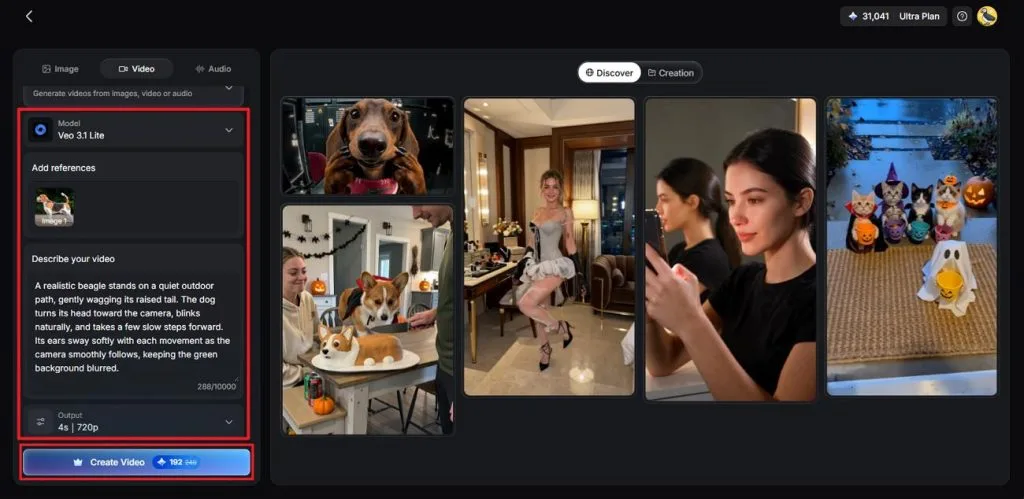
Step 2. Upload Your Image Reference
Upload your saved image and describe how you want the image to look. Select an AI Video Model, then adjust the Resolution and Duration to match your project. Click Create Video to start turning your still image into a moving scene.
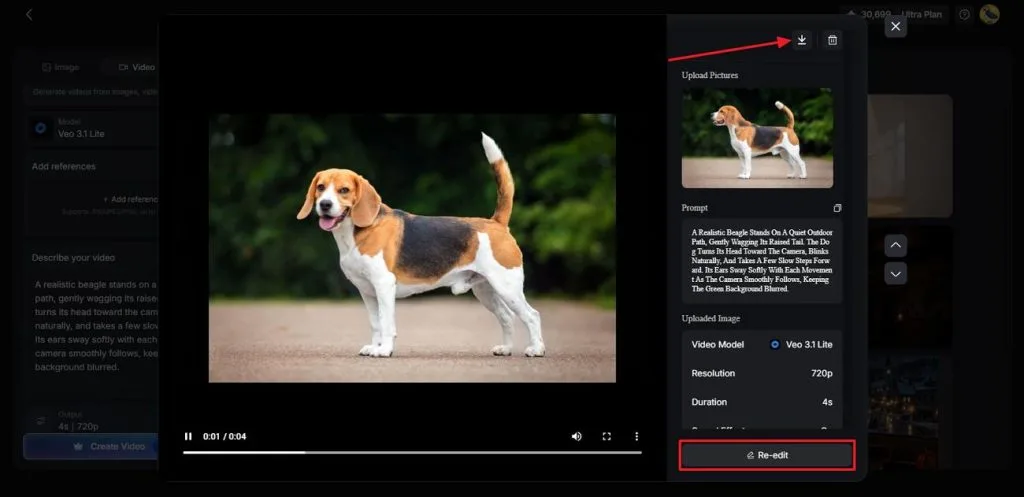
Step 3. Save Your Video
Preview the generated video to check whether the movement matches your original idea. If something needs improvement, select Re-edit and make the necessary changes before generating again. Once satisfied with the result, click the Download icon to save your video.
Final Verdict: Which Tool Delivers Better Results?
Ideogram vs. Midjourney choice depends on what you want to create most. Midjourney suits artistic projects, but Ideogram works better for designs that need readable text. MagicLight AI adds another option when creators want to turn finished images into videos. The table below shows which tool fits different creative projects:
| Project Goal | Recommended Tool |
| Artistic Concept Images | Midjourney |
| Posters With Text | Ideogram |
| Anime Characters | Midjourney |
| Logo Drafts | Ideogram |
| Videos From Images | MagicLight AI |
Conclusion
In conclusion, comparing Midjourney vs Ideogram comes down to the creative results you need. Midjourney brings artistic detail, but Ideogram handles readable text more reliably across different designs. Both tools serve different purposes, so your choice depends on the final project. For animated content, try MagicLight AI's story video generator to bring your artwork alive.
Frequently Asked Questions
- Can Ideogram create better text in images than Midjourney?
Ideogram handles longer text more accurately, making posters easier to create without mistakes. Midjourney works with short phrases, but longer sentences may need several generation attempts. For text-heavy designs, Ideogram gives creators more reliable results with fewer spelling problems.
- Which AI tool is better for creating logos and posters?
For logos with clear lettering, Ideogram performs better than Midjourney across many designs. Midjourney brings stronger artistic styles to posters that need detailed visual backgrounds. Comparing Ideogram AI vs Midjourney reveals different strengths for branding projects needing attention.
- How can MagicLight AI turn AI-generated images into videos?
MagicLight AI lets creators upload finished artwork through its Reference to Video tool. After uploading, choose a video model and describe how the image should move naturally. Preview your generated video, make any needed changes, then download the finished animation easily.