Creating a logo for free is easy, but getting a file you can actually use is another matter. Free logo makers differ in download formats, resolution, watermarks, editing options, and usage rights. Only two tools in this list provide free vector files, which are especially useful for scalable print designs.
The best free logo maker should match both your design needs and intended use. This guide compares seven options based on their creation tools, free downloads, editing flexibility, and practical limitations.
Part 1. What to Look for in a Free Logo Maker
A free logo is only useful if the file you receive works for its intended purpose. Before deciding what the best free logo maker is, compare the 5 points below. They cover both the quality of the download and how much control the tool gives you while designing.
- Download Format: Check which formats are included for free. PNG works well for digital use, while SVG remains sharp at any size and suits print.
- Image Size: Review the available resolution before downloading. Smaller files may suit websites and profiles but can lose quality on large prints.
- Watermark Rules: Confirm whether free downloads are watermark-free. Some logo makers provide clean files, while others restrict usable downloads or add branding.
- Usage Rights: Check the licensing terms before using a logo commercially. Template elements and stock assets can also affect trademark eligibility.
- Design Control: Consider how much you can customize. Template editors offer quick adjustments, while AI tools can generate new concepts from business descriptions or prompts.
Part 2. 7 Best Free Logo Maker Tools to Try
The tools below take different approaches to logo creation. Some start with ready-made templates, while others generate ideas from a written prompt. Compare the best free logo maker options by how they create the design, what you can edit, and what you can actually download without paying.
1. MagicLight AI
Best For: Exploring original logo concepts before moving into detailed brand design.
MagicLight AI is useful when you want to explore different logo ideas from the same business brief rather than edit a ready-made template. The process is built around concept testing, so you can compare several visual directions before deciding which one deserves further refinement.
That makes it better suited to early-stage branding than simple template customization. Instead of starting with a finished layout, you begin with an idea and develop it through repeated generations until the logo moves closer to the look you want.
Key Features
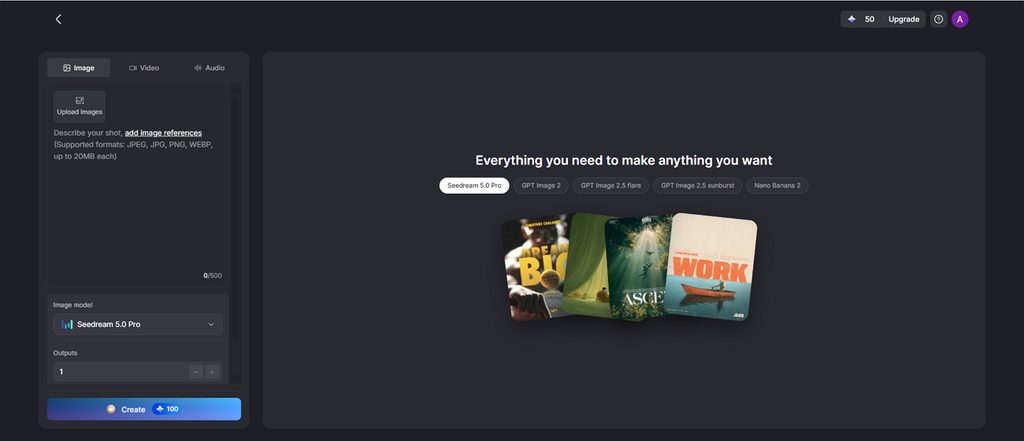
- Accepts prompts of up to 500 characters for names, colors, symbols, and visual direction.
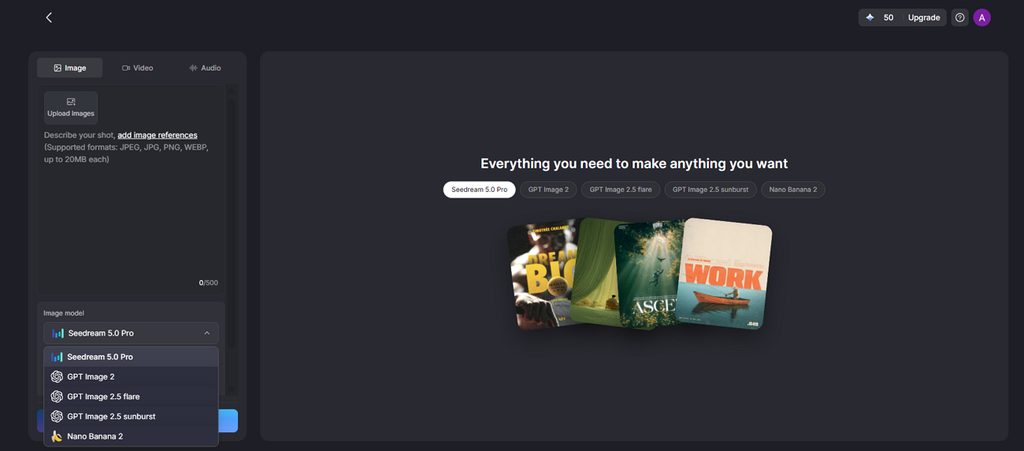
- Includes 5 AI models, such as GPT Image 2 and Seedream 5.0 Pro.
- Supports a 1:1 format suited to app icons, profile images, and square brand marks.
Pros
- Creates original logo ideas instead of relying on shared templates.
- You can start designing without entering payment information.
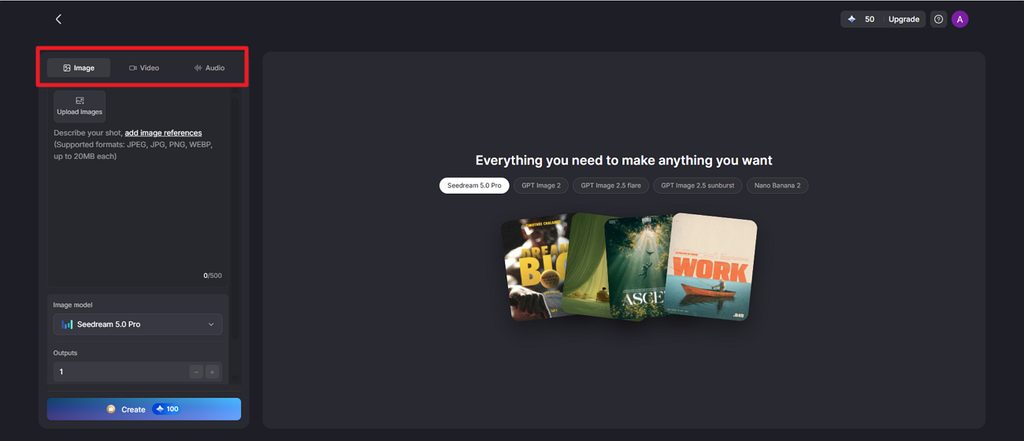
- Image, video, and audio tools are available in one place.
Con
- Logo downloads are image files rather than editable vector formats.
2. Canva
Best For: Making a logo alongside social posts, print materials, and brand assets.
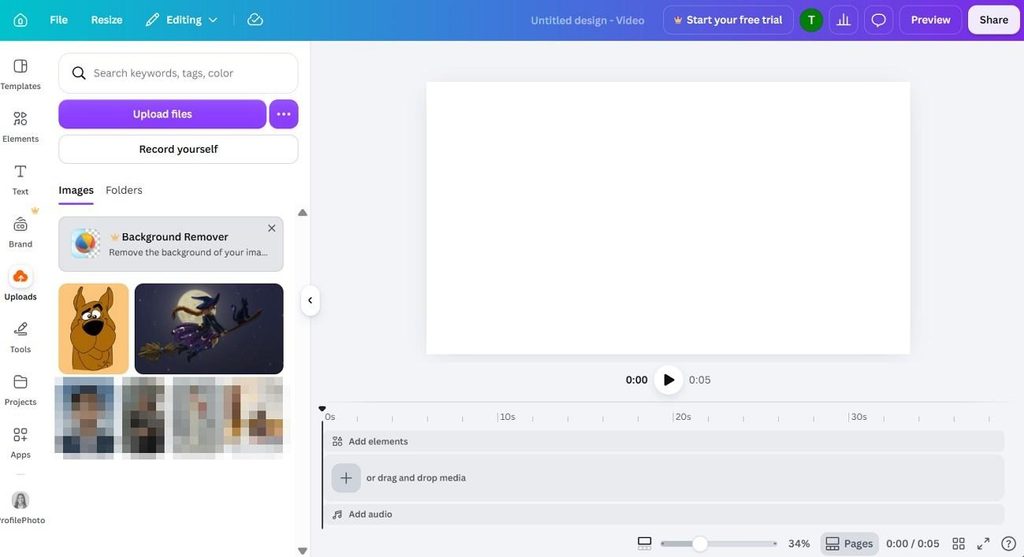
Canva is a practical choice for anyone comparing the best free logo maker websites, especially when the logo needs to work across several brand materials. Its free plan includes logo templates and basic editing tools, while paid plans add more premium content, export choices, and broader design options.
Key Features
- Brand Kit keeps approved colors, fonts, and logos available across different designs.
- Magic Design creates layout suggestions from a short prompt or uploaded content.
- Templates cover logo styles such as wordmarks, badges, icons, and initials.
Pros
- Several team members can review and edit the same design together.
- The same account also covers presentations, social posts, and other business graphics.
Cons
- Some template-based logos may not qualify for trademark registration.
- SVG export and many premium assets require a paid subscription.
3. Adobe Express
Best For: Beginners creating a logo alongside simple social and business graphics.
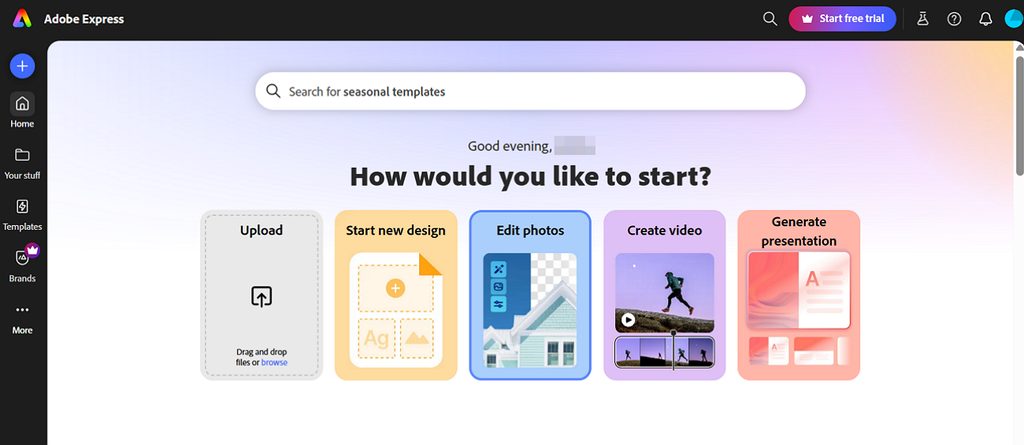
Adobe Express is worth considering among the best free online logo maker options when you want a simple editor with a familiar design process. Its free plan supports logo creation and PNG downloads using free assets, while paid plans add more premium content and export choices.
Key Features
- Includes Adobe Fonts, giving free users access to a broad range of typefaces.
- Uses Adobe Firefly for generated visuals based on licensed and permitted training sources.
- Lets you begin from a selected logo style before adjusting the design.
Pros
- The interface is easy to follow for users with little design experience.
- Logo projects can be reused in social posts and other Adobe Express designs.
Cons
- Premium assets can require a paid plan before the final design can be exported.
- Vector download options are more limited on the free plan.
4. Wix Logo Maker
Best For: Businesses creating a logo while setting up a Wix website.
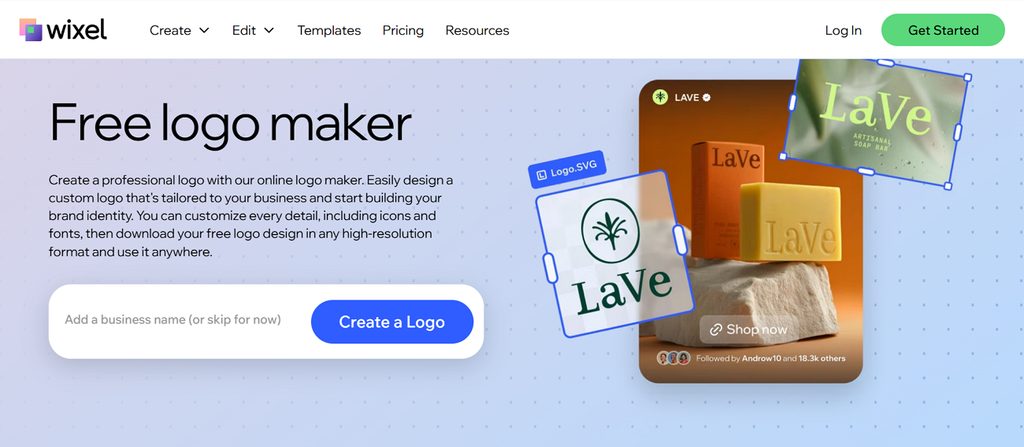
A short questionnaire guides the process, asking about your business, preferred style, and visual direction before suggesting logo options. Among the top free logo maker online choices, Wix lets you design without paying, though high-resolution and vector downloads have typically required a paid package.
Key Features
- Places finished logos directly into Wix website headers and favicon settings.
- Lets you adjust colors, icons, fonts, spacing, and overall layout.
- Shows previews on products, websites, and other branded materials before purchase.
Pros
- Guided questions make it easier to start without design experience.
- Wix integration helps keep website branding consistent from the beginning.
Cons
- Free sample files may not allow normal commercial use.
- High-resolution and vector downloads usually require a paid package.
5. Shopify Logo Maker (formerly Hatchful)
Best For: New store owners needing a simple logo without paying.
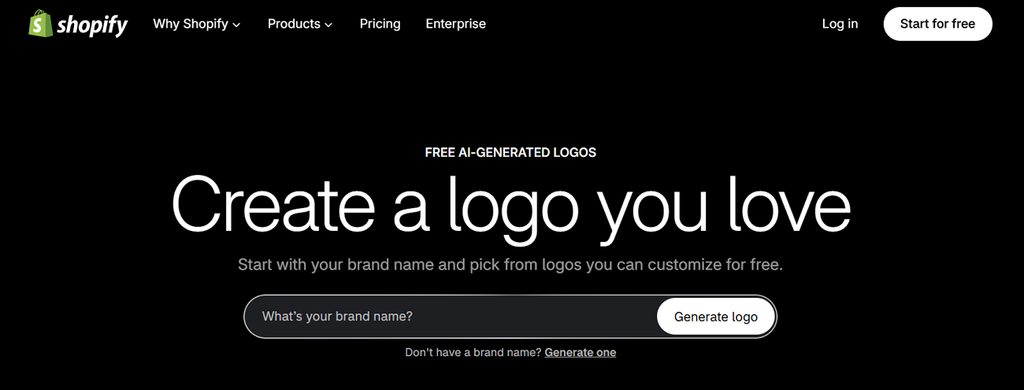
Shopify Logo Maker, previously called Hatchful, remains a practical option for users comparing the best free logo maker app choices. It offers thousands of design combinations across different styles and lets you create and download logos without a watermark or paid plan.
Key Features
- Allows unlimited logo generations and downloads without charging for each design.
- Exports matching social media versions alongside the main logo file.
- Includes basic controls for changing fonts, colors, icons, and layout.
Pros
- You can start creating without entering payment or card details.
- Most users can finish a basic logo within a few minutes.
Cons
- Design elements may also appear in logos created by other users.
- Downloads are limited to PNG files without an SVG option.
6. Namecheap Logo Maker
Best For: Side projects needing a free logo for web and print.
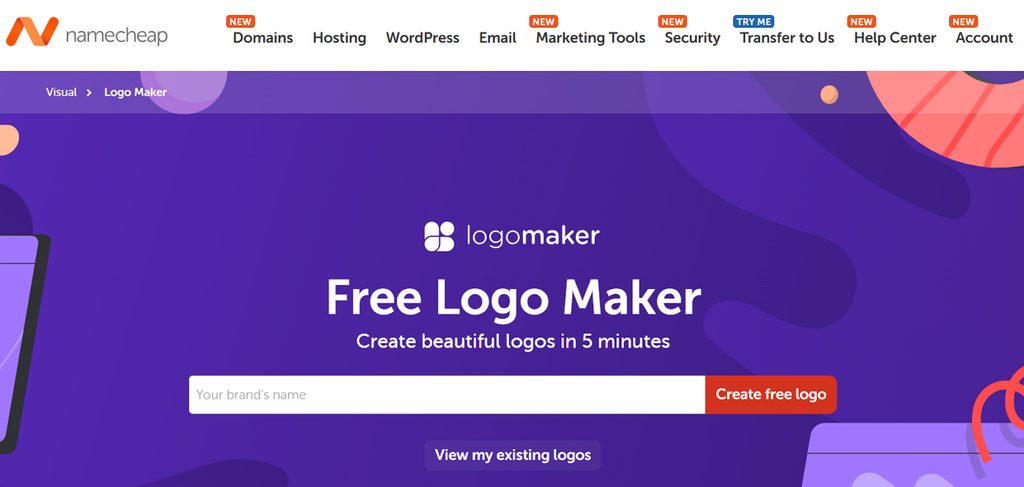
Among the best free logo maker websites, Namecheap stands out because it provides both PNG and SVG downloads without charging for them. The files come without a watermark and can be used commercially, making the tool suitable for websites, print materials, and early-stage business projects.
Key Features
- Connects easily with Namecheap domains, hosting, and other website services.
- Lets you change fonts, colors, icons, and layout before downloading.
- Keeps the design process simple for users with little experience.
Pros
- Free SVG downloads make the logo usable for print.
- No watermark appears on the finished logo files.
Cons
- Editing options are more limited than larger design platforms.
- The available styles cover fewer directions than some competitors.
7. VistaPrint AI Logomaker
Best For: Small businesses preparing logos for print, packaging, and merchandise.
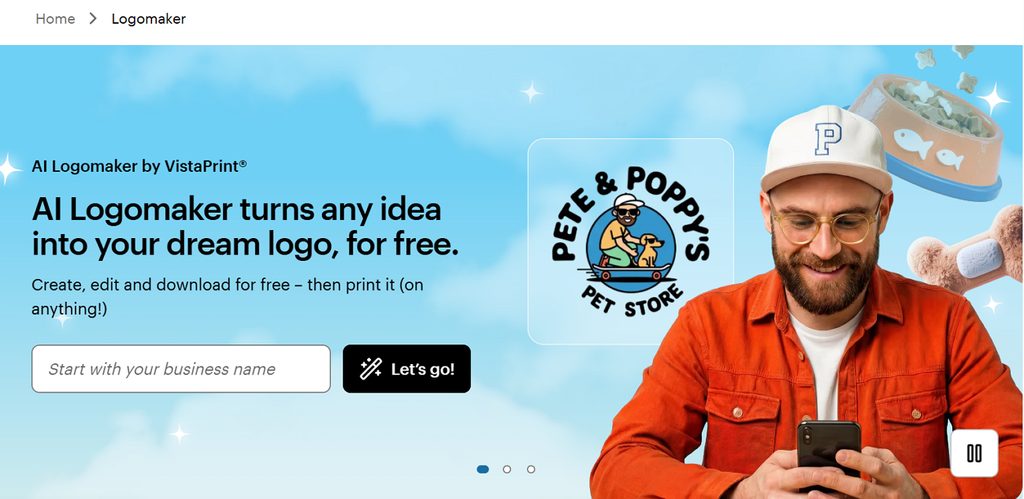
For anyone comparing the best free logo generator options, VistaPrint AI Logomaker is notable for giving users several file types without a watermark. It creates logo ideas from a business description, then lets you download PNG, SVG, and PDF versions in both colored and transparent formats.
Key Features
- Free sign-up unlocks up to 64 logo generations for testing different ideas.
- Lets you continue editing colors, fonts, and graphic elements after generation.
- Saves unfinished designs under My Projects so you can return to them later.
Pros
- Finished designs can move directly into VistaPrint’s printing services.
- The setup is straightforward for users without design experience.
Cons
- Generated logos may not always qualify for trademark registration.
- Printing and website offers appear throughout the design process.
Compare All Free Logo Makers
Across these 7 tools, the biggest differences appear in free downloads, editing control, and whether the final logo suits digital use, print, or both. This side-by-side comparison of the best free logo maker websites shows which option fits each need most clearly:
| Tool | Free Files | Free Vector | Best At |
| MagicLight AI | Images via free credits | No | Comparing AI models |
| Canva | PNG with free elements | No, Pro only | Full brand kits |
| Adobe Express | PNG with free elements | No, paid plan | License-clear AI |
| Wix Logo Maker | Preview only | No, paid package | Wix website owners |
| Shopify Logo Maker | PNG, no watermark | No | Quick store placeholders |
| Namecheap Logo Maker | PNG and SVG | Yes | Free vector files |
| VistaPrint AI Logomaker | PNG, SVG and PDF | Yes | Print-ready AI logos |
Part 3. Why Use MagicLight for Logo Creation?
Template editors work well when you want a quick result from an existing layout. For anyone comparing the best free logo generator options, MagicLight AI offers a different route by letting you test one brief across several AI models. The 4 points below show where that extra flexibility can help during logo creation:
- Compare Different AI Models: Test the same logo brief across several models to see which visual direction fits best.
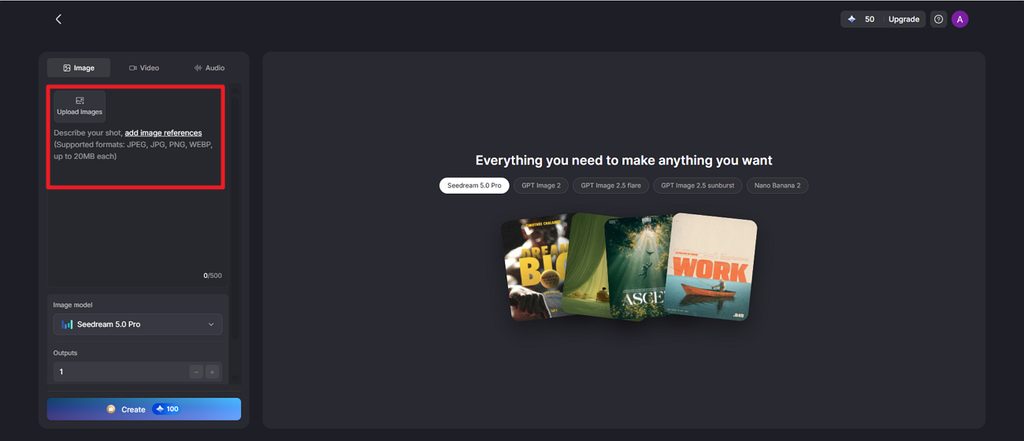
- Use Reference Images: Upload sketches or earlier logo drafts to guide later versions without starting again from scratch.
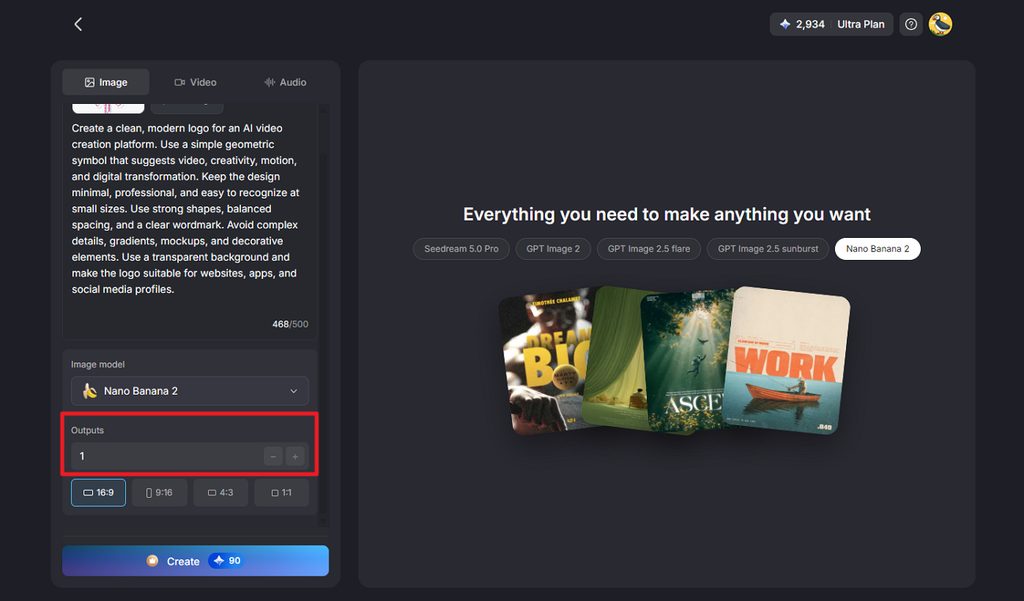
- Generate Several Versions at Once: Create multiple logo options in one run, making side-by-side comparison faster and easier.
- Create More Brand Content: Use the same account to make logo images, videos, and audio for broader brand needs.
Guide to Create a Logo with MagicLight AI
Creating a logo in MagicLight follows a clear path from the first brief to the final review. The steps below show how to write the prompt, choose a model, compare results, refine the design, and prepare the logo for download or further editing:
Step 1. Open the Logo Creation Tool
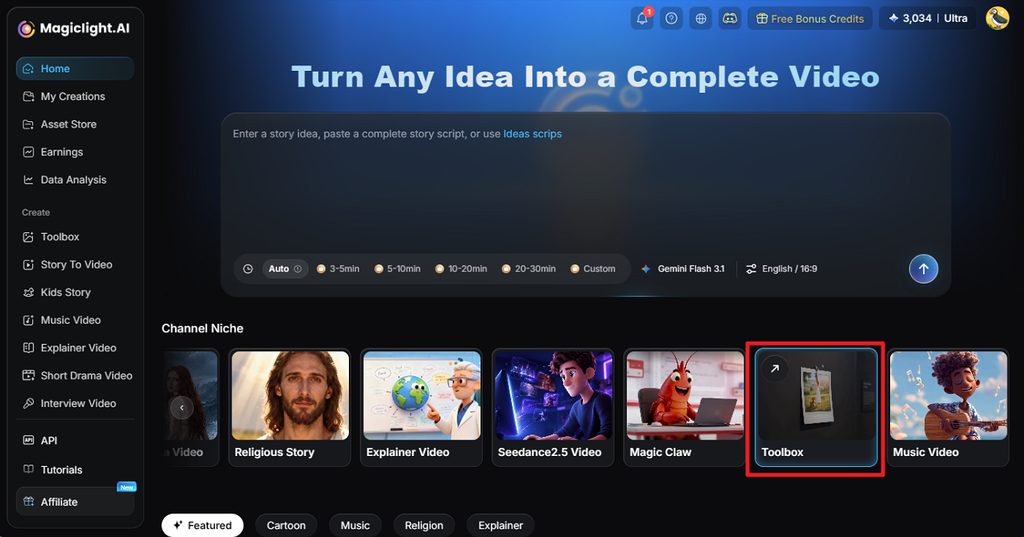
Open MagicLight AI and select Toolbox from the main workspace. This opens the image creation area where you can begin designing the logo.
Step 2. Add the Prompt and Choose a Model
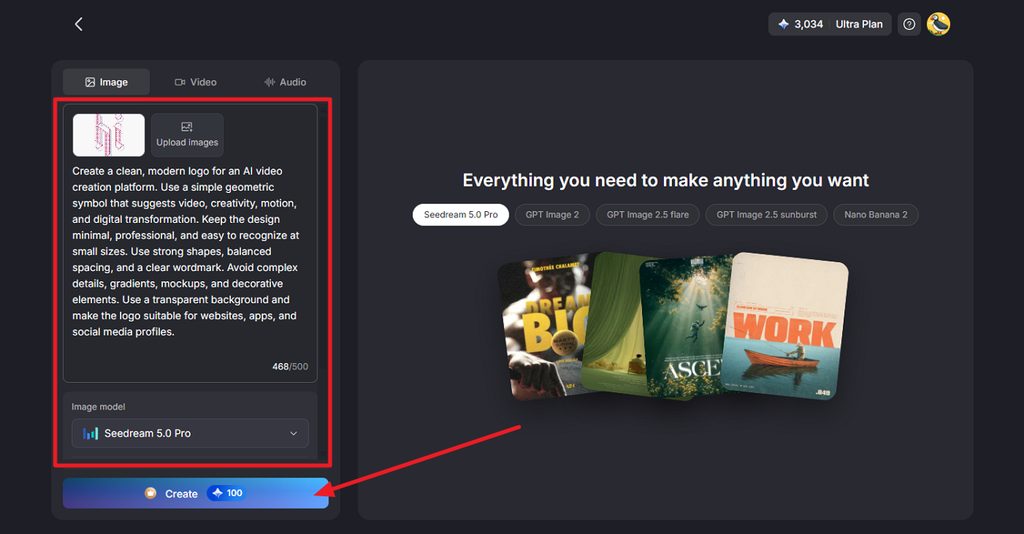
Write your logo prompt, upload a reference image if needed, and select an image model such as Seedream 5.0 Pro. Check the details, then press Create.
Step 3. Review and Download the Logo
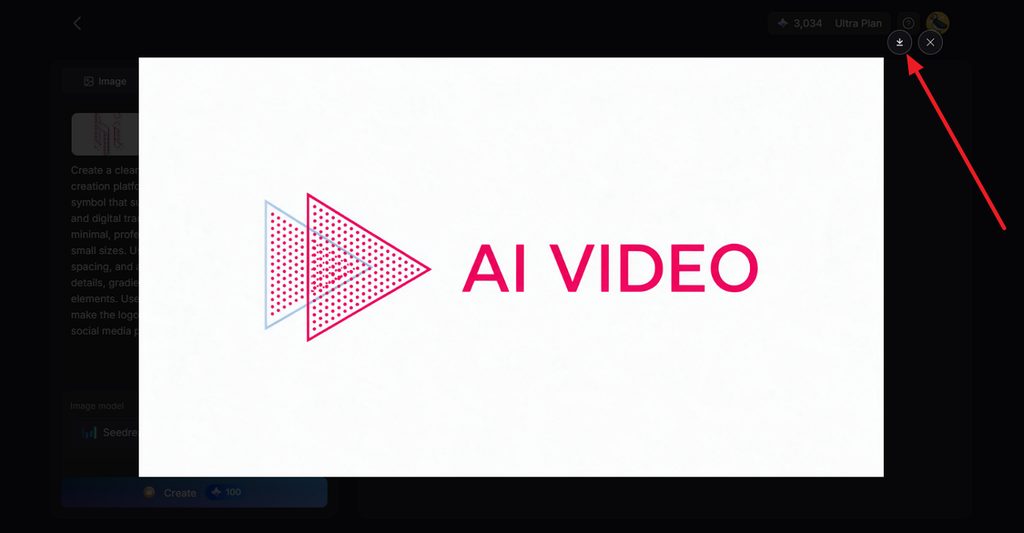
Open the generated logo and review the symbol, text, spacing, and overall look. If you are satisfied with the result, click the Download icon to save the image.
Conclusion
Choosing the best free logo maker depends on how you plan to use and customize your design. Namecheap and VistaPrint offer free vector downloads, while Canva, Adobe Express, Shopify, and Wix support different branding workflows. MagicLight AI takes a more AI-focused approach, letting you explore logo concepts across multiple models. Compare formats, editing options, and usage rights before choosing the right tool.
FAQs on Best Free Logo Maker
1. Can I create a logo for free with AI?
Yes, and several of these tools do it without any charge. VistaPrint's AI Logomaker gives free vector files, while MagicLight AI generates concepts across five models on its free plan.
2. What should I check before choosing a free logo maker?
Check the file format, resolution, watermarks, license, and editing depth before designing anything. An SVG vector matters for print, and template-based logos may not be registrable as trademarks.
3. Can AI create a logo from a business description?
Yes, and MagicLight AI is built around exactly that approach. Describe the name, industry, colors, and style in a 500-character prompt, then compare several concepts from each run. VistaPrint's LogoMaker also starts from a description and adds free vector files.
4. Can I create an editable logo with AI?
Yes, and MagicLight AI covers the AI sense of editing, since you revise a logo by uploading it as a reference and describing the change. For vector files, you can edit point by point; VistaPrint and Namecheap export free SVGs.
5. Which free logo maker is useful for AI-powered branding?
MagicLight AI suits AI-powered branding, since image generation sits alongside video and audio tools in one account. That makes it the best free logo maker app when a brand needs to reach beyond the mark itself.




![How to Write a Script for a Video 2026 [Full Guide]](https://magiclight.ai/wp-2/wp-content/uploads/video-script-writing-setup-300x199.jpg)