Getimg AI gives you plenty of creative options, but some projects need something more specific. You might want sharper images for your designs without spending too many credits each time. Some Getimg AI alternatives give you more freedom to edit images exactly how you want.
Others make it easier to create logos and posters that look good without extra work. The right choice depends on what you're creating and how much you plan to spend. MagicLight AI is also worth exploring when you want to turn finished images into videos.
Part 1. 6 Best Getimg AI Alternatives in 2026
Choosing the right Getimg AI alternative depends on your creative needs and the features you prefer. Let's explore 6 tools that offer different ways to bring your creative ideas to life.
Best For: Content creators making character art and videos.
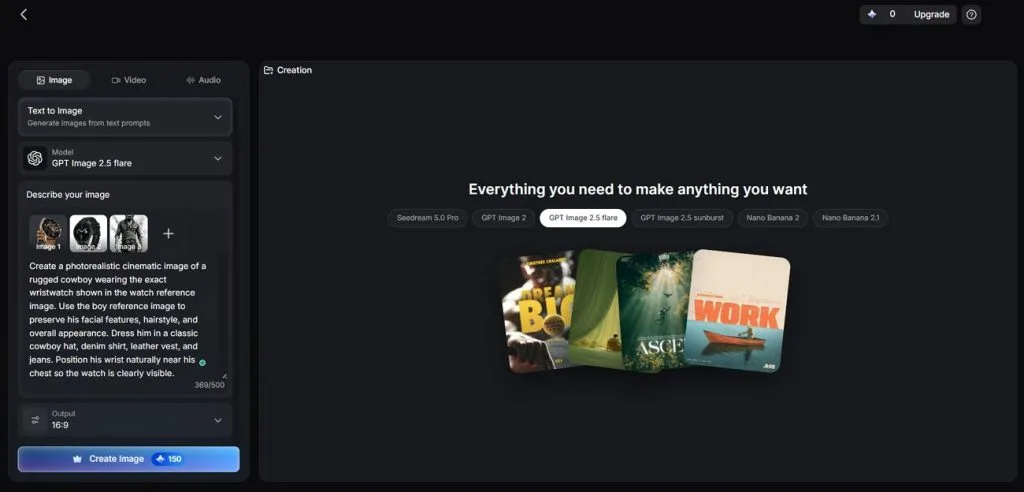
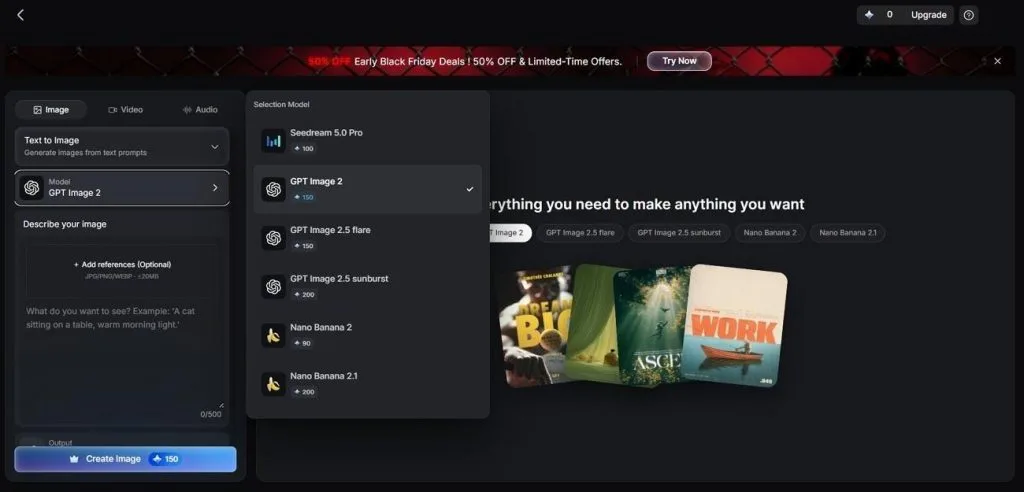
Creating a good image is only the beginning when your project also needs video. MagicLight AI brings an AI image generator together with video creation tools in one place. You can describe your desired image using up to 500 characters for more detailed results.
The Reference Image to Image feature also lets you upload up to 10 reference images. Once your images are ready, you can turn them into videos using Image to Video tool. You can also add music and voiceovers to give your finished videos more life.
Key Features
- Multiple Image Models: MagicLight AI includes Seedream 5.0 Pro and Nano Banana 2 alongside GPT Image variants. You can choose your preferred model with different credit costs for each image.
- Reference Image to Image: Upload several reference images to guide the look of your final generated image. The feature supports PNG, WEBP, JPEG, and JPG files with a 20MB limit each.
- Frame to Video: A finished image can become the opening or closing frame of your video. Reference to Video also supports image uploads alongside video and audio files for guidance.
- AI Character Creation: Create your own characters using a short description or an existing reference photo. Over 52 style presets offer different looks across MagicLight and Midjourney style families.
- Story to Video with the Agent: MagicLight Agent turns a simple story idea into a script and detailed storyboard. Story to Video can then create narrated videos lasting up to 50 minutes.
Pros
- Create images and narrated videos without switching between apps.
- Choose how many images each generation should produce easily.
- Access your projects through iOS and Android mobile apps.
Con
- Only 4 aspect ratios require cropping certain poster sizes.
Best For: Artists creating detailed illustrations and concept art.
Midjourney brings a distinct artistic style to Getimg AI alternatives for creative image projects. Its image models produce detailed artwork with a painted look that suits fantasy scenes. Each standard prompt returns 4 images through its website and Discord for easy comparison.
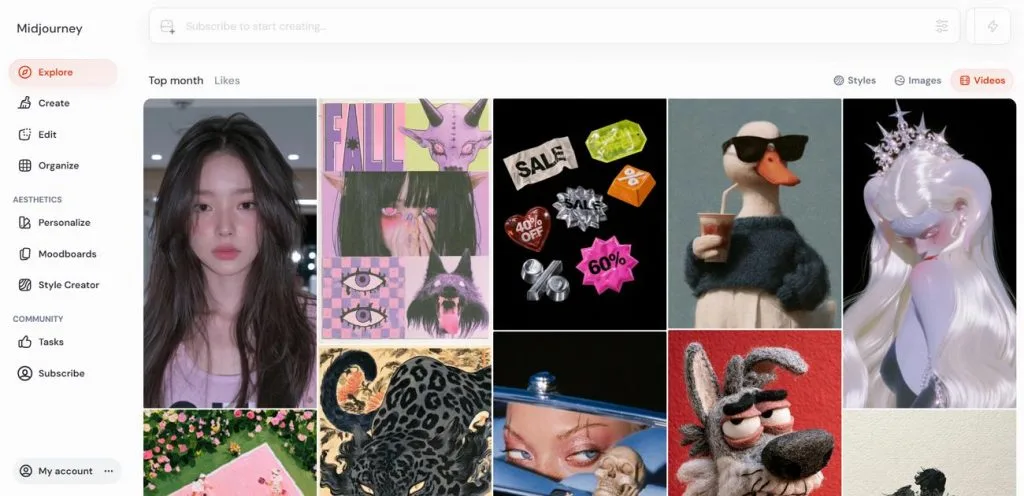
Key Features
- Style Reference codes help maintain a consistent artistic look across different image projects.
- Draft Mode quickly generates 24 rough images before you choose a final design.
- The dedicated Niji model creates anime artwork with distinct manga inspired visual styles.
Pros
- Personalization adjusts future artwork based on your rated images.
- Moodboards combine inspiration pictures into a consistent artistic style.
Cons
- Generated video clips remain silent with a 21-second maximum duration.
- Longer text passages inside generated images can appear distorted.
Best For: Designers exploring live editing and creative workflows.
A rough sketch can become detailed artwork almost instantly inside Krea AI's browser studio. This Getimg AI alternative responds to changes directly as you shape your image. Its own image model also handles generation and editing within the same creative workspace.
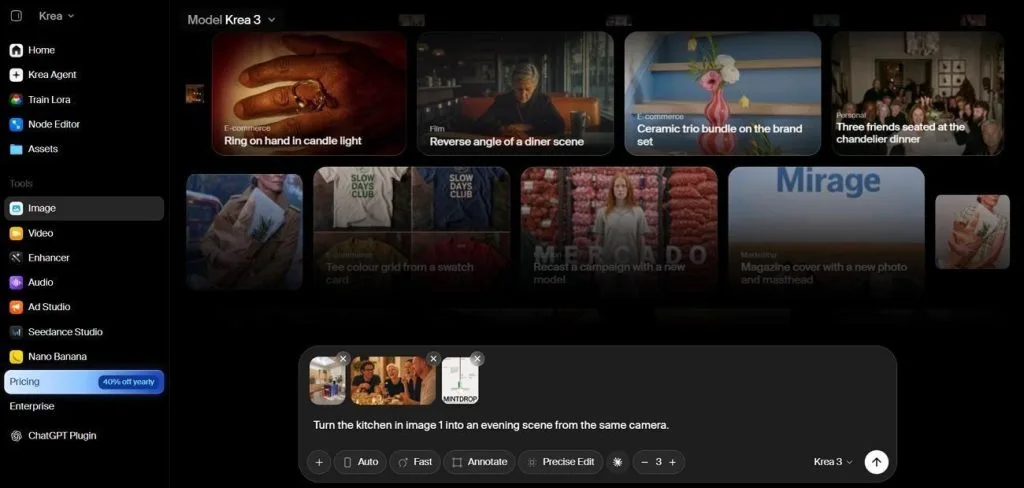
Key Features
- The Realtime canvas updates images as you type words or move different shapes.
- Nodes connect generation and upscaling steps into workflows that become shareable creative apps.
- Timeline keyframes let creators control how individual shots develop throughout their generated videos.
Pros
- Veo and Kling models support video creation within Krea.
- TRELLIS and Tripo generate 3D objects inside the studio.
Cons
- Different models produce inconsistent results across related image projects.
- The extensive tool selection requires time to understand fully.
Best For: Game designers creating consistent characters and detailed assets.
Keeping the same character appearance across different scenes can be difficult for artists. Leonardo AI offers Getimg AI alternatives users several models for creating detailed artwork. Its Lucid and Phoenix models work alongside Flux and Seedream for different styles.
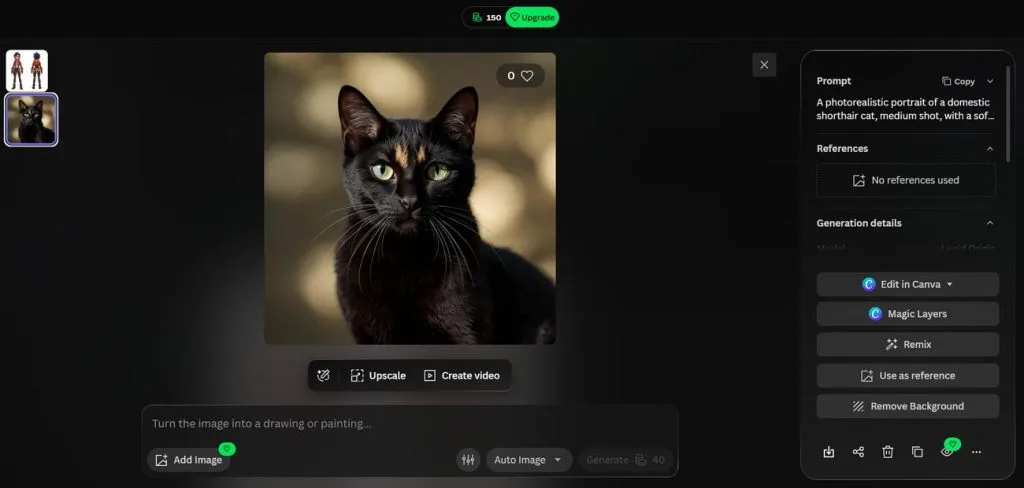
Key Features
- Character references maintain familiar facial details when generating new poses for existing characters.
- Realtime Canvas transforms rough pencil sketches into finished artwork as you continue drawing.
- Blueprints simplify repeated creative tasks through ready templates with predefined generation settings included.
Pros
- Flow State generates continuous image variations from one idea.
- Lucid models produce detailed artwork with realistic cinematic effects.
Cons
- The crowded interface takes extra time for beginners to navigate.
- Video results can appear weaker than its generated images.
Best For: Brand designers creating editable logos and vector graphics.
Its focus on editable vector graphics makes Recraft useful for professional design projects. Exported SVG files contain structured layers that designers can edit in Figma directly. The shared canvas also supports raster images and templates for different branding projects.
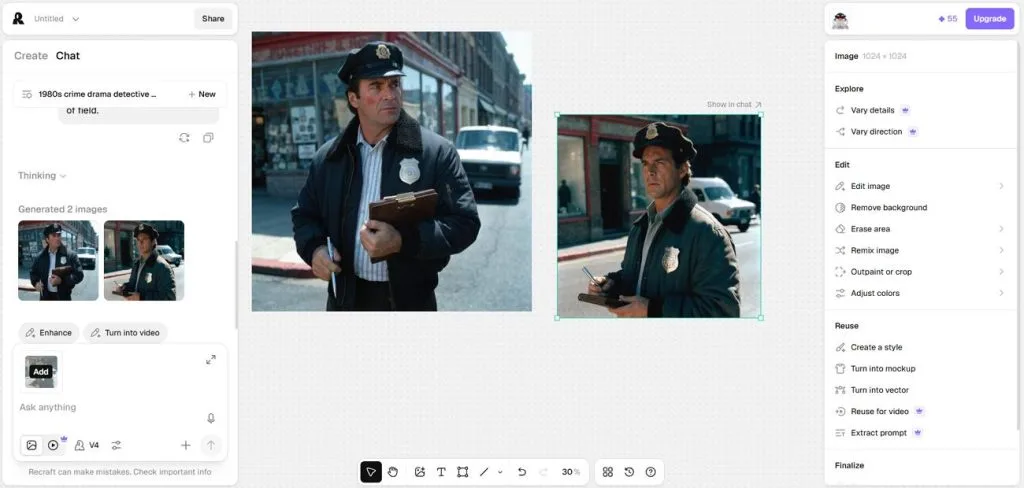
Key Features
- Set a fixed color palette to maintain matching shades across your generated designs.
- Vectorize converts regular images into editable SVG files with adjustable paths inside Studio.
- Product mockups display your finished artwork on packaging before you finalize the design.
Pros
- Different upscaling modes preserve details or create sharper image results.
- Custom fonts give text designs a more personal look.
Cons
- Longer logo text may lose accuracy during image generation.
- Repeated generations sometimes produce designs that look too similar.
Best For: Marketers designing readable posters and promotional graphics.
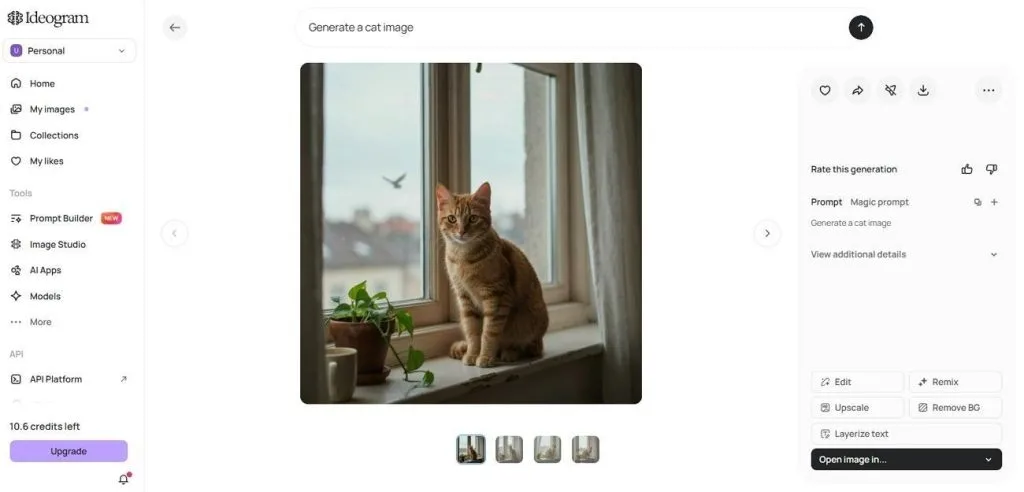
Creating posters with clear lettering becomes easier when the image model understands text. Ideogram stands among Getimg AI alternative options for its readable image text generation. Its latest model handles multiple text lines and supports more detailed promotional designs.
Key Features
- Bounding boxes help position design elements exactly where you want them to appear.
- Magic Prompt expands short ideas into detailed instructions before generating your final image.
- Structured JSON prompts define individual design elements, including bounding boxes and color palettes.
Pros
- Transparent backgrounds make generated graphics useful for stickers and overlays.
- Multilingual text support helps create designs for different languages.
Cons
- Upscaling sometimes changes facial features and natural skin tones.
- Running the open model independently requires suitable technical hardware.
Part 2. Getimg AI Alternatives: How to Choose the Right Tool?
Choosing from these Getimg AI alternatives becomes easier when you understand your project needs. Let's explore the main factors that can help you find the right creative tool.
Image Quality and Generation Capabilities
Not every AI image generator produces the same quality of images for your projects. Some tools focus on consistent styles and others provide more choices through different models. Here are the main things worth checking before choosing a tool for image generation:
- Image Models: MagicLight AI provides several image models including Seedream 5.0 Pro and Nano Banana 2. Midjourney and Recraft use their own models to maintain a recognizable image style.
- Text in Images: Ideogram and Recraft handle text well when creating posters with clear lettering. Krea AI and Leonardo AI depend on the selected model for accurate text results.
- Image Resolution: Midjourney supports 2048-pixel images and Ideogram can generate images at 2K resolution. Krea AI supports upscaling to 22K compared with Getimg AI's 16K limit.
AI Editing and Customization
A good Getimg AI alternative should let you edit images without starting from scratch. Some tools also save your favorite styles so future projects can keep the same look. The table below compares how each tool handles image editing and saved creative styles:
| Tool | Image Editing | Saved Styles and Characters |
| MagicLight AI | Nano Storyboard adjusts poses and facial expressions for individual shots. | Asset Store saves characters for future projects. |
| Midjourney | Edit Model changes selected areas using written instructions. | Style References and Moodboards help reuse favorite looks. |
| Krea AI | Krea Edit changes selected parts of existing images. | LoRA training helps create reusable custom styles. |
| Leonardo AI | Canvas Editor changes selected areas and extends images. | Elements and custom model training support consistent designs. |
| Recraft | Inpainting replaces selected areas and changes backgrounds. | Custom Styles help maintain a matching visual look. |
| Ideogram | Canvas supports image changes and extends existing designs. | Character Reference helps maintain familiar character appearances. |
Pricing and Free Plans
Pricing matters when you plan to use an AI tool regularly for creative projects. Each platform has different limits on how much content your subscription can produce monthly. Look at the table below to compare each tool's pricing and features before choosing:
| Tool and Plan | Price (Billed Yearly) | Included Features | Limitations | Ideal User |
| MagicLight AI Standard | $7.5/month | 8,000 credits and watermark-free 1080p video exports | Video generation consumes credits based on model usage | Creators turning images into narrated videos |
| Midjourney Basic | $8/month | 3.3 Fast GPU hours and SD video generation | No free plan or Relax Mode | Artists exploring detailed illustrations |
| Krea AI Basic | $5/month | 5,000 compute units and commercial rights | Access to selected video models only | Designers testing different AI models |
| Leonardo AI Essential | $10/month | 8,500 fast tokens and private generations | Advanced models consume tokens at different rates | Game designers creating consistent characters |
| Recraft Basic | $10/month | 1,000 credits and commercial rights | Unused subscription credits expire each billing cycle | Designers creating logos and vectors |
| Ideogram Plus | $15/month | 2,400 priority credits and private generations | Batch generation requires Pro | Marketers creating posters with readable text |
Best Tools for Different Creative Needs
Every creative project has different needs, so choosing just 1 tool may not work. Some platforms handle specific tasks better and can work together on larger projects. Here are some useful tool combinations based on the type of content you're creating:
- Brand Launch Kit: Recraft helps create editable vector logos and matching icons for your brand. Ideogram handles promotional posters that need clear headlines and readable text.
- Indie Game Pitch: Leonardo AI helps maintain consistent character appearances across different game scenes. Krea AI lets you develop game environments through its live image generation canvas.
- Album or Book Cover: Midjourney creates artistic cover images with detailed styles and rich visual effects. Krea AI's Enhancer can enlarge the finished artwork for higher resolution output.
- Animated Story or Teaser: MagicLight AI turns finished images into animated scenes with narration and matching characters. Its video tools also support music and voiceovers for a more complete story.
Conclusion
Finding the right Getimg AI alternatives depends on what you want to create. Recraft works well for logos and Ideogram helps produce posters with clear text. Midjourney and Leonardo AI offer creative options for artists working on detailed illustrations. For creators interested in animated stories with narration, MagicLight AI is worth trying.
Frequently Asked Questions
- What are the best alternatives to Getimg AI in 2026?
MagicLight AI and Midjourney are among the popular options worth exploring in 2026. Krea AI and Leonardo AI also offer useful features for different creative projects. Recraft handles vector designs and Ideogram works well for posters with readable text.
- Is there a free alternative to Getimg AI?
Yes, several platforms offer free access for testing their image generation tools first. Krea AI provides daily compute units and Leonardo AI offers free daily tokens. MagicLight AI also provides starter credits for exploring its features without payment details.
- What is the best Getimg AI alternative for turning images into AI videos?
MagicLight AI is a Getimg AI alternative that turns finished images into videos. Its Image to Video feature creates animated clips lasting up to 30 seconds. Creators can also add spoken dialogue through lip syncing for more engaging video scenes.