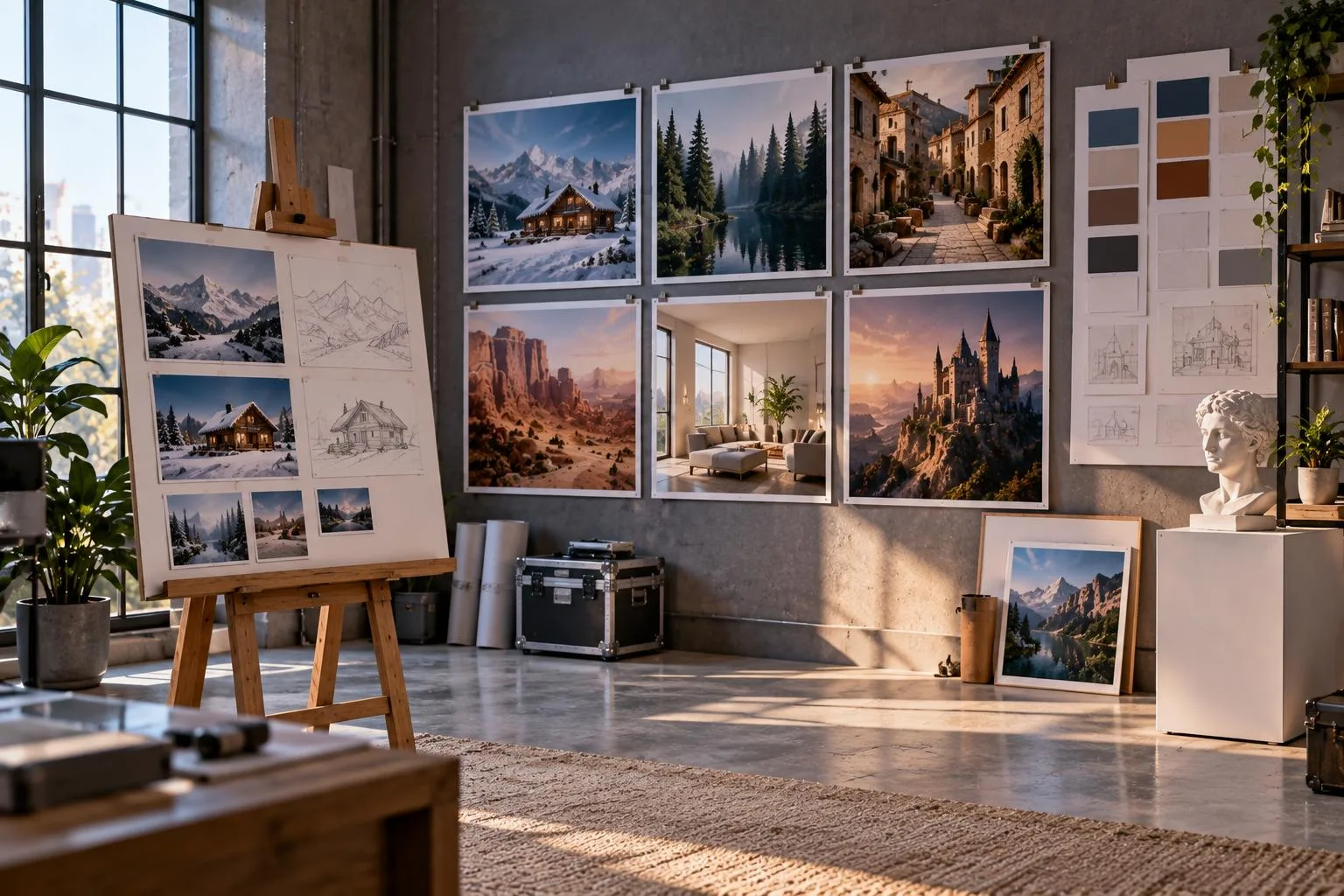
GPT Image 2 is OpenAI’s model for creating and editing images with simple text prompts. It creates detailed visuals with better text, object placement, layouts, and creative design control. Users can also edit existing photos or use reference images for more consistent results.
These features help create marketing graphics, social posts, product visuals, posters, and other content. Creators can also use generated images as key frames for their AI video projects. This guide explains GPT Image 2 features, uses, prompting tips, pricing, and creative workflows.
Part 1. What Is GPT Image 2?
GPT Image 2 powered ChatGPT Images 2.0 and became available through OpenAI’s API for developers. It followed GPT Image 1.5 and introduced thinking capabilities for more controlled image generation tasks. OpenAI also provided specific details about its release, access, pricing, and available model versions. The table below summarizes important GPT Image 2 details for users and developers in 2026:
| Detail | GPT Image 2 |
| Release Date | April 21, 2026, in ChatGPT, API, and Codex |
| API Model ID | gpt-image-2, with snapshot gpt-image-2-2026-04-21 |
| ChatGPT Access | ChatGPT Images 2.0 launched on all plans; Images with thinking launched on paid plans |
| API Pricing | $4 per 1M image input tokens and $15 per 1M image output tokens |
| Knowledge Cutoff | December 2025 |
| Successor | ChatGPT Images 2.5, released September 8, 2026 |
ChatGPT Images now uses version 2.5, offering Flare and Sunburst models through the OpenAI API. For everyday tasks, Flare provides faster generation, while Sunburst supports more precise image editing work. Older image models are being replaced, while GPT Image 2 remains available through OpenAI’s API. Many improvements introduced with GPT Images 2.0 continue supporting modern image creation and editing workflows.
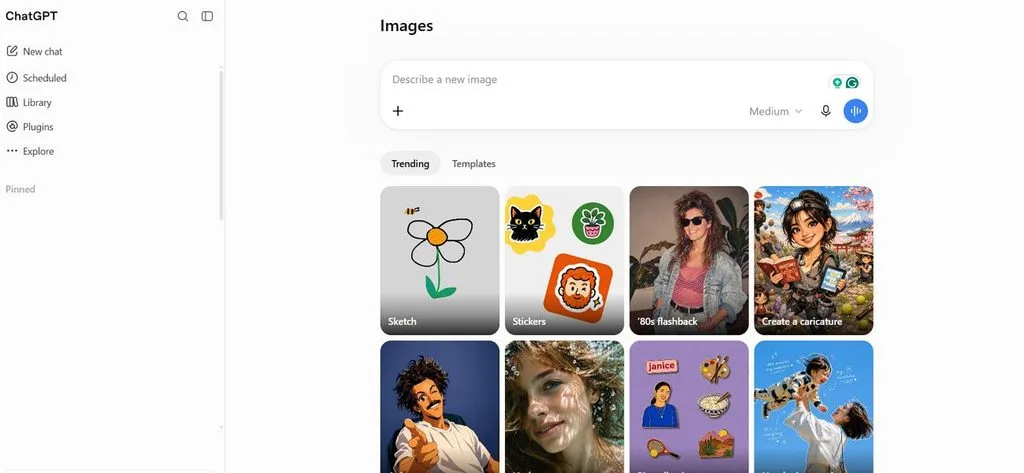
Core Features and Image Generation Capabilities
OpenAI designed GPT Image 2 for creative work requiring readable text and consistent visual layouts. Complex projects like menus, slides, and product posters can combine several image capabilities. Below are the core features and image generation capabilities available with GPT Image 2:
- Dense Text Rendering: GPT Image 2 creates clearer small text, icons, labels, and multilingual content within images.
- Structured Layouts: The model organizes objects and text effectively across posters, slides, diagrams, comics, and infographics.
- Flexible Sizes: Users can create custom image sizes with flexible aspect ratios and supported resolution options.
- Reference Images and Editing: Existing images can guide edits while preserving important faces, objects, details, and visual elements.
- Thinking Mode: ChatGPT thinking models can support image creation with web research and additional result checking.
- Photo and Style Range: The model creates photos, cinematic scenes, manga, and pixel art with consistent visual details.
- Output Controls: API users can control image quantity, quality, file format, and transparent background settings directly.
Part 2. How to Get Better Results With GPT Image 2
Image 2 accepts different prompt styles, but a clear structure helps produce more consistent results. Following simple prompting techniques can improve text, layouts, details, edits, and overall image quality. Look at the table below for useful GPT Image 2 techniques with simple prompt examples:
| Technique | Sample Prompt Wording |
| Scene, Subject, Details, and Constraints | “Sunlit Bakery Counter, Baker Holding Croissants, Warm Morning Light, No Text” |
| Exact Text and Typography | “Poster Headline ‘FRESH DAILY,’ Bold White Sans Serif, Top Center” |
| Placement and Framing | “Close-Up, Eye-Level View, Logo Top-Right, Product Centered” |
| Realistic Photography Cues | “Photorealistic Product Photography, Soft Window Light, Natural Shadows, Sharp Details” |
| Single Changes During Editing | “Change Only the Jacket to Navy, Keep Everything Else the Same” |
| Numbered Reference Images | “Place the Mug From Image 1 on the Desk From Image 2” |
| Clear Exclusions and Restrictions | “No Watermark, No Extra Text, No Logos, No Distracting Background Elements” |
Brand names and unusual spellings work better when prompts spell difficult words letter-by-letter. Medium or high quality works better when images contain smaller text and finer details. Low quality speeds up drafts, while larger supported sizes provide more reliable visual results. These prompting habits also help improve ChatGPT Image 2.0 results when creating images directly.
Quick Comparison: GPT Image 2 vs. MagicLight AI
GPT Image 2 creates detailed still images, but some creative projects also require video content. MagicLight AI is a creative platform designed for generating images, videos, stories, and animations easily. It helps creators turn ideas into visual content using different AI models and creative tools.
Both platforms support different creative needs, making their features useful across various content production workflows. The table below compares GPT Image 2 and MagicLight AI across important creative features:
| Feature | GPT Image 2 | MagicLight AI |
| Tool Type | AI image generation and editing model | AI storytelling and video creation platform |
| Main Output | Generated images and edited visuals | Multi-scene videos with visuals, voiceovers, and subtitles |
| Where It Runs | OpenAI API and supported OpenAI experiences | Web, iOS, and Android |
| Text Handling | Generates readable multilingual text within images | Adds voiceovers and subtitles across video scenes |
| Editing Approach | Prompt-based editing with reference images | Scene-by-scene editing through Nano Storyboard |
| Pricing | Token-based API pricing with 50% Batch API discount | Free option, with paid plans from $7.50/month billed yearly |
| Commercial Use | Users own output, subject to OpenAI’s terms | Commercial usage rights included with paid plans |
Core Features
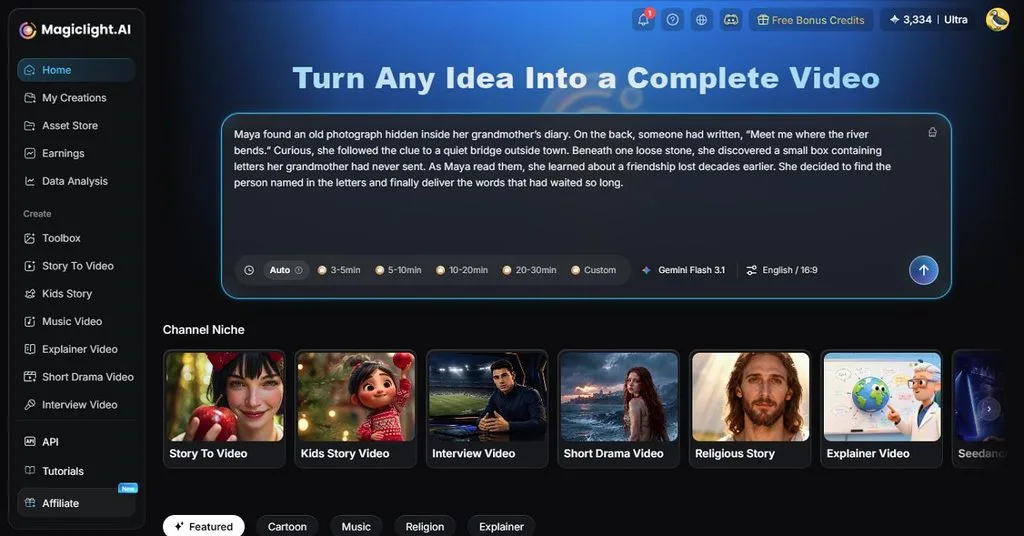
A GPT Image 2.0 visual can become part of a complete MagicLight AI story. Let’s explore the core features that support image, video, voice, and storytelling workflows:
- Image Generator: MagicLight AI offers 5 image models, including GPT Image 2, for creative projects. Users can enter detailed prompts and add reference images for more controlled visual results.
- Supported Files: Users can upload JPEG, PNG, or WEBP images as references for image generation. Each reference file supports sizes up to 20MB, allowing detailed and high-quality visuals.
- Flexible Ratios: Creators can choose square, landscape, portrait, or 4:3 ratios for generated image content. These flexible formats help prepare visuals for different platforms, projects, and publishing needs.
- Image Animation: Image to Video turns still images into moving clips using detailed text prompts. Prompts support 1,500 characters, providing enough space to describe motion and scene details.
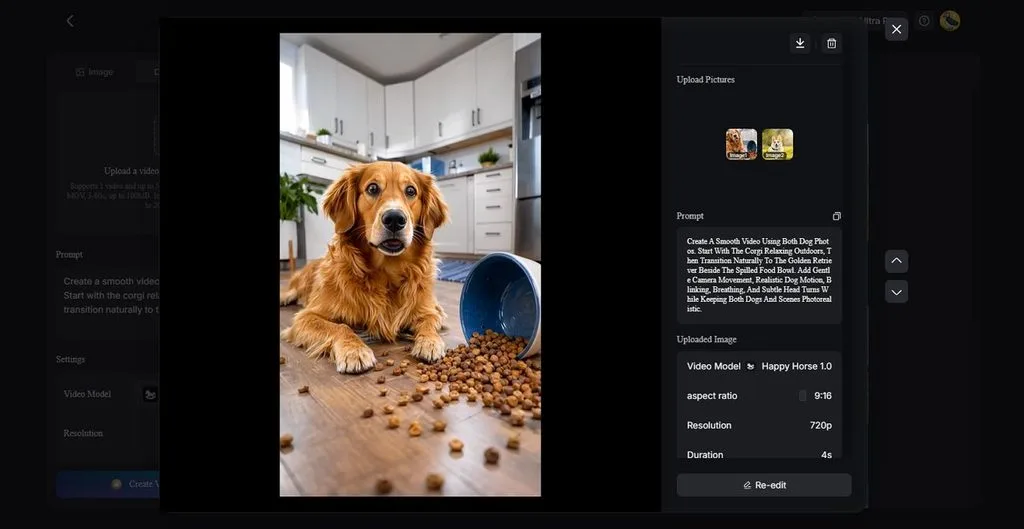
- Long-Form Stories: MagicLight Agent creates scripts from ideas and develops them into complete visual stories. Story to Video supports lengthy scripts and creates videos reaching 50 minutes in duration.
Creative Workflows
GPT Images 2.0 can support creative workflows when combined with MagicLight AI generation tools. Follow the steps below to create images and develop them further with MagicLight AI:
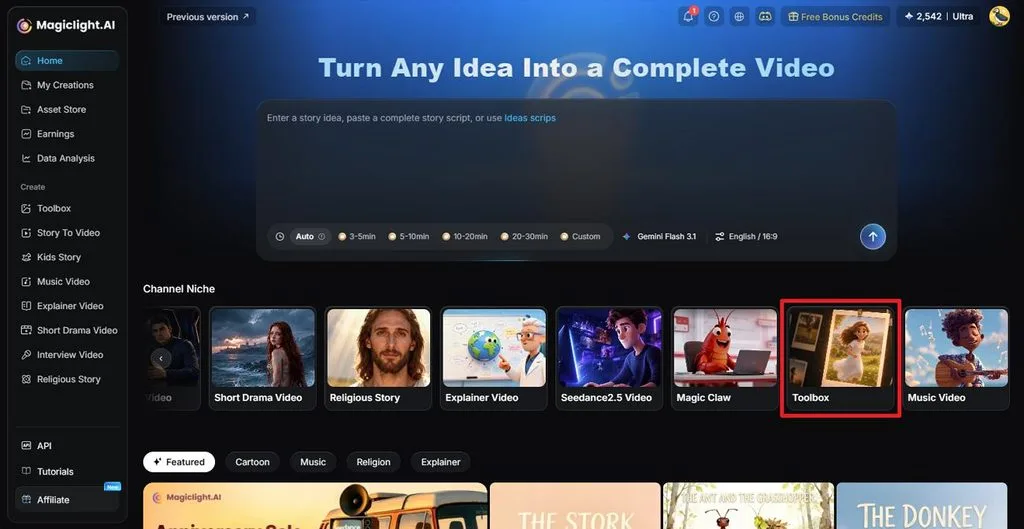
Step 1. Access the AI Image Generator
Open MagicLight AI and select Toolbox to access the available creative tools. Choose Image to open the AI Image Generator.
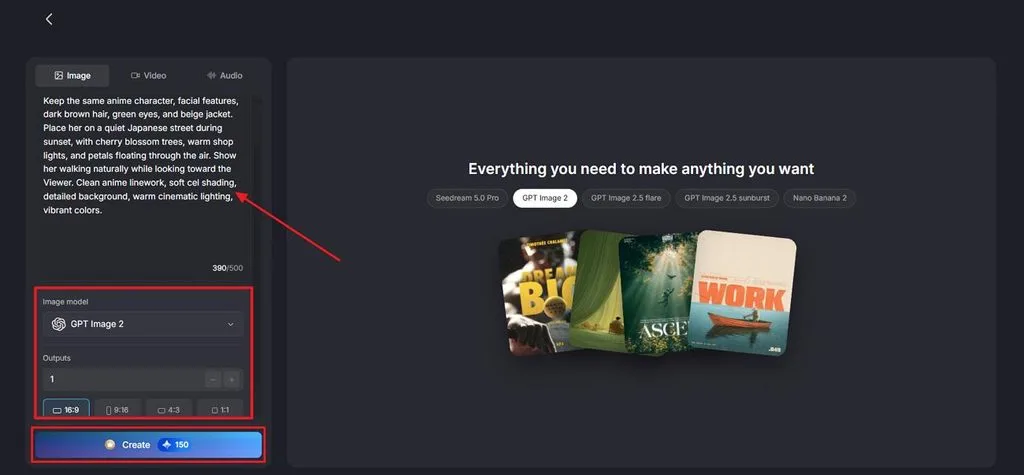
Step 2. Create an Image With GPT Image 2
Select GPT Image 2 from the Image Model options, then upload a reference image if needed. Enter a prompt describing your subject, setting, style, lighting, and important details. Choose the number of Outputs, select an Aspect Ratio, and click Create.
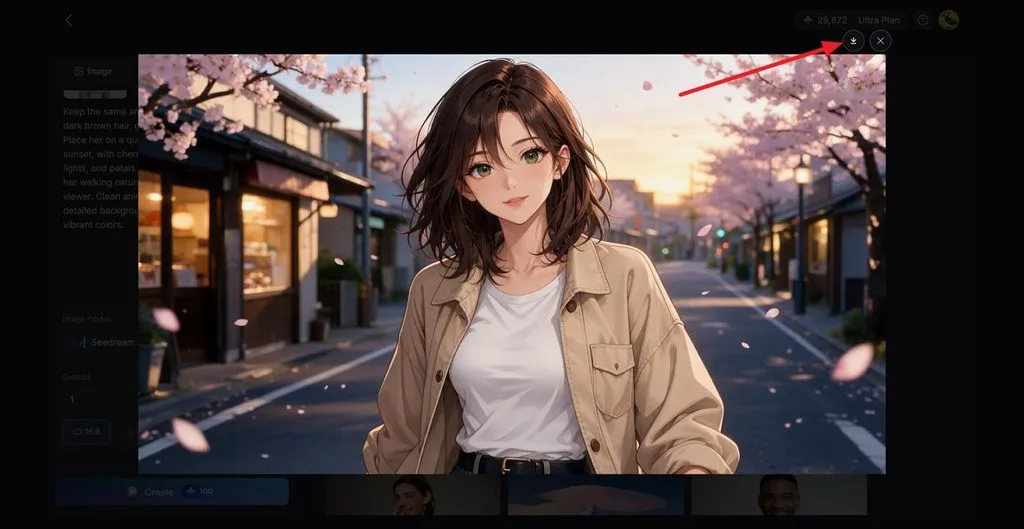
Step 3. Review and Save Your Image
Review the generated image and create another version if you want different results. Once satisfied, click the Download icon to save your finished GPT Image 2 visual.
Use Cases
ChatGPT Image 2 creates detailed visuals that can support many different creative content projects. Combining these images with MagicLight AI helps creators build richer visual storytelling workflows. The common use cases discussed below show where both tools can work together:
- Children’s Stories: GPT Image 2 creates illustrated characters for children’s stories and adventures. MagicLight AI adds motion, narration, voices, and lip sync to characters.
- Product Explainers: Product visuals can show packaging, labels, features, colors, and brand details. MagicLight AI turns product images into videos for ads and stores.
- Course and Training Videos: GPT Image 2 creates diagrams and infographics for lessons and training content. MagicLight AI adds narration and subtitles to explain complex topics better.
- Social Series: Consistent characters can appear across recurring content for different social media platforms. MagicLight AI turns these visuals into TikTok, Reels, and YouTube Shorts.
Best For: Creators turning GPT Image 2 visuals into videos.
Conclusion
To conclude, GPT Image 2 offers strong tools for creating, editing, and controlling visual content. Its text rendering and structured layouts support posters, product visuals, graphics, and creative projects. Creators can also animate pictures with MagicLight AI when still visuals need motion and storytelling. Together, these tools support image creation and video workflows for many types of content projects.
Frequently Asked Questions
- How can I create better images with GPT Image 2?
Start prompts with the scene, subject, details, and clear constraints for better results. Put exact text inside quotation marks and describe its placement within the image. For ChatGPT Image 2.0 edits, request one specific change at a time.
- Can GPT Image 2 edit existing images?
GPT Image 2 can edit uploaded images using clear instructions written in prompts. Users can describe specific objects, areas, colors, backgrounds, or details requiring changes. Reference images also help preserve important subjects and visual details during image edits.
- Can GPT Image 2 create images for commercial and social media content?
GPT Image 2 outputs can support commercial projects under OpenAI terms and policies. A ChatGPT 2.0 image can serve social posts, advertisements, and marketing graphics. Users should respect intellectual property, likeness rights, and applicable rules when publishing content.
- What is a good alternative to GPT Image 2 for AI video creation?
MagicLight AI offers tools for turning generated images into complete AI video projects. Creators can add motion, narration, subtitles, characters, and scenes to their visual content. Its video tools support stories, social clips, explainers, and other creative video formats.
![How to Remove People from Photos in 2026 [Full Guide]](https://magiclight.ai/wp-2/wp-content/uploads/remove-people-from-photos-guide.jpg-300x197.webp)
![6 Best Picture Modification Apps in 2026 to Try [New List]](https://magiclight.ai/wp-2/wp-content/uploads/best-picture-modification-apps-for-photos.jpg-300x200.webp)