


Written ideas can become complete videos with scenes, dialogue, movement, and sound in minutes. Text-to-video AI tools help you create videos from a simple written idea. These tools reduce the need for cameras, actors, complex editing, and large production teams. This guide compares 7 text-to-video AI generators for different creator needs and projects.
Part 1. How to Choose Text-to-Video AI Tools
Text-to-video AI generators can differ a lot once you move beyond sample clips. Below are the 4 main factors to consider before choosing a video creation tool:
- Video Length: A 5-second limit feels restrictive when your idea needs several connected shots.
- Audio: Having voices and sound generated with the video means less editing work later.
- Character Consistency: The same character should still look familiar when the next scene begins.
- Cost: Cheap plans can become expensive once credits run out after several video generations.
Part 2. 7 Top Text-to-Video AI Tools for Creators
An AI text video generator can serve different needs depending on your planned video project. These 7 options covers everything from quick cinematic clips to longer videos with complete stories.
1. MagicLight AI
Best For: Creators making complete narrated videos from scripts.
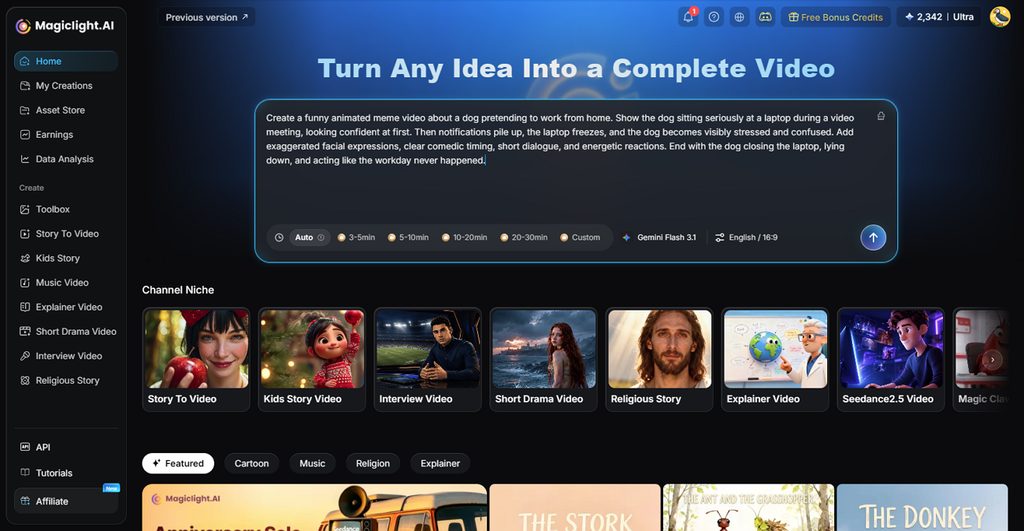
Writers can use MagicLight AI to turn written ideas into complete videos with narration. It works well for projects that need more than a few short generated video clips. Paid plans support videos up to 50 minutes, giving creators room for longer content projects.
The platform breaks written content into separate scenes and adds matching narration and visuals automatically. Music and subtitles can also be included, helping creators finish videos without extra editing work.
Key Features
- MagicLight Agent: Describe your video idea through chat, and MagicLight Agent builds direction. It can prepare the script before you begin creating video scenes.
- Story to Video: Add scripts up to 12,000 characters for longer text-based video projects. MagicLight AI uses your script to build connected scenes into videos.
- Voice and Music: Pick from 37 included voices or clone voices across 11 languages. You can also choose between 40 music tracks for background sound.
- Video Model Selection: Choose from 20 video models for different styles and visual results. Available choices include Kling 3.0, Veo, and Hailuo video generation models.
- Image to Video: Upload an image and describe the movement using up to 1,500 characters. MagicLight AI can turn that image into videos reaching 30 seconds.
Pros
- Use 52 unique visual styles to make the best version of your ideas.
- Helps create 30-second long videos using basic image prompts.
Con
- Maximum 1080p resolution falls behind native 4K output.
2. Pika
Best For: Short-form creators making stylized social videos.
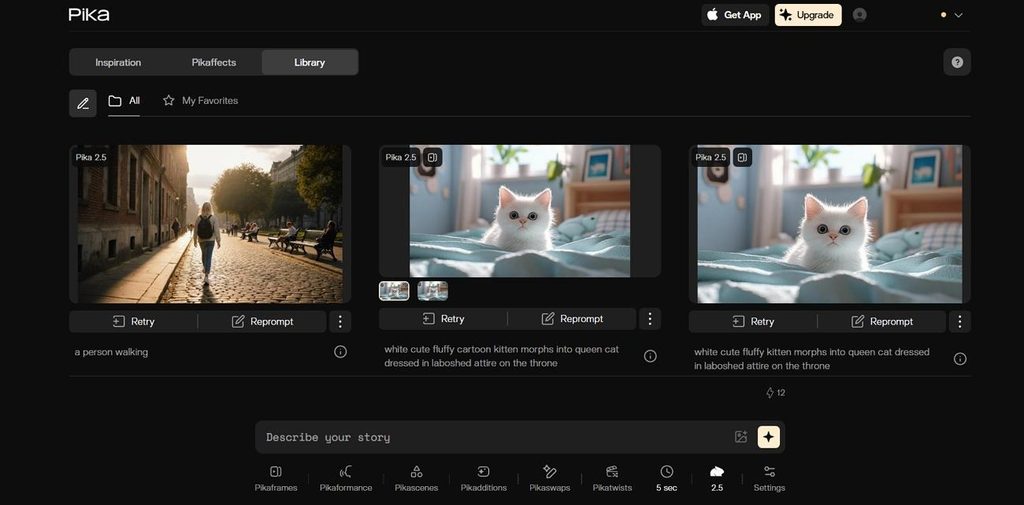
Pika brings AI text-to-video tools together for fast and flexible video production. Its Video Studio builds short clips or multi-shot videos directly from simple written ideas. Creators can shape characters, sound, and visuals without switching between separate editing platforms or tools.
Key Features
- Pikaframes connects up to five still images into one continuous animated sequence.
- Pika Soundtrack matches music, ambiance, and foley directly to onscreen action automatically.
Pros
- Commercial rights are included with every Pika plan.
- Pikaframes extends image sequences up to 25 seconds.
Cons
- Pika 2.5 text generations stop at 10 seconds.
- Higher resolutions consume more credits per generated video.
3. Google Veo
Best For: Filmmakers directing dialogue, camera moves, and timed scenes.
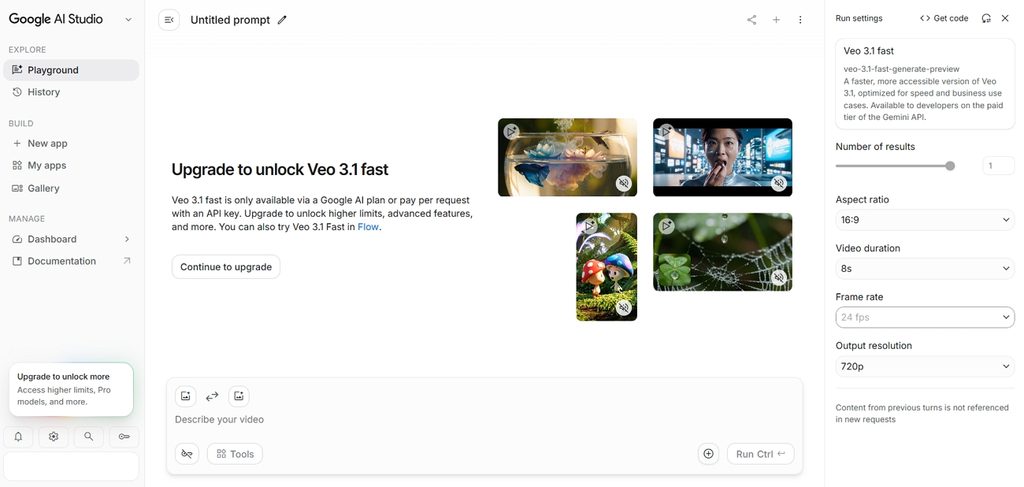
Detailed scene direction makes Google Veo useful when creators need more precise visual control. This text-to-video AI tool follows camera instructions while producing synchronized scene audio. Reference images keep recurring characters and settings recognizable across different generated video shots consistently.
Key Features
- Ingredients to Video accepts up to three references for characters, objects, and scenes.
- Scene Extension continues footage while preserving visual and audio consistency between clips.
Pros
- Veo 3.1 generates dialogue, effects, and ambiance alongside video.
- Outputs can reach 4K resolution for professional production.
Cons
- Veo clips max out at only 8 seconds.
- Prompt evaluation currently focuses mainly on English instructions.
4. Runway
Best For: Editors combining generated shots with detailed post-production workflows.
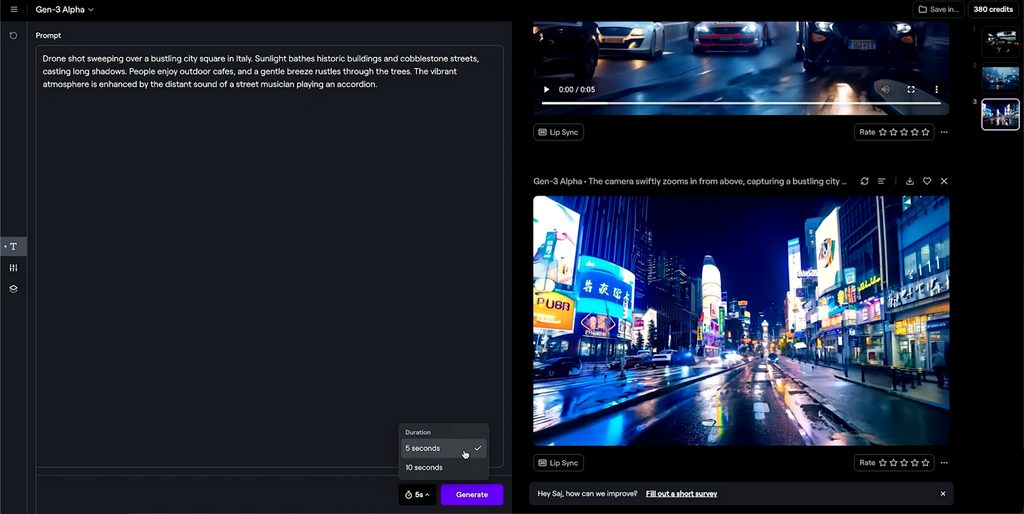
Runway gives editors an AI text-to-video creator centered around its Gen-4.5 model. Detailed prompts direct movement, composition, timing, and camera behavior inside each generated shot. Editing tools then reshape generated clips for more demanding post-production work after initial generation.
Key Features
- Gen-4.5 follows complex sequenced instructions for camera choreography and detailed scene changes.
- Workflows connects generation and editing steps through customizable node-based production workflow pipelines.
Pros
- Gen-4.5 supports true HDR output for professional finishing.
- Purchased top-up credits never expire between creative projects.
Cons
- Gen-4.5 text-to-video output remains limited to native 720p resolution.
- Each Gen-4.5 second consumes 12 credits during generation.
5. Kling AI
Best For: Directors planning multi-character scenes with precise shots.
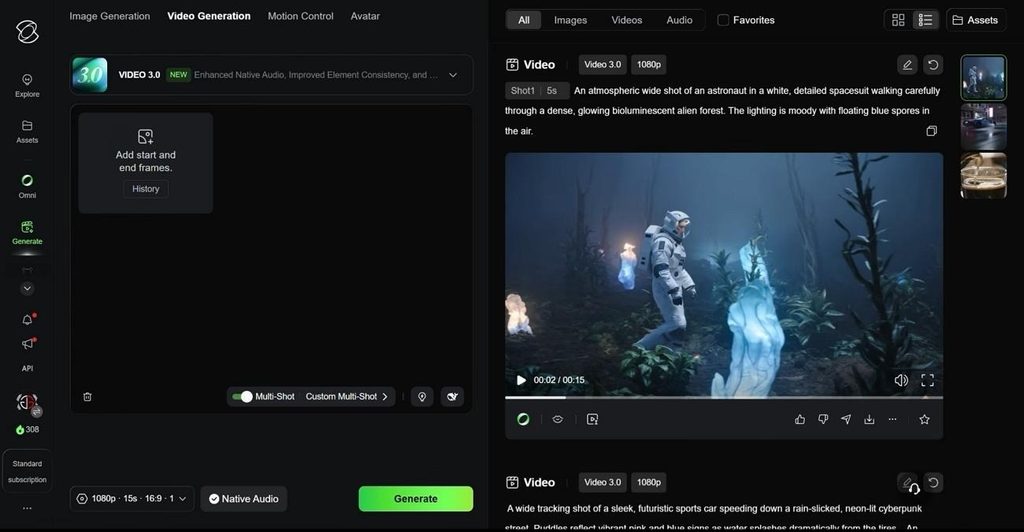
Kling AI handles planned sequences through an AI text-to-video tool built for control. VIDEO 3.0 places several connected shots inside one generation lasting up to 15 seconds. Its newer Turbo model keeps spoken lines and onscreen action closely matched during generation.
Key Features
- Multi-shot generation fits up to 6 planned shots inside one continuous video sequence.
- Elements can lock up to 3 characters or objects within the same generation.
Pros
- Native 4K output supports detailed viewing on larger screens.
- VIDEO 3.0 combines multiple planned shots within one generation.
Cons
- Generating 4K footage uses considerably more credits per second.
- Subscription credits expire instead of carrying into future months.
6. Hailuo AI
Best For: Creators building reference-heavy scenes with multilingual dialogue.
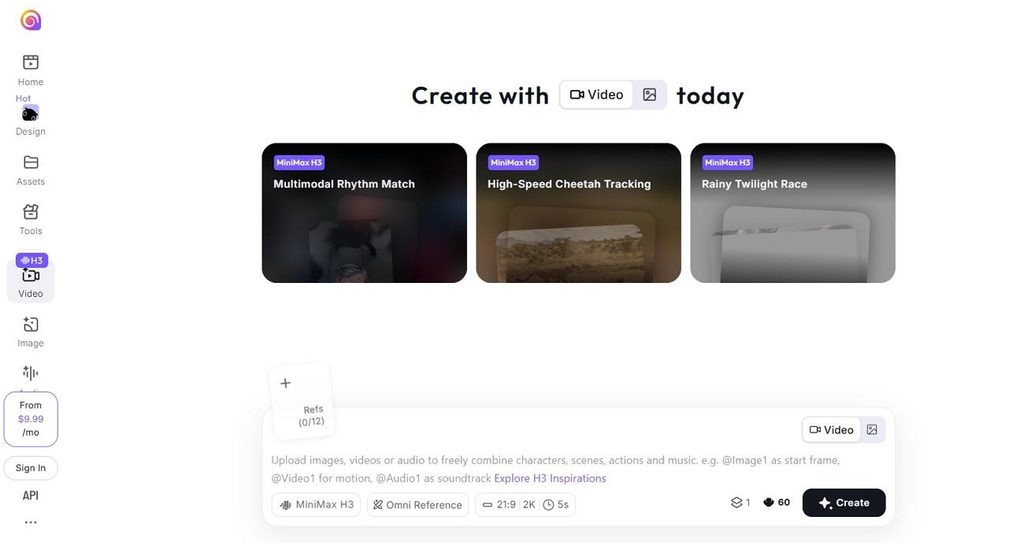
Long, detailed directions are where Hailuo AI stands apart from simpler video generators. Among AI text-to-video generators, H3 accepts extensive instructions alongside multimedia references easily. It creates visuals and stereo sound together, keeping dialogue connected with onscreen action naturally.
Key Features
- H3 supports stable spoken dialogue across 11 different languages during video generation.
- First-and-last-frame control defines both endpoints while H3 creates everything appearing between them.
Pros
- H3 produces native stereo audio alongside generated visuals.
- Video output reaches 2K resolution with H3-Regenerate-2K enabled.
Cons
- Individual H3 generations remain capped at 15 seconds.
- Reference videos cannot exceed 15 seconds in total.
7. InVideo
Best For: Filmmakers turning generated drafts into editable productions.
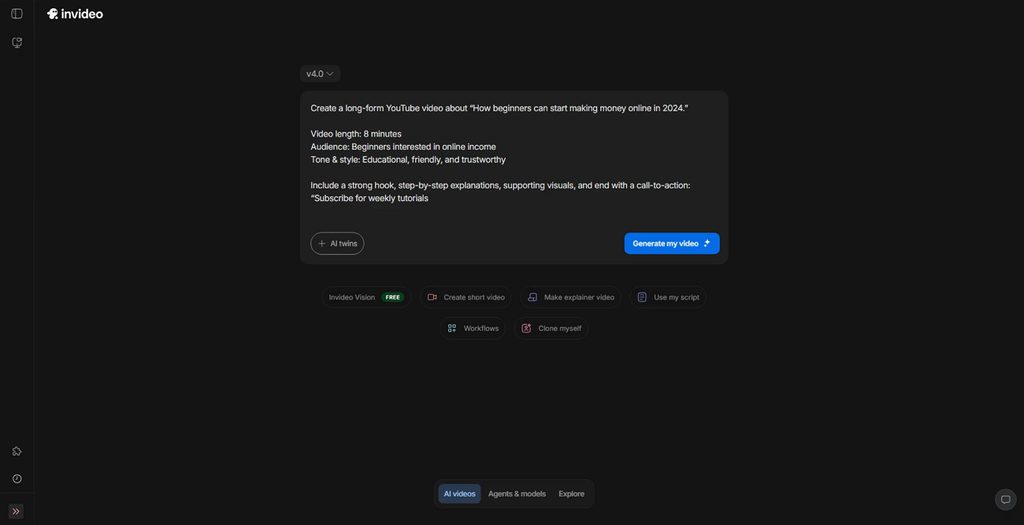
InVideo takes an AI video text-to-video generator beyond creating isolated short clips. Guided Workflows lead creators through casting, storyboarding, and other production stages from scripts. Finished drafts remain editable through a multitrack timeline instead of becoming fixed generated outputs.
Key Features
- Workflows guide filmmakers through structured production tasks without repeated manual prompting between steps.
- Footage Search finds people, actions, objects, scenes, or camera angles from uploaded material.
Pros
- Timeline changes remain manually adjustable after agent edits.
- Projects export into Premiere Pro, Final Cut, or Resolve.
Cons
- Assistant Editor actions consume credits during editing tasks.
- Seedance 2.5 availability remains listed as coming soon.
Compare All Text to Video AI Tools
Using AI for text-to-video can mean short clips or complete story projects. The table below compares these details across all 7 tools covered in this guide:
| Tool | Video Length | Audio | Free Access | Visual Styles |
| MagicLight AI | Up to 50 minutes | Narration, voices, music, with 40 background options | Limited free creation | 52+ styles |
| Pika | Varies by video model | Soundtrack and audio tools | Free plan; 0 monthly credits | Model and effect based |
| Google Veo | 4–8 seconds; extendable | Native audio and dialogue | 50 Flow credits daily | Prompt controlled |
| Runway | Gen-4.5: 2–10 seconds | Video and separate audio tools | 125 one-time credits | Prompt and reference based |
| Kling AI | VIDEO 3.0: 3–15 seconds | Native audio; 5 languages | Limited free access | Prompt and preset based |
| Hailuo AI | H3: up to 15 seconds | Native stereo audio | Limited free access | Prompt controlled |
| InVideo | Full videos; model-dependent clips | Voiceovers, music, sound | Limited weekly credits | Template and stock based |
Part 3. Why Choose MagicLight AI for Text to Video Creation
An AI text-to-video tool can simplify production when written content includes multiple scenes. Below are the main reasons MagicLight AI works well for longer text-based video projects:
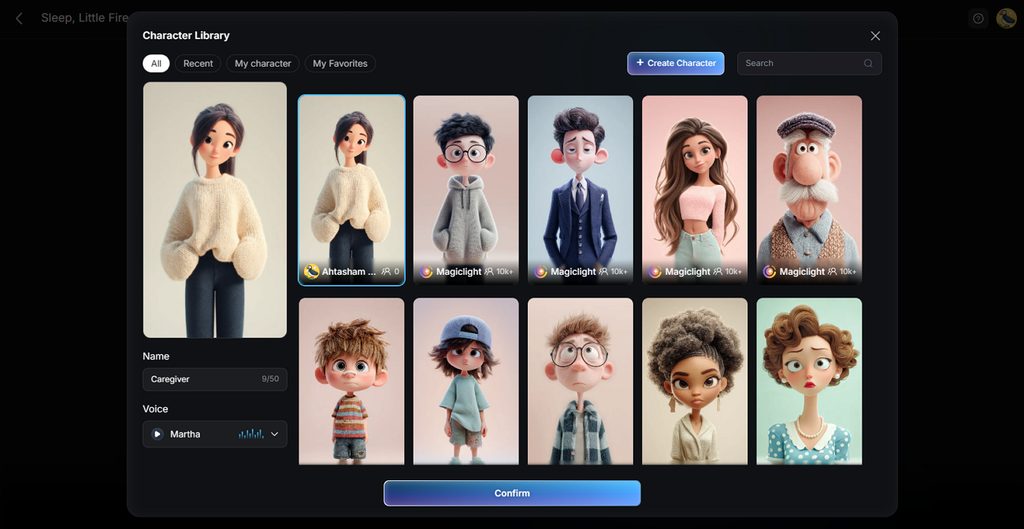
- Consistent Characters Across Scenes: Create or upload a character once, then reuse that appearance throughout your video. Facial features, clothing, and body details remain recognizable as the story moves forward.
- Wide Range of Visual Styles: Choose from more than 50 styles to define your video’s overall appearance. Available options span four style groups, including Midjourney and multiple MagicLight AI generations.
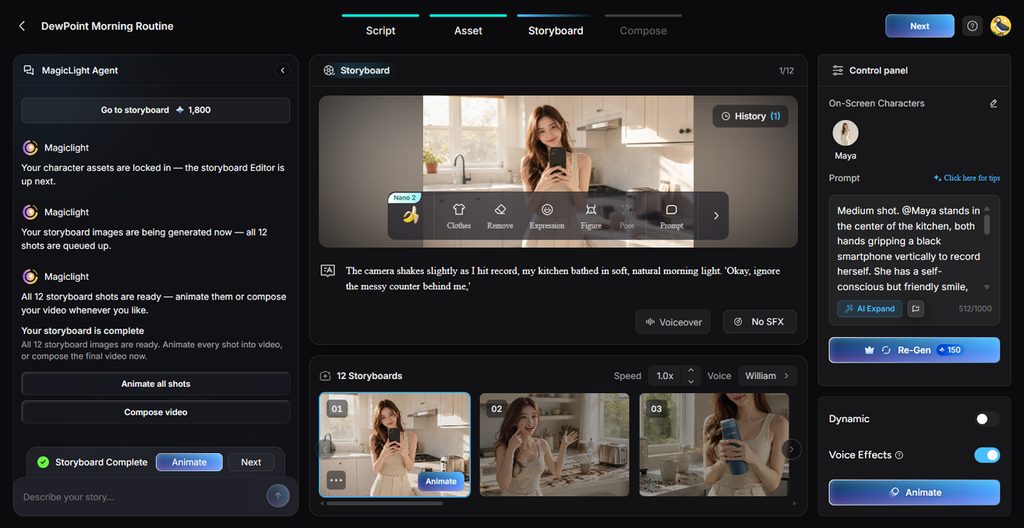
- Detailed Storyboard Editing: Refine individual shots before generating the finished video using flexible storyboard controls. Around 50+ pose options and timing adjustments provide more control over important story moments.
Guide to Turn Text Into Video With MagicLight AI
MagicLight AI text-to-video AI tool lets creators create free AI videos from text. Now, follow the steps below to transform your written content into complete videos with MagicLight AI:
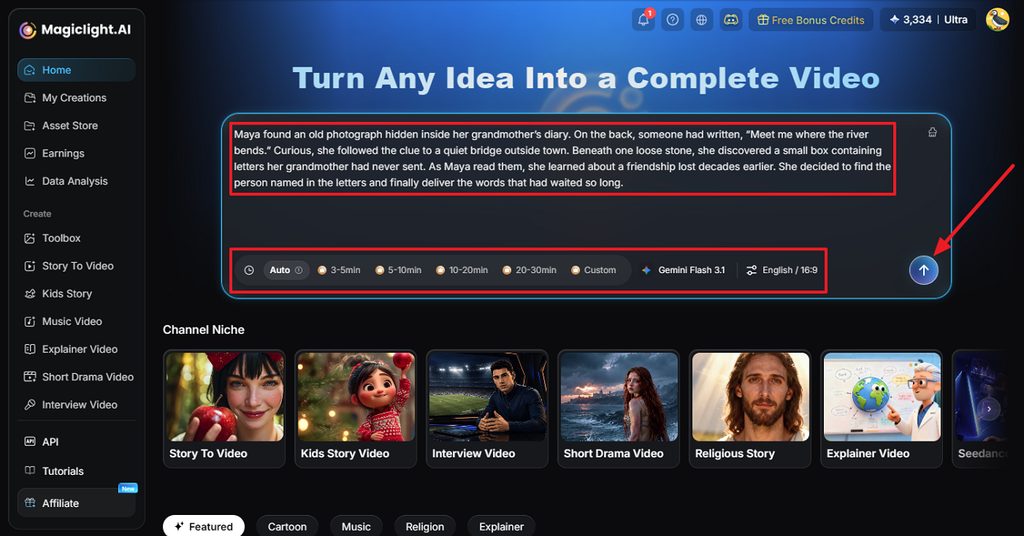
Step 1. Start With Your Written Story
Choose the Story to Video mode and paste your completed script as the starting point. Before sending it to MagicLight AI, define the duration, model, language, and aspect ratio you need. Use Send when these details are ready.
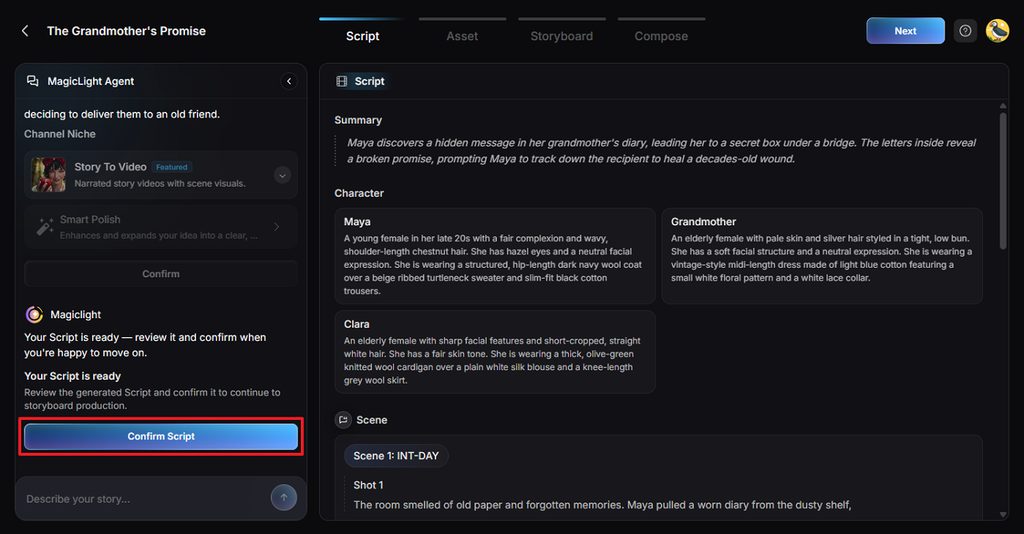
Step 2. Make Sure the Story Is Structured Correctly
Your script appears as Summary, Characters, Scenes, and Shots after MagicLight Agent processes it. Read through this breakdown to catch missing characters, incorrect scenes, or other differences from your original story. Finish the review with Confirm Script.
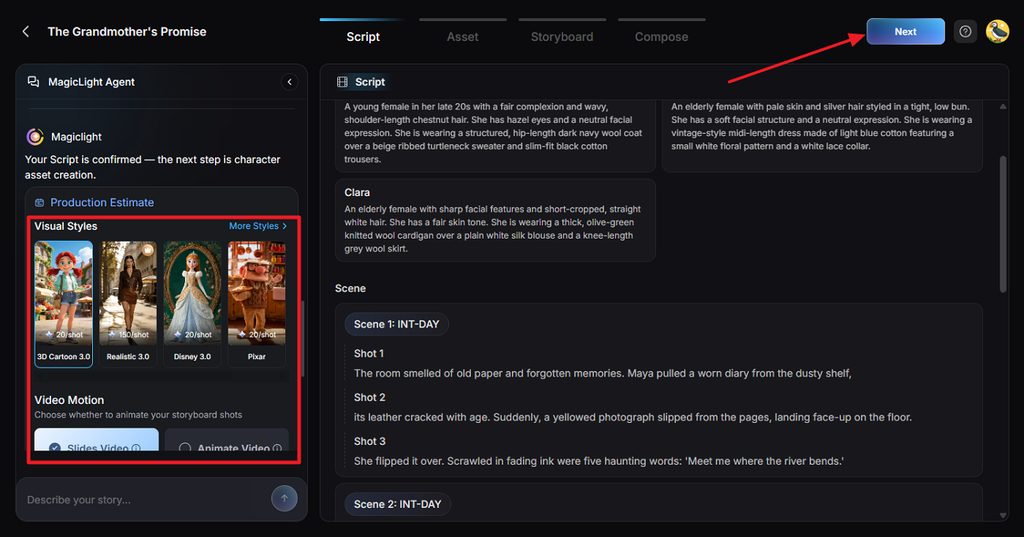
Step 3. Decide How the Video Should Look
This stage controls the presentation of your story. Begin with a suitable Visual Style, then decide whether the scenes need Slides Video or Animate Video. Complete any remaining options before confirming the setup.
Step 4. Match the Characters With Your Script
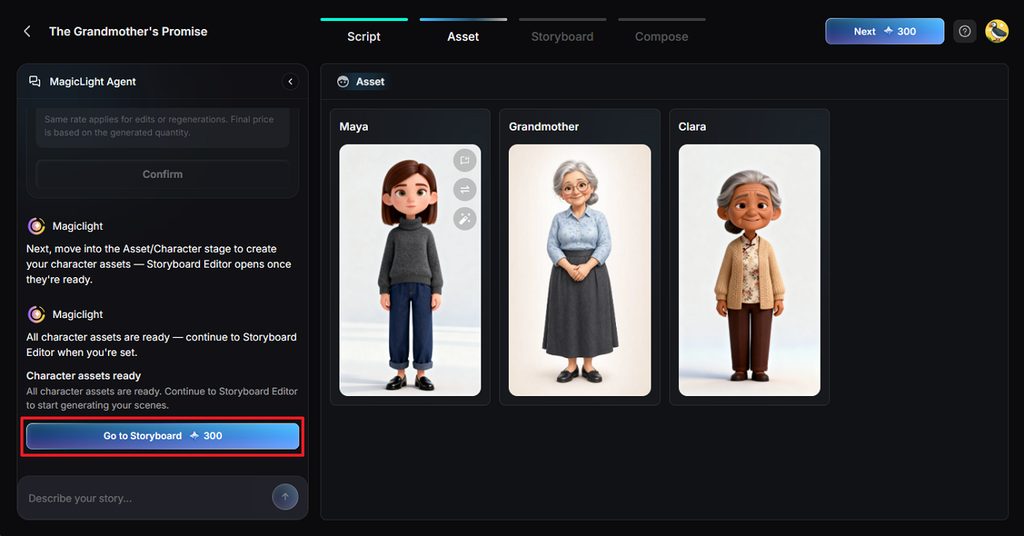
Next, choose a character created from your story. Make sure their appearance fits the roles you described, replacing or adjusting any asset that does not work. Once the cast looks right, use Go to Storyboard.
Step 5. Work on Individual Storyboard Shots
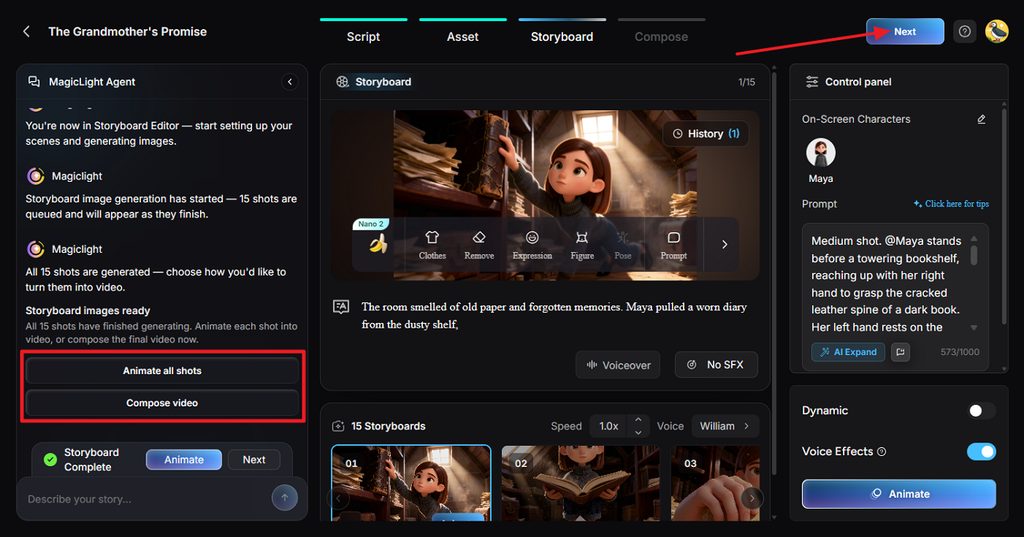
Nano Storyboard gives you shot-level control before everything becomes a finished video. Clothes, Expression, Figure, Pose, and Prompt can be changed wherever a scene needs improvement. Voice and effect adjustments are available here as well, followed by Animate all shots or Compose video.
Step 6. Finish the Audio and Subtitle Setup
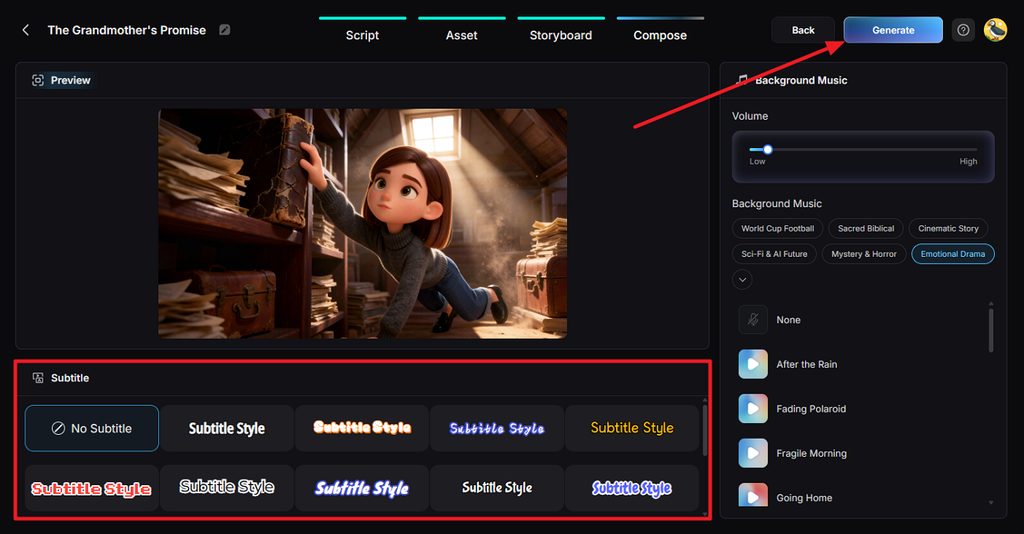
With the scenes assembled, preview the video and focus on its final presentation. Apply a Subtitle Style or choose No Subtitle, then set the Background Music and its volume. Clicking Generate starts the final video creation.
Step 7. Watch the Result Before Saving It
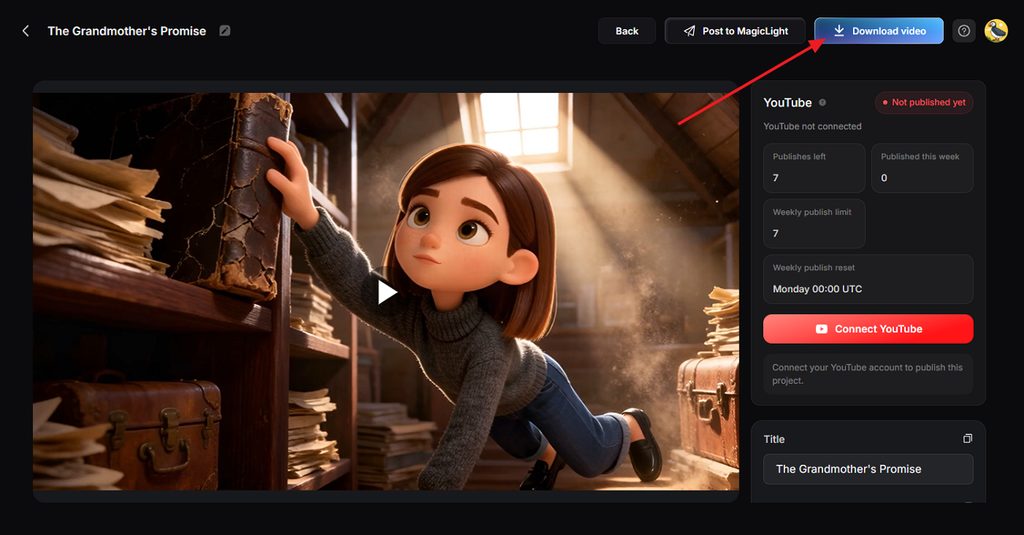
Give the completed video one full playback instead of downloading it immediately. Pay attention to scene flow, voices, music, subtitles, and pacing to make sure everything works together. If the result is ready, select Download video.
Conclusion
In conclusion, text-to-video AI tools now support projects ranging from clips to stories. MagicLight AI brings scripts, recurring characters, narration, and connected scenes into one complete workflow. Other platforms remain useful for cinematic shots, social content, editing, detailed prompting, and production.
FAQs on Text to Video AI Tools
1. Can text-to-video AI maintain consistent character appearances across different scenes?
Consistent characters depend on reference features rather than repeating descriptions in every prompt. MagicLight AI saves character appearances and reuses them across connected scenes throughout stories.
2. What kind of story content works best with text-to-video AI?
AI for text-to-video works well with stories built around visual moments. Fables, explainers, myths, and short dramas naturally divide into focused scenes and actions.
3. Can I generate full video scenes just from a rough story draft?
MagicLight AI can expand a rough story draft into complete scenes with narration. MagicLight Agent organizes the idea into a structured script before video production begins.
4. Is text-to-video AI suitable for creating narrative short videos?
Narrative shorts work especially well when each scene focuses on one clear moment. Vertical formats also fit TikTok, Reels, and Shorts without requiring complicated production setups. MagicLight AI combines narration, subtitles, and recurring characters from one short written script.
5. Which text-to-video AI tool delivers the best results for storytelling?
Different AI text-to-video generators serve storytelling needs through different production approaches. MagicLight AI handles scripts, characters, voices, scenes, and narration within one connected workflow.

![6 Best AI Tools for Designers to Try [2026 List]](https://magiclight.ai/wp-2/wp-content/uploads/ai-tools-for-designer-300x198.png)

![How to Create a Meme for Instagram in 2026 [Step-by-Step Guide]](https://magiclight.ai/wp-2/wp-content/uploads/create-a-meme-for-instagram-300x169.png)