


Everyone wants to bring their ideas to life, but we get stumped by complex tools, which makes it hard to create. Whether you’re a new parent crafting bedtime stories, a creator adding motion, or a marketer designing eye-catching visuals, animation can feel complicated at first.
The right software makes animation fast and effortless, so you get polished results every time. In this guide, we’ll explore the best animation software for Mac that combines power, creativity, and ease of use. From free gems to pro-level programs, we’ll uncover the top options to help every user convert stories to videos.
Part 1. Complete List of 10 Animation Software for Mac Users
In this section, let’s discover some of the best computer animation software for Mac. These free and paid options are available in 2026 and will quickly help manifest your ideas into reality:
1. Magiclight.AI
For anyone just starting animation, one of the best animation software for Mac beginners is MagicLight AI. It is designed to make storytelling accessible, fun, and incredibly easy. With ready-made templates, automatic storyboards, and 16 animation models, users can craft polished videos quickly. Magic Claw is a special feature that includes scheduling and automatic publishing. It quickens generation, review, and editing, turning complex video workflows effortlessly simple.
MagicLight AI also offers character customization, 37 voice-cloning options, 40 music options, and high-resolution (720p/1080p) exports. Whether you’re creating kids’ adventures or business content, this animation tool transforms creativity into stunning animations without learning complex editing skills.
Pros
- Supports 11 languages, making global storytelling possible and boosting engagement.
- Delivers consistent, stable characters across scenes for flawless, professional animations.
- Handles scripts up to 12,000 characters for rich, detailed video storytelling.
Con
- MagicLight AI does not provide higher output resolutions like 4K.
2. Autodesk Maya
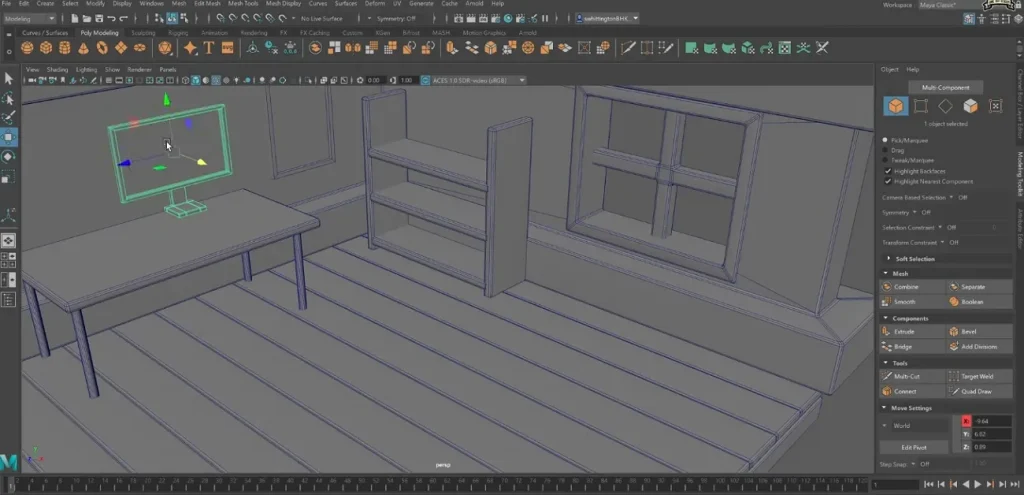
Used by top studios worldwide, Autodesk Maya is a high-end 3D animation software that offers powerful modeling, rendering, and simulation tools. The tool is available on both macOS and Windows, so all computer users can try it out. Autodesk Maya offers advanced motion graphics and character rigging features. It is considered the best animation software for Mac, especially for professionals who want cinematic-quality animations and full control over every frame.
Pros
- Produces incredibly detailed, realistic animations with unmatched lighting and rendering quality
- Available natively on Mac and seamlessly integrates with multiple creative pipelines.
Cons
- Requires significant computing power, leading to slower processing on older Macs.
- Subscription cost is high compared to other animation software options.
3. Blender
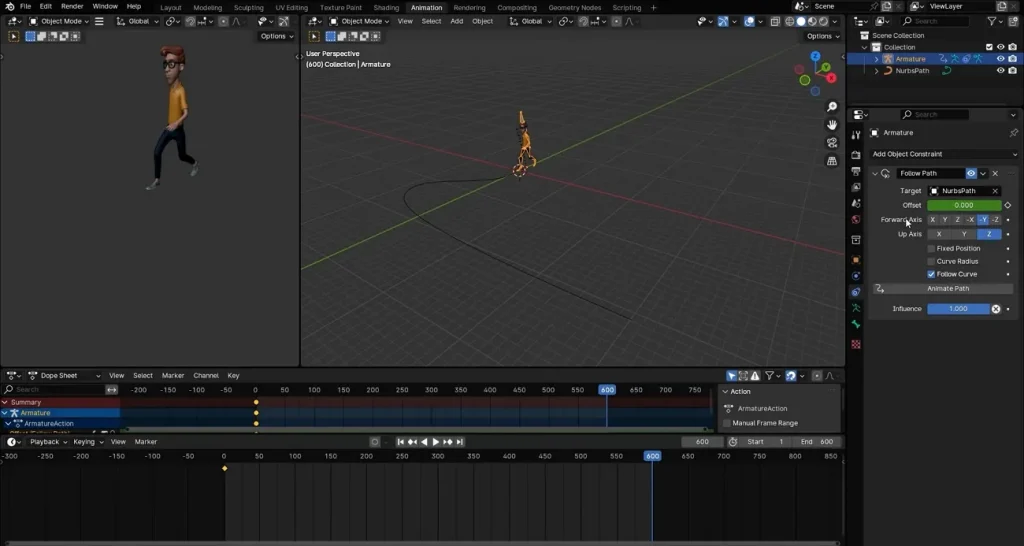
For creators who want versatility and creative freedom, Blender delivers both quickly and easily. Recognized as one of the leading free animation software for Mac, this open-source tool offers intuitive 3D creation tools and real-time viewport rendering. Ideal for artists and developers, it provides superior modeling, animation, and visual effects, all available without a subscription or long setup process.
Pros
- Supports all major animation functions, including video editing, compositing, and sculpting.
- A massive global community contributes plugins, tutorials, and ongoing feature improvements.
Cons
- Advanced simulations require high-end hardware for consistent, lag-free rendering.
- Collaboration features remain limited compared to some premium studio-grade software.
4. Toon Boom Harmony
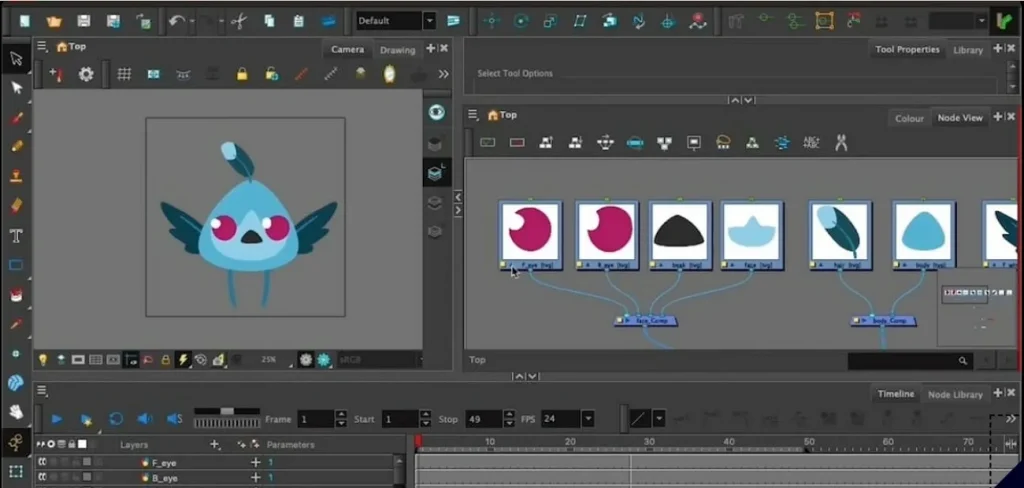
If storytelling through hand-drawn animation is something that excites you, Toon Boom Harmony is a software to invest in. This advanced 2D animation software for Mac delivers professional rigging, compositing, and effects tools in one workspace. Used by major studios like Disney and Cartoon Network, it blends powerful drawing tools with streamlined production features perfect for both series and film creation.
Pros
- Widely trusted by global studios for professional-grade 2D production reliability.
- The integrated drawing tool supports both traditional and paperless animation workflows.
Cons
- Software pricing is costly, especially for freelancers or small creative teams.
- Demands substantial learning time, especially for beginners in non-technical animation.
5. Cinema 4D
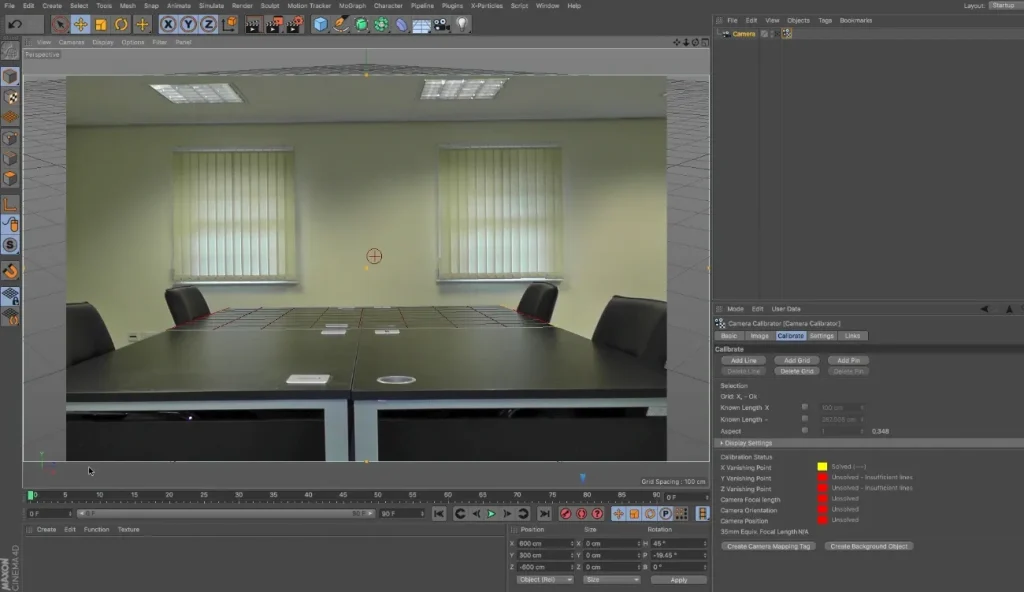
A great 3D modeling and animation tool built for speed, creativity, and reliability is Cinema 4D. This software is perfect for beginners and pros, because it offers easy and complex editing tools. Another added feature is its smooth integration with Adobe After Effects, so you can add text and motion designs easily. Its user-friendly interface makes learning 3D design surprisingly easy while still delivering studio‑grade animation results.
Pros
- Features real-time viewport rendering for quick visualization and faster adjustments.
- Powerful MoGraph toolset allows effortless creation of dynamic motion graphics and effects.
Cons
- Lacks powerful sculpting tools compared to some other 3D applications.
- Rendering large, detailed scenes can occasionally cause viewport lag issues.
6. Adobe Animate
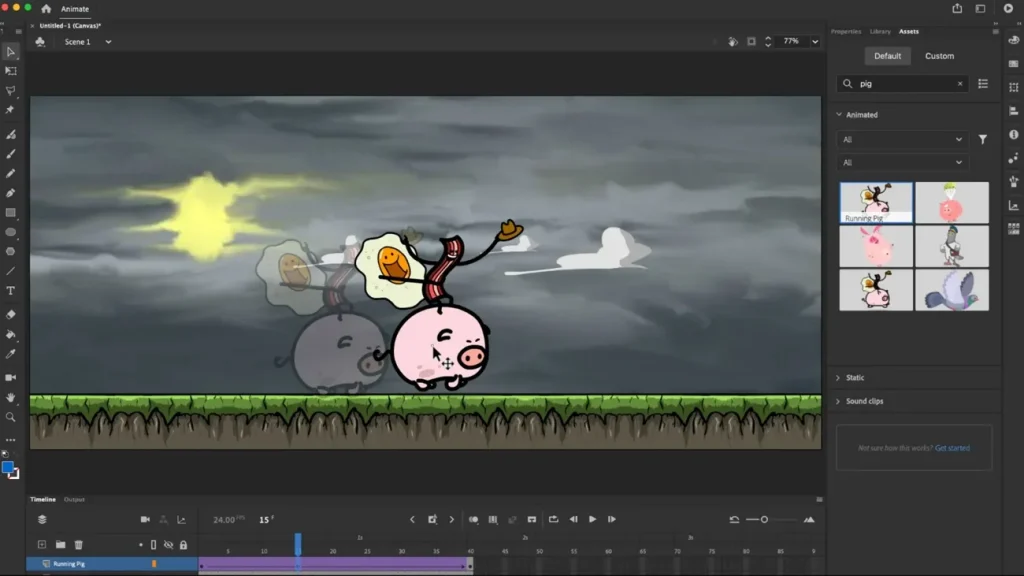
With vector-based brushes, frame-by-frame animation, and audio syncing features, Adobe Animate is another great tool users should definitely consider. Its asset warp tool and timeline controls allow users to animate complex movements smoothly. Furthermore, you can export projects directly to HTML5 Canvas, WebGL, and even mobile apps, making this one of the most versatile animation software for Mac today.
Pros
- Simplifies animation flow with redesigned timeline and intuitive onion-skin controls.
- Enhances rigging precision using the advanced Asset Warp and Bone tools.
Cons
- Some new effects features may not work consistently across older Mac versions.
- Export settings occasionally cause color mismatches in HTML5 and video outputs.
7. Adobe After Effects
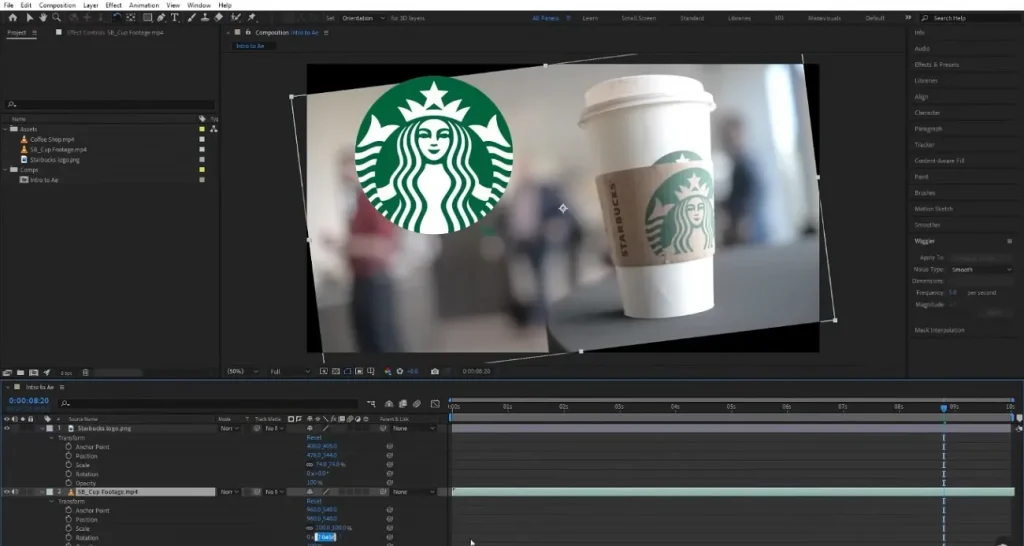
Another tool on our list is Adobe After Effects, which turns imagination into motion quickly. It runs smoothly on macOS Monterey, Ventura, and Sonoma, giving creators powerful tools for motion design. Ideal for video editors, marketers, and YouTubers, it helps anyone craft striking visuals easily. Beginners can start with the Roto Brush 2 for clean object isolation and the Essential Graphics panel for quick animated titles and overlays.
Pros
- Provides extensive plugin support to enhance effects, workflows, and creative flexibility.
- Includes powerful motion tracking tools for realistic object animation and compositing.
Cons
- Subscription pricing is a bit expensive for casual editors or beginners.
- A complex interface may overwhelm users new to visual effects or compositing.
8. Krita
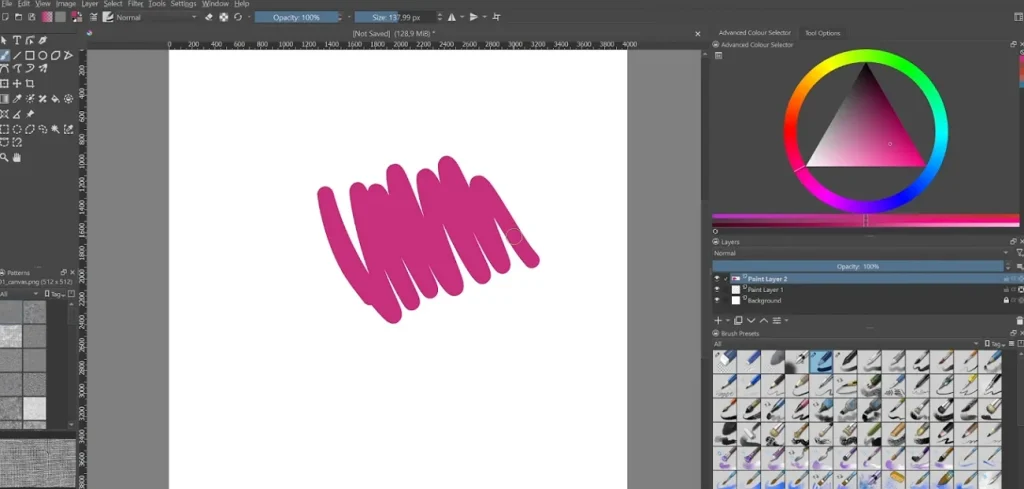
This software brings hand-drawn animation to life with a painter’s precision and a creator’s freedom. It is a good animation software for Mac and is completely free, open source, and runs on Windows and Linux as well. With onion-skinning, frame-by-frame tools, and the timeline docker, users can illustrate, storyboard, and animate seamlessly. Its brush stabilizers and wrap-around mode allow smooth workflow for detailed 2D projects.
Pros
- No subscriptions or trials required, fully free with constant community-driven updates.
- Beginner-friendly color management tools ensure consistent hues and artistic control.
Cons
- Limited audio editing options for syncing sound to animated scenes.
- Lacks built-in 3D capabilities or integration with modeling programs.
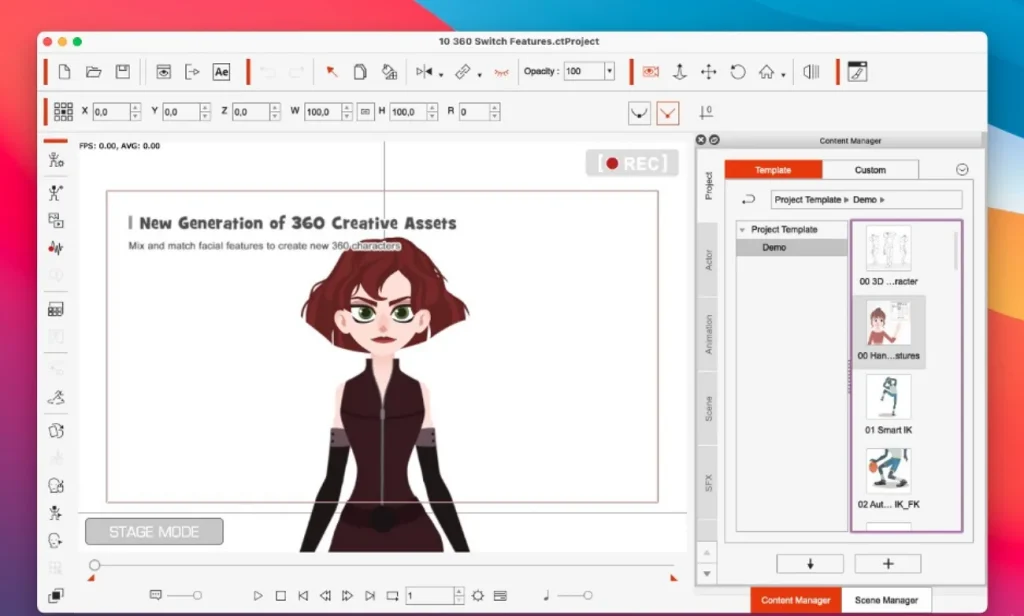
9. Cartoon Animator
It runs on macOS 10.12 or later and offers powerful features for 2D animation. Cartoon Animator is used primarily by YouTubers and small studios; however, it is not supported on mobiles for on-the-go editing. With Motion Key Editing and Facial Puppet tools, you can animate characters using natural movements. This 2D animation software, free for Mac for 30 days, is great for those who need some place to start.
Pros
- Offers real-time lip-sync and body motion capture for realistic performances.
- The Facial Puppet tool allows expressive character control using simple motion input.
Cons
- Interface feels cluttered to first-time animators using multiple panels simultaneously.
- Limited drawing tools require importing assets from external graphic software.
10. Procreate Dreams
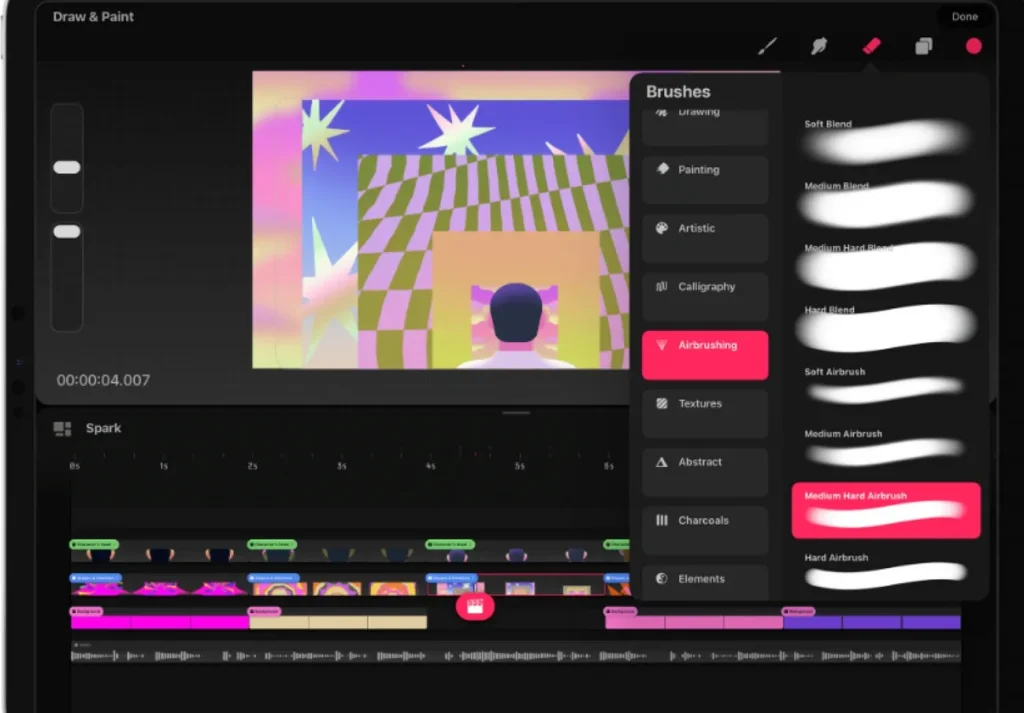
With a natural workspace built for sketching, storyboarding, and motion editing, Procreate Dreams makes animation effortless and fun. Artists who value creativity will love this application for its real-time timeline and touch gestures. Using tools such as drawing assist and onion-skin playback, users can quickly and easily transform simple sketches into stunning animated scenes.
Pros
- Supports high-resolution exports and flexible layer management for detailed projects.
- Timeline editing allows instant playback and easy scrubbing of animation sequences.
Cons
- Limited text support makes text animation more complicated than others.
- It needs Silicon and macOS 14.0 to run on a desktop.
Part 2. How to Use the Best Mac Animation Software
After exploring multiple options, it is clear that Magiclight AI is one of the best animation software for Mac. Here, let us now look at the steps required to use Magiclight AI for creating animations:
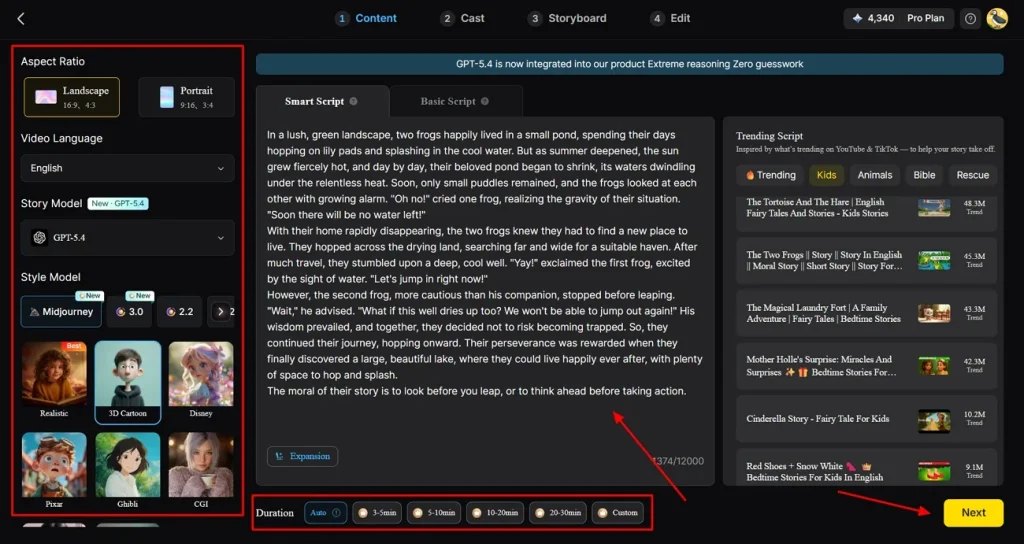
Step 1. Type a Script and Select Story Settings
Firstly, Enter your idea by accessing the story to video feature and select your desired Aspect Ratio, Story Model, and Style Model. Choose the length of your clip by selecting an option from the Duration section and press the Next option.
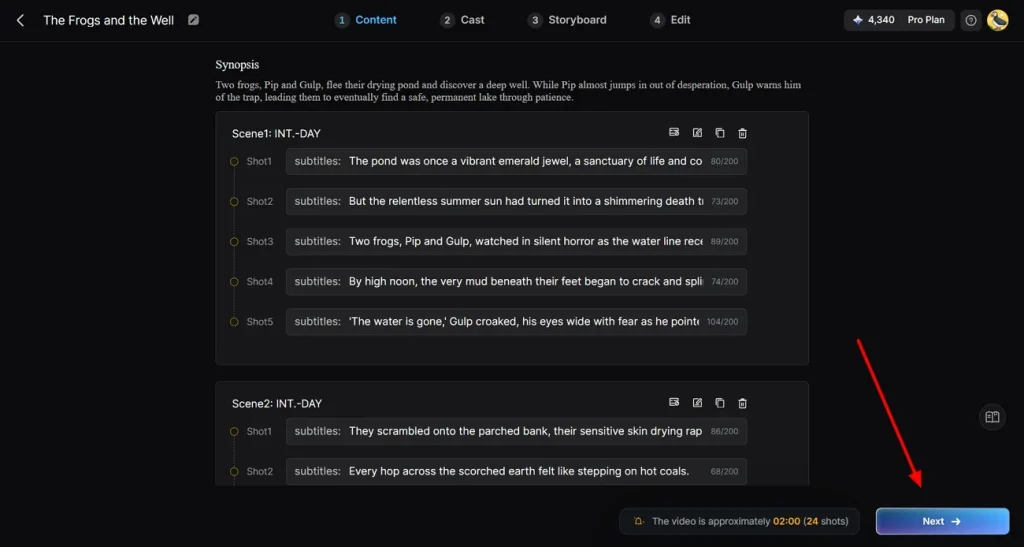
Step 2. Revise Generated Scenes From Script
Next, Magiclight AI automatically converts your script into a series of scene sequences. You can edit or delete any scene as you see fit and then click on the Next button.
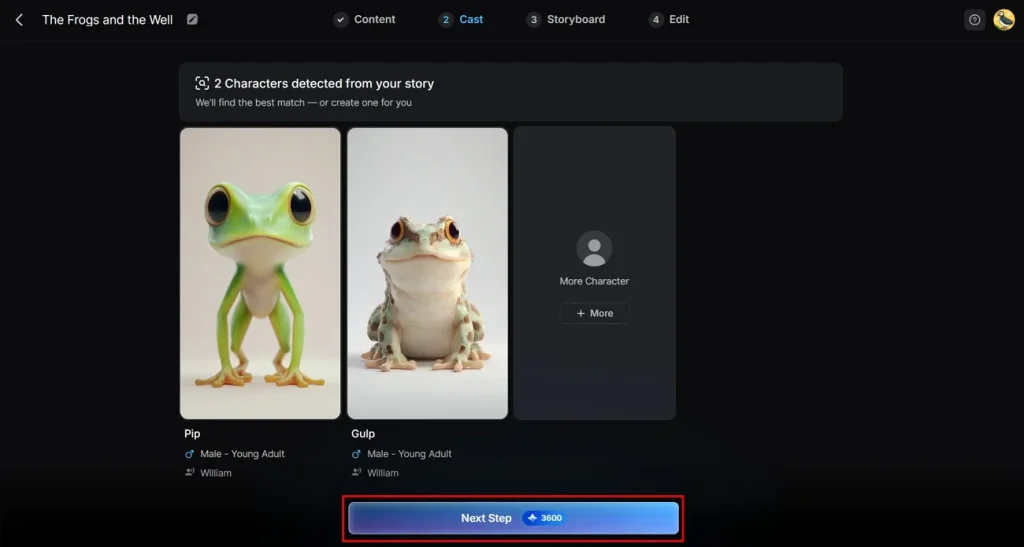
Step 3. Refine the Characters of the Story
Continuing, you can now edit and refine the characters for your story. To edit a character, click on it and alter its name and gender. Afterward, simply click on the Next option at the bottom of the interface.
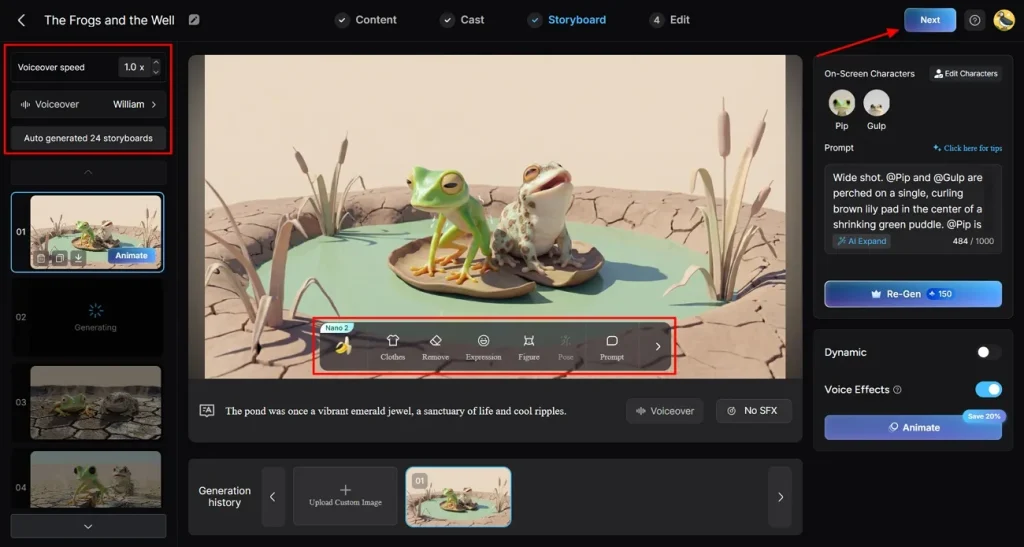
Step 4. Polish AI-Generated Storyboards
Here, the AI engine will create storyboards that you can refine to your preference. Alter Pose or Expressions of characters by selecting one of the icons on the Nano 2 control menu. After you have edited the Voiceover Speed of each character, click on the Next option.
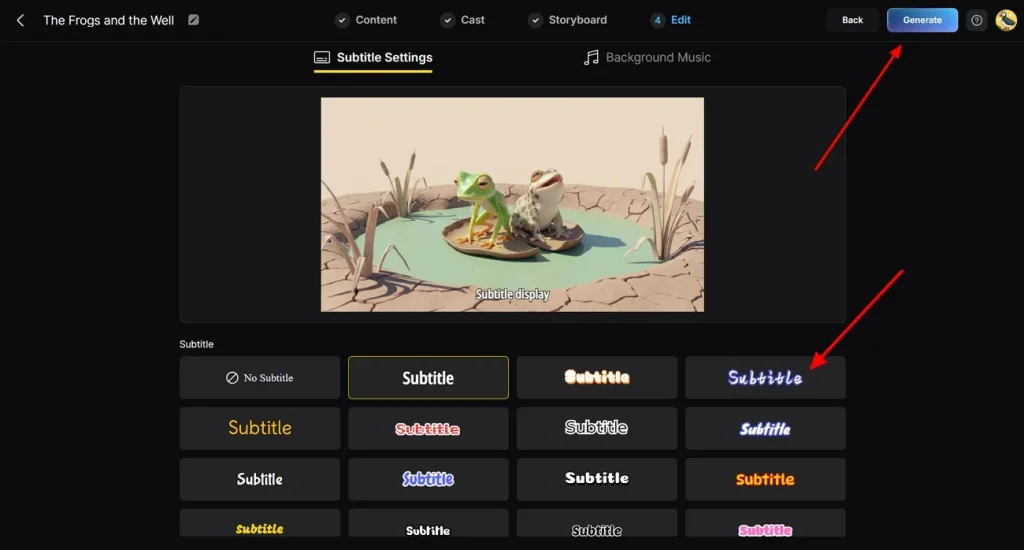
Step 5. Enhance With Subtitles and Background Music
Following the previous step, choose a Subtitle option from one of the templates for your captions. Add background music to create tension in your scenes and then click on the Next button.
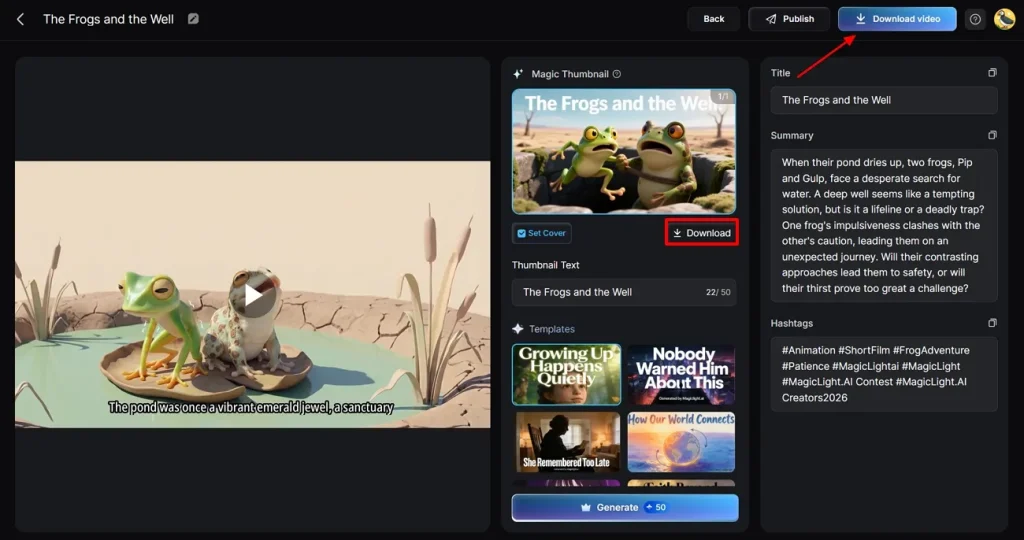
Step 6. Preview and Export Final Video
To conclude, preview your final product and make any last-minute changes if necessary. Click on the Download Video option to save your animated clip to your device. Additionally, click Download option to separately download the magic thumbnail generated by Magiclight AI.
Conclusion
In summary, we have discussed 10 top animation software for Mac, each offering unique strengths for creators of all levels. From hand-drawn artistry to 3D cinematic visuals, these tools let users unleash their creativity freely. If you are after a mix of innovation, simplicity, and professional results, MagicLight AI is the perfect option to use to design your masterpieces.
Frequently Asked Questions on Best Animation Software for Mac
Q1. What is the best animation software for Mac beginners?
There are many available in the market, but MagicLight AI is one of the best animation software for Mac beginners. It guides new users with templates, smart automation, and simple editing tools.
Q2. Is free animation software for Mac good for beginners?
Several software offer free plans or trials so users can explore features and tools. These free animation tools are great for beginners learning the basics. They help you experiment, practice core skills, and decide later if paid software is necessary.
Q3. Can I use professional animation software on a Mac?
Yes, you can definitely access professional animation software on Mac for commercial projects. Tools like MagicLight AI, Blender, and Autodesk Maya support advanced workflows and detailed animation control.
Q4. Do I need a powerful Mac for animation software?
You don’t always need a powerful Mac, but better hardware helps a lot. Complex 3D scenes, high resolutions, and long timelines run smoother on faster processors and more RAM.
Q5. Which is the best 3D animation software for Mac free download?
For 3D animation software free download for Mac, MagicLight AI is a great choice. It lets beginners and pros generate animated videos from scripts with consistent characters and smooth motion. Tutorials and guides are also available, so you never get lost while creating.





![How to Make a Marketing Video 2026 [Step-by-Step Guide]](https://magiclight.ai/wp-2/wp-content/uploads/marketing-goal-planning-guide-300x200.png)